
 Need help?
Do you have a question about the R&M ControlMaster NXT and is the answer not in the manual?
Introduction to the manual's purpose and scope.
Explains symbols used throughout the manual for clarity.
Defines safety symbols and signal words for hazard communication.
Provides contact information for inquiries and feedback.
Details the manufacturer's warranty limitations and disclaimers.
Guidelines for proper and safe use of the manual.
Defines key terms and definitions used in the manual.
Lists applicable directives and standards the product complies with.
Precautions and actions to take in case of fire.
Information on identifying and using the main power switch safely.
Procedures and warnings for using the emergency stop function.
Specifies the designed application and purpose of the converter.
Outlines restrictions and prohibited uses of the equipment.
Details about the product manufacturer and contact information.
Explains the information provided on the product's main identification sticker.
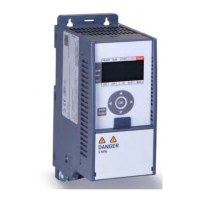
Identifies and describes the primary components of the equipment.
Overview of the control panel layout and its elements.
Describes the various display modes and status indicators.
Explains how to select the control mode for the device.
Describes the structure and navigation of the main menu.
Instructions on how to navigate through the device's menu system.
How to access and view monitoring values and statuses.
How to access and edit parameter settings.
How to access and view recorded fault history.
Explains different methods for controlling the equipment's operation.
Guidelines for proper disposal of waste materials and components.
Provides guidance on the installation and start-up of the CMX 022 frequency converter.
Specifies the intended use and compatibility of the upgrade kit.
Instructions for recycling removed parts and packaging.
Safety precautions to take before commencing work on the crane.
Procedures for safely using main switches and emergency stops.
Safety checks and procedures after completing work.
Lists all components and accessories provided in the upgrade kit.
Lists the necessary tools for performing the installation.
Details terminal assignments for power and control connections.
Describes the user interface elements of the new controller.
Information on the EMC filter and its configuration.
Steps to take before starting the installation process.
Instructions for safely removing the existing frequency converter.
Information on handling control voltage front resistors during upgrade.
Steps to by-pass control voltage front resistors if necessary.
Procedures for installing the new frequency controller.
Recording existing parameter settings from the old inverter.
Identifying the motor type for commissioning purposes.
Recording motor rating plate values for commissioning.
Configuring parameters for the new inverter.
Explains the objective of troubleshooting procedures.
Lists common problems and their suggested solutions.
Details fault codes, alarms, causes, and reset procedures.

 To Next Page
 General