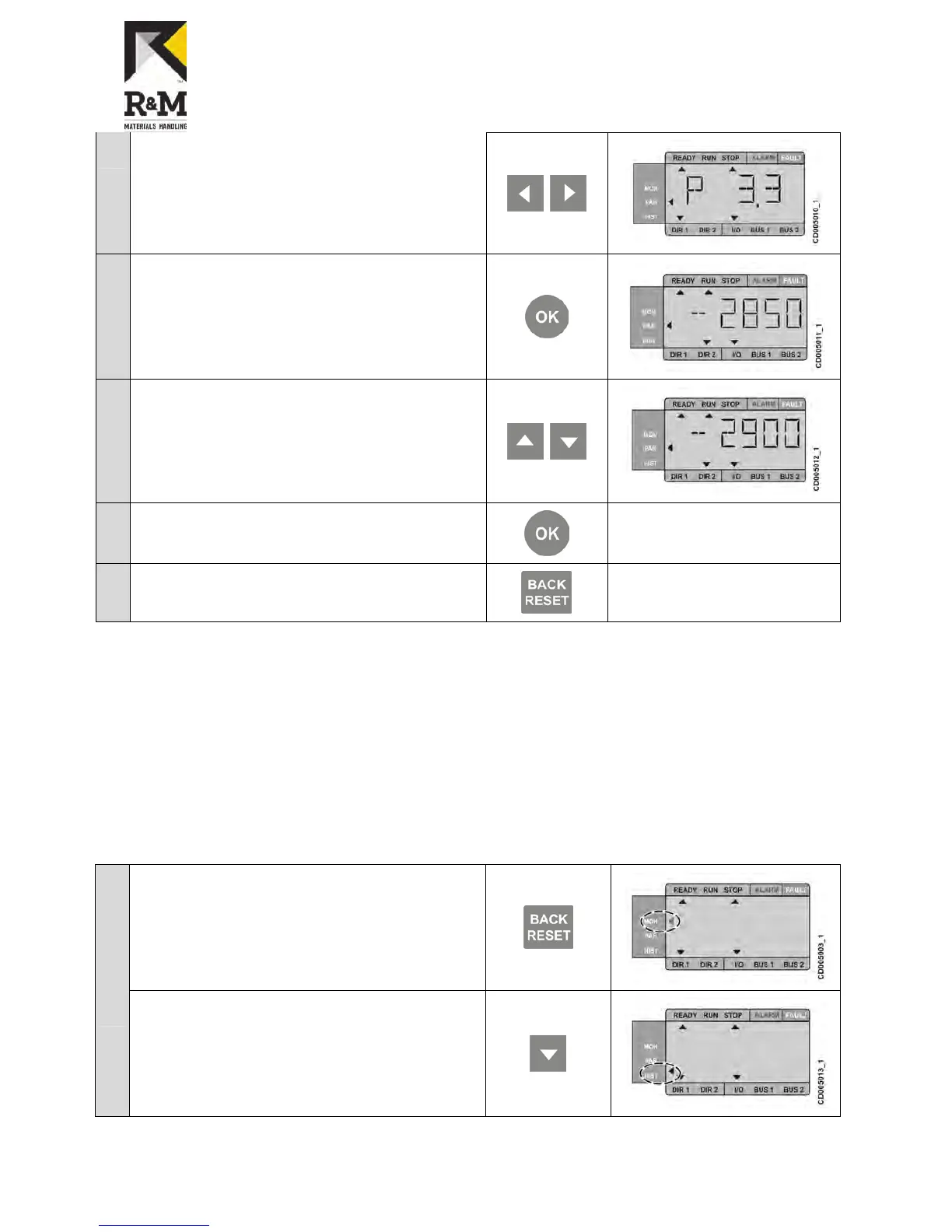
5.3.4 Fault history menu
In the fault history menu, you can view nine latest faults. The fault history shows the operating date, hour, and
minutes for the fault.
When a fault is active, a fault code alternates with the main menu. It is possible to navigate in the menu, when the
faults are active. The display is returned to the fault menu, if the navigation buttons has not been pressed.
When you are browsing between the faults, the active faults are blinking in the display. Press OK to reset the active
fault. If the fault cannot be reset, the blinking continues.
To clear fault history, press the Back/Reset button 5 seconds in the fault history menu. Note that the drive must be
stopped.
Accessing the fault history menu
1
Press back/reset button until the display momentarily empties and
the main selection arrow blinks.


 To Next Page