17
FX Section
1. F
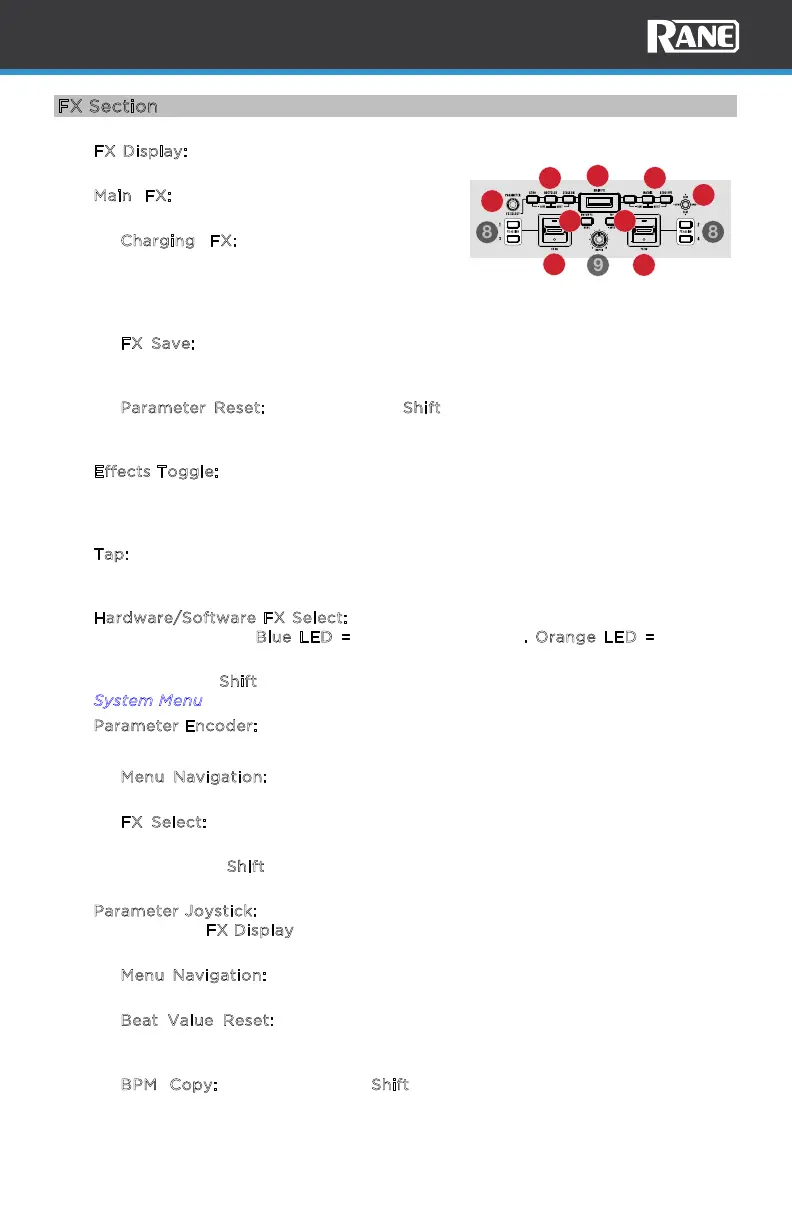
X Display: Shows the current eect and its
parameters.
2. M
ain FX: Press one of these buttons to
arm/disarm a post-fader eect.
• C
harging FX: Press and hold an FX
button and turn the parameter knob to
cycle through the available FX. Push the
parameter knob in to assign the selected
FX to the FX slot.
• F
X Save: Press and hold this button for four seconds to save the current
beats/parameter values to the FX slot. Saved FX are stored to the device
and recalled each time Performer is powered on.
• P
arameter Reset: Press and hold Shift and press this button to recall the
user defined or factory default (if the eect has not been saved)
beats/parameter values for the loaded eect.
3. E
ffects Toggle: Move this toggle switch away from you to activate the eects—
the toggle will latch to that position. Push down on the paddle to turn the
eects on momentarily. Pull the toggle back to the center position to deactivate
the eects.
4. T
ap: Press this button three consecutive times at the desired tempo to manually
set the BPM rate for beat-tempo eects, per channel. Press and hold this button
for three seconds to return the BPM back to the BPM of the software deck.
5. H
ardware/Software FX Select: Press to toggle between the internal Hardware
FX or software FX. B
lue LED = Internal FX (default). Orange LED = Software
FX.
Press and hold S
hift and press this button to access the system menu. See the
S
ystem Menu section for more details.
6. P
arameter Encoder: Turn this to control the hardware FX parameters.
Push the encoder to cycle through available parameters for the assigned eect.
• M
enu Navigation: While the Menu is open, move the joystick to navigate
through menu options. Push in the encoder to confirm menu options.
• F
X Select: Hold one of the six FX buttons and turn the encoder to scroll
through the available eects. Push the encoder to load the selected eect.
Press and hold S
hift and turn the encoder for Manual BPM Adjust. This will
change the tempo of the selected BPM in tenth increments.
7. P
arameter Joystick: Push this joystick up and down to adjust eect parameters
shown on the F
X Display. Push this joystick left or right to select the left or right
BPM. This is only necessary when making manual FX tempo adjustments.
• M
enu Navigation: While the Menu is open, turn the parameter encoder to
navigate through menu options.
• B
eat Value Reset: Push the joystick button to recall the user-defined or
factory default beat value (when the eect has not been saved) for the
loaded eect.
• B
PM Copy: Press and hold Shift and move the joystick to copy the
highlighted tempo and apply it to the left or right BPM, depending on the
direction the joystick is moved.
REVERB
1
2
2
3
3
4
5
6
7



 To Next Page