24
Pad Display
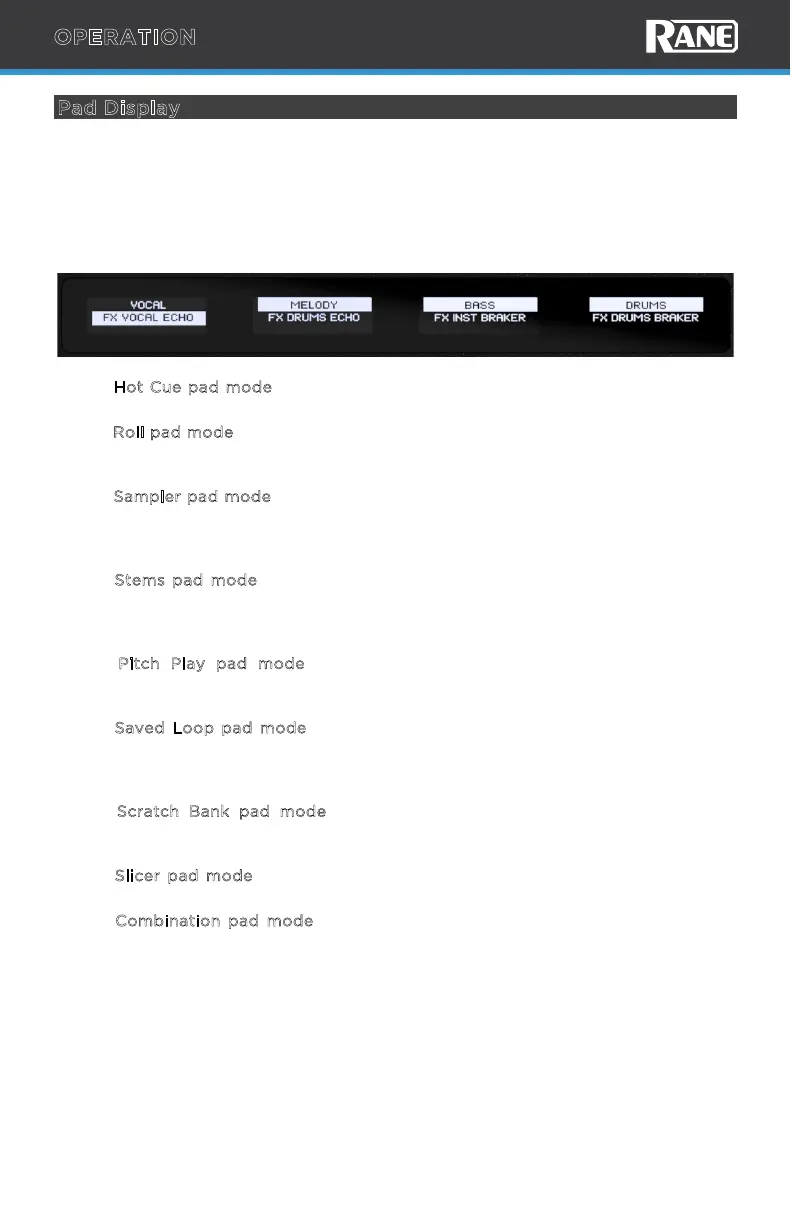
PERFORMER has monochrome OLED displays above each performance pad area
which oer two lines of text. The top line refers to the top row of pads and the
second line refers to the bottom row of pads. If the text string is longer than the
length of the screen, the line of text will scroll momentarily to show the full text and
then return to the first character. Scrolling will only occur the first time the text is
shown on-screen after changing modes.
• In H
ot Cue pad mode, the displays will show the Hot Cue name. If the Hot Cue
is not named, then the song position (time) is shown.
• In R
oll pad mode, the displays will show the Loop Roll value. When a Roll pad is
active, the display will show that line inverted with a solid White rectangular
box.
• In S
ampler pad mode, the displays will show the sample name. If a Sample pad
is empty, the display line for the corresponding pad will remain blank. When a
sample is playing, the display will show that line inverted with a solid white
rectangular box.
• In S
tems pad mode, the first line will show the Stem element, and the second
line will show the Stem FX. Use pads 1-4 to toggle stems on/o (1-Vocal, 2-
Melody, 3-Bass, 4-Drums) and pads 5-8 to toggle stems FX on/o (5-Vocal
Echo, 6-Drums Echo, 7-Instrumental Braker, 8-Drums Braker).
• In P
itch Play pad mode, the displays will show the key change value (in
semitone) for each pad. When selected, the display will show that line inverted
with a solid white rectangular box.
• In S
aved Loop pad mode, the displays will show the Saved Loop name. If the
Saved Loop is not named, then the Saved Loop start time will be shown. When
a Saved Loop is playing, the display will show that line inverted with a solid
white rectangular box.
• In S
cratch Bank pad mode, the displays will show the name of the loaded
sample/song. If a Scratch Bank is empty, the display line for the corresponding
pad will remain blank.
• In S
licer pad mode, the displays will show the slice size. When a Slicer pad is
active, the display will show that line inverted with a solid white rectangular box.
• In Combination pad mode, the displays show the selected pad modes on the
top and bottom section of the display.
OPERATION



 To Next Page