19
Mixer Controls
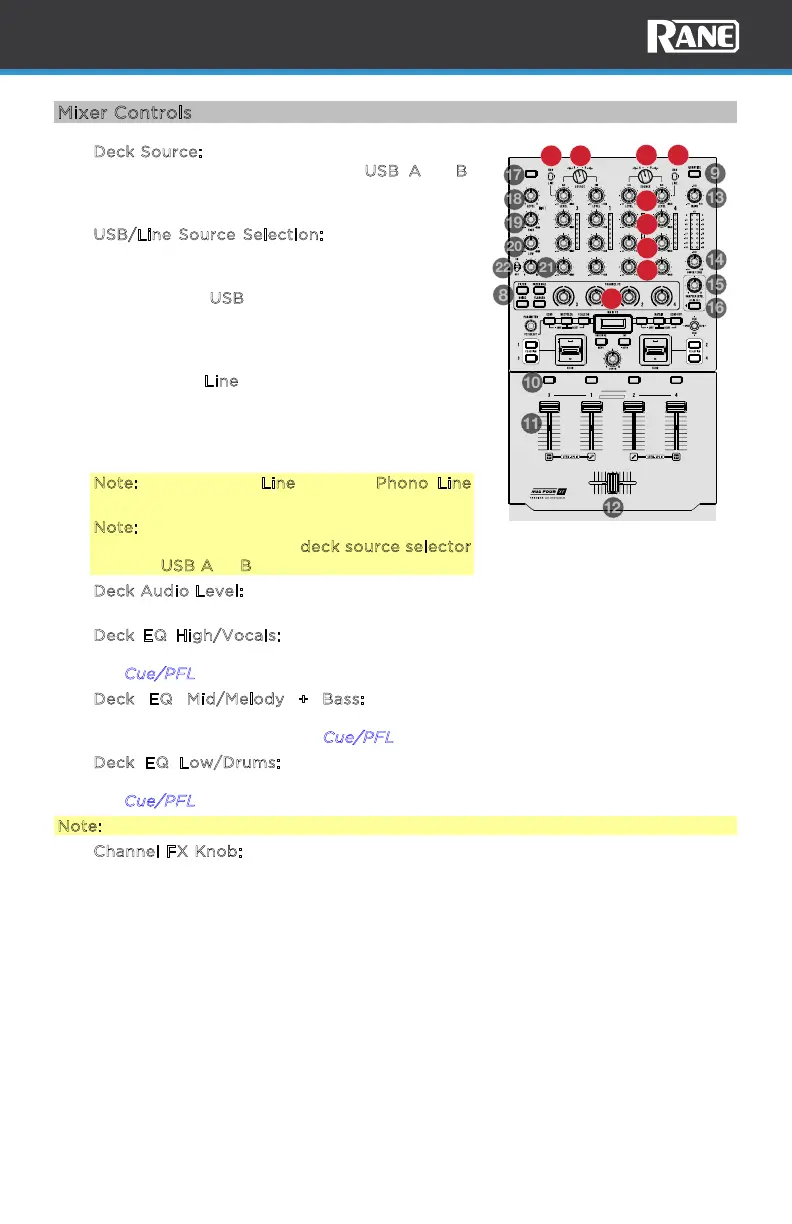
1. D
eck Source: Set this knob to the desired MIDI
and audio source for the deck, U
SB A or B.
This allows DJ “handos” from one computer
to another.
2. U
SB/Line Source Selection: Adjust this to set
the channel source to computer audio or line
audio.
When set to U
SB, MIDI is sent to the same
computer connected to the USB port on the
rear panel for control for that channel and
associated deck.
When set to L
ine, the audio input signals are
routed to channels 3 and 4 to be digitally
mixed. Deck control will no longer be in eect.
Audio will be mixed internally to the cue and
main output signals.
Note: If you select Line, set the Phono/Line
selector switches on the rear panel properly.
Note: A deck’s controls will send MIDI
information only when its deck source selector
is set to USB A or B.
3. D
eck Audio Level: Turn this knob to set the pre-fader, pre-EQ audio level of the
corresponding channel.
4. D
eck EQ High/Vocals: Turn this knob to adjust the high (treble) frequencies.
When Stem Level mode is active, this knob controls the vocal stem level. See
the C
ue/PFL feature for more info.
5. D
eck EQ Mid/Melody + Bass: Turn this knob to adjust the mid-range
frequencies. When Stem Level mode is active, this knob controls the melody
and bass stem level. See the C
ue/PFL feature for more info.
6. D
eck EQ Low/Drums: Turn this knob to adjust the low (bass) frequencies.
When Stem Level mode is active, this knob controls the drum stem level. See
the C
ue/PFL feature for more info.
Note: All EQ controls are full-kill.
7. C
hannel FX Knob: Turn this knob to adjust the amount of the selected Channel
FX. Turning the knob to the left or right applies a dierent variation of the
selected FX. Set it to the center (“12:00”) position to deactivate the filters.
ADJUSTABLE FADERS
/
VOCAL
/
MELODY
/
DRUMS
/
VOCAL
/
MELODY
/
DRUMS
/
VOCAL
/
MELODY
/
DRUMS
/
VOCAL
/
MELODY
/
DRUMS
HIGH
MID
LOW
HIGH
MID
LOW
HIGH
MID
LOW
HIGH
MID
LOW
PERFORMER
REVERB
MIC 1 FX
MIC 1 ON
CUE CUE CUE CUE
PRECISION FEEL
TALKOVER
STEM LEVELSTEM LEVELSTEM LEVEL STEM LEVEL
1
1
2
2
3
4
5
6
7



 To Next Page