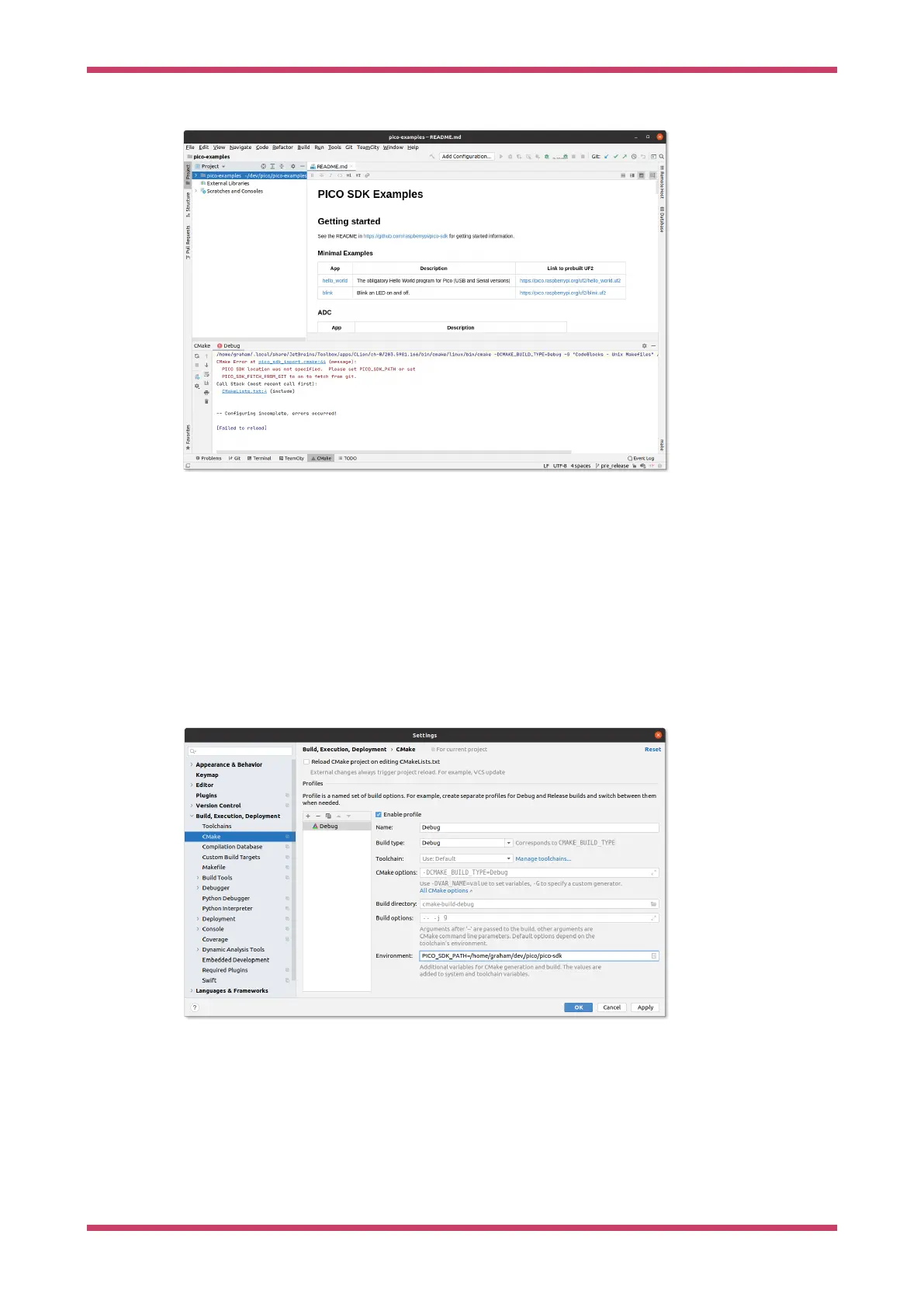
Figure 20. A newly
opened CLion pico-
examples project.
Notice at the bottom that CLion attempted to load the CMake project, but there was an error; namely that we hadn’t
specified PICO_SDK_PATH
Configuring CMake Profiles
Select Settings… from the File menu, and then navigate to and select 'CMake' under Build, Execution, Deployment.
You can set the environment variable PICO_SDK_PATH under Environment: as in Figure 21, or you can set it as
-DPICO_SDK_PATH=xxx under CMake options:. These are just like the environment variables or command line args when
calling cmake from the command line, so this is where you’d specify CMake settings such as PICO_BOARD,
PICO_TOOLCHAIN_PATH etc.
Figure 21. Configuring
a CMake profile in
CLion.
Getting started with Raspberry Pi Pico-series
Use CLion 48



 To Next Page