Wuhan Raycus Fiber Laser Technologies Co., Ltd.
User Guide of RFL- RFL-C6600S
17
4 Using the Product
Please use the correct the latest PC software and the relevant
manual.
4.1 Front Panel
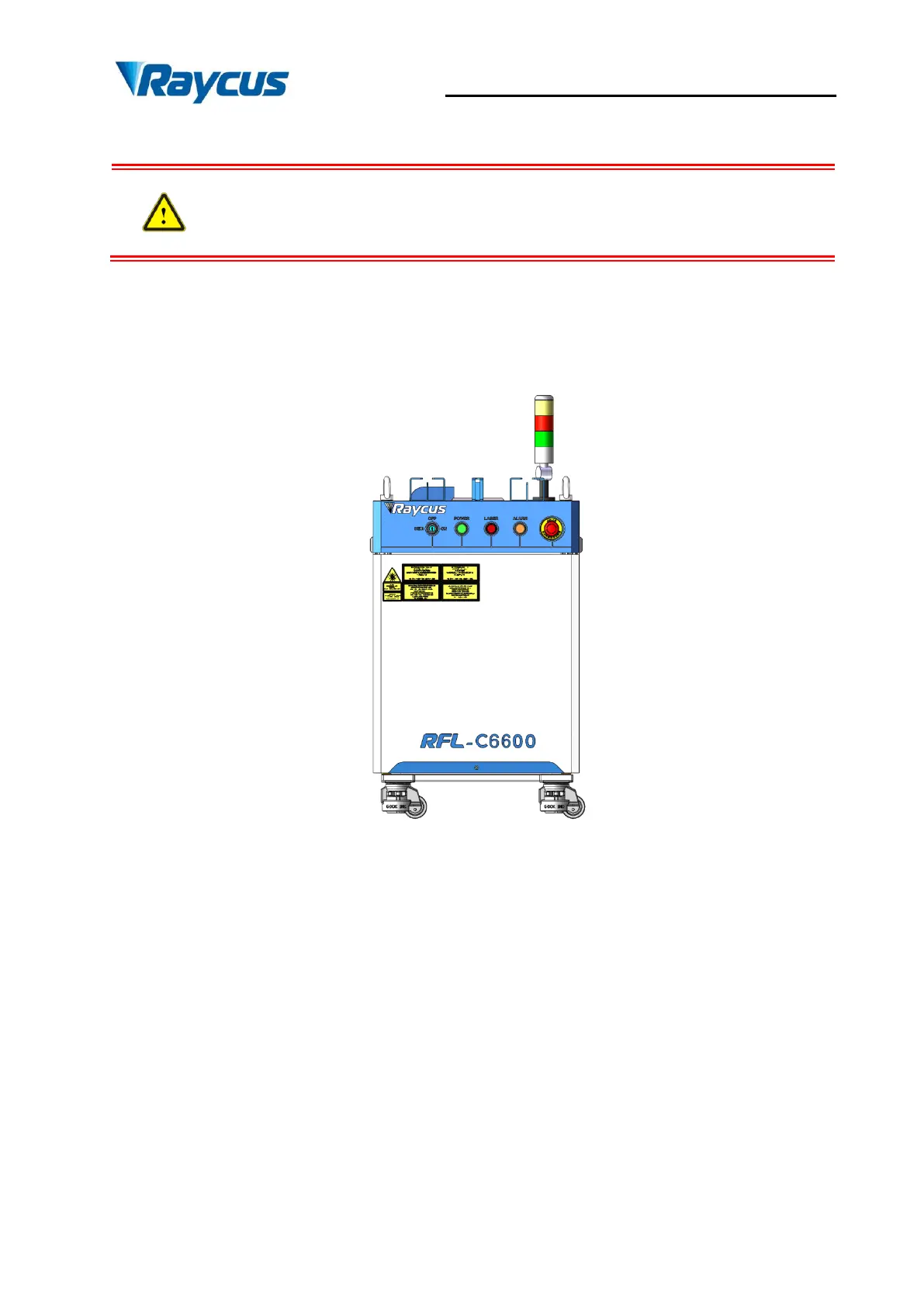
Figure 6 shows the front panel of RFL-C6600S:
Figure 6 Front Panel of RFL-C6600S
a) REM/OFF/ON: Key switch, the control systempower switch of the laser. Insert the key;
either turning the key clockwise to the 'ON' position or counterclockwise to 'REM'
position(short-connect the Pin 8 and Pin 9 of Table 7) will power on the lasercontrol
system. Then the laser will enter a control mode depending on your previous setup on the
'CTRL-INTERFACE'. You can refer to4.8 Control Mode for more details.
b) POWER:The control systempower, GREEN, indicates that the control system is
switched on.
c) LASER: Laser emission indicator, RED, illuminates when laser emission is on.


 To Next Page