Wuhan Raycus Fiber Laser Technologies Co., Ltd.
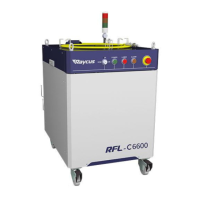
User Guide of RFL-C6600S
2
TABLE OF CONTENTS
1 Safety Information ..................................................................................................................... 3
1.1 Symbols Used in this User Guide ..................................................................................... 3
1.2 Laser Classification ........................................................................................................... 3
1.3 Safety Labels ..................................................................................................................... 4
1.4 Optical Safety .................................................................................................................... 5
1.5 Electrical Safety ................................................................................................................ 5
1.6 Other Safety Rules ............................................................................................................ 5
2 Product Description ................................................................................................................... 6
2.1 Features ............................................................................................................................. 6
2.2 Package Contents .............................................................................................................. 6
2.3 Unpacking and Inspection ................................................................................................. 6
2.4 Operation Environment ..................................................................................................... 7
2.5 Precautions for Use ........................................................................................................... 9
2.6 Specifications .................................................................................................................... 9
3 Installation ................................................................................................................................ 11
3.1 Dimensions ...................................................................................................................... 11
3.2 Output Head and Installation ........................................................................................... 12
3.3 Cooling Requirements ..................................................................................................... 12
3.4 Installation Procedure ...................................................................................................... 15
4 Using the Product ..................................................................................................................... 17
4.1 Front Panel ...................................................................................................................... 17
4.2 Rear Panel ....................................................................................................................... 18
4.3 Power Connection ........................................................................................................... 19
4.4 Interface Definitions ........................................................................................................ 20
4.5 Steps of Installation ......................................................................................................... 24
4.6 Steps of Starting .............................................................................................................. 24
4.7 Functions of the clientware ............................................................................................. 25
4.8 Control Modes ................................................................................................................. 35
4.9 Guide laser control .......................................................................................................... 39
4.10 The Programming Mode (Waveform Editing) .............................................................. 39
4.11 Laser timing diagram .................................................................................................... 47
4.12 Modulation signal requirements .................................................................................... 48
4.13 Steps of shutting down .................................................................................................. 48
5 Alarms and Solutions ............................................................................................................... 49
5.1 Alarms Display ................................................................................................................ 49
5.2 Alarm solutions ............................................................................................................... 49
6 Warranty, Return and Maintenance ...................................................................................... 51
6.1 General Warranty ............................................................................................................ 51
6.2 Limitations of Warranty .................................................................................................. 52
6.3 Service and Repair .......................................................................................................... 52


 To Next Page