Wuhan Raycus Fiber Laser Technologies Co., Ltd.
User Guide of RFL- RFL-C6600S
45
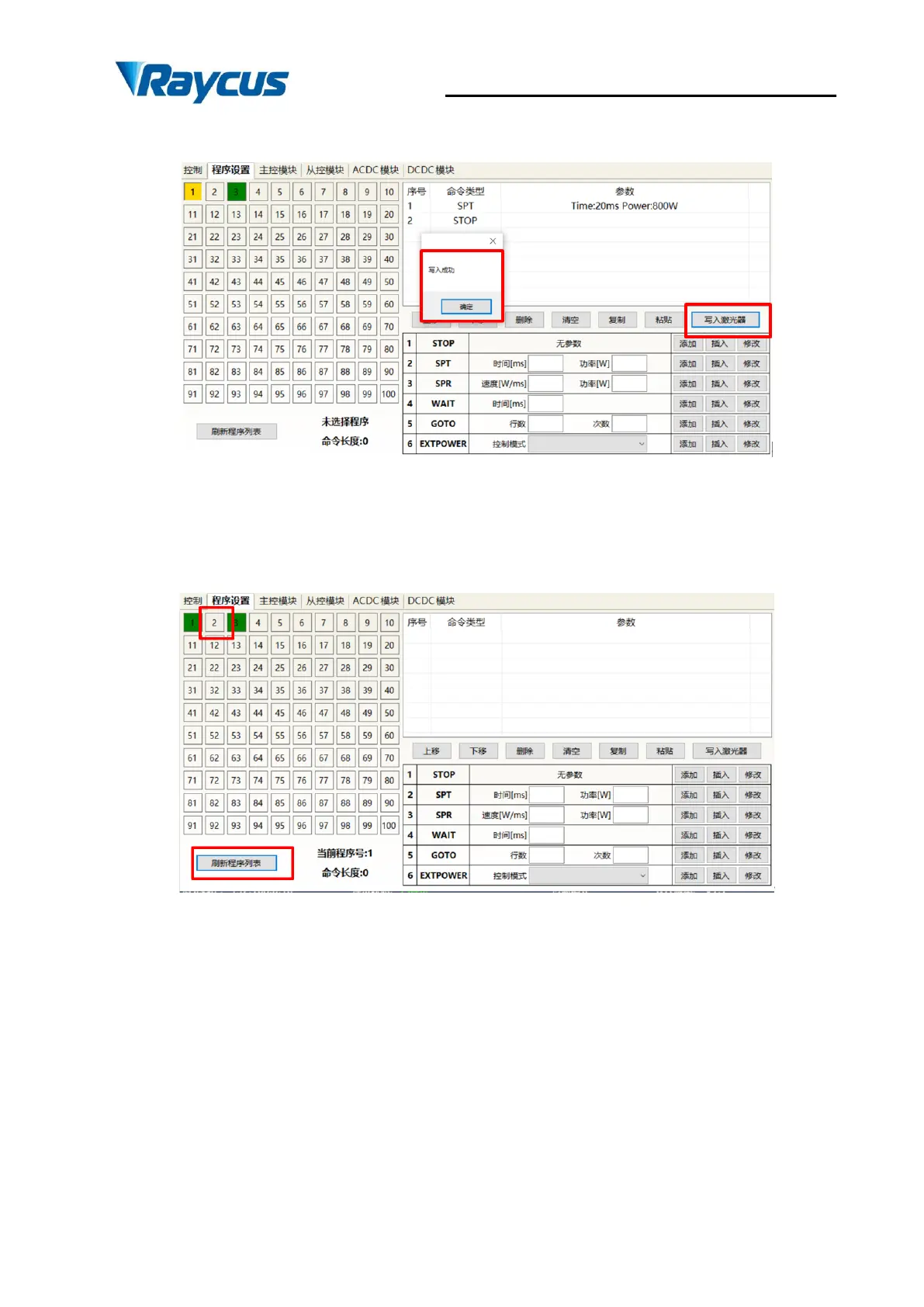
After editing all the commands, click "Write laser".
Figure 35 waveform writing success
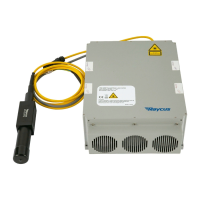
Click "Refresh List" again, and the new waveform number will turn green, indicating that
writing is successful:
Figure 36 Symbol for writing success


 To Next Page