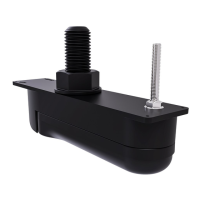
Mountingthetransducer
Thetransducermustbemountedonthetransomusingthemountingbracketprovided.Thesteps
belowdescribetheinitialmountingstepsrequiredinordertotestyourtransducer’sperformance.
Aftertestingthetransduceryoumustfinishthemountingfollowingtheinstructionsinthe
Finishing
the transducer mounting
section.
Note:Beforestartingthisprocedure,checkthattheplasticchock(marked‘A’intheillustration)
isalreadypositionedinfrontofthetransducercable.Ifitisnot,pushthechockintothecorrect
position,aligningtheholeinthechockwiththeholesinthetransducerhanger.
1.Positionthetransducerhangerbetweenthemountingbracketarms,ensuringthatthetransducer
cableisroutedbetweenthearms,andthecenterholeisalignedwiththeholesinthearms.
2.Slidetheflangedmountingboltthroughthemountingbracketassembly.
3.Screwtheflangednylocnutontotheendofthemountingbolt,andhand-tighten.
4.Usingapairof14mmwrenches,tightenthenutontothemountingboltuntilthetransducer
hangerstaysinposition,butcanstillbeadjustedbyhand.
10



 To Next Page
 Loading...