EasyManua.ls Logo

Raypak 5350 - Digital Controls Operating Instructions; To Select Pool or Spa Mode; To Increase the Desired Water Temperature (Pool or Spa Mode); To Lower the Desired Water Temperature (Pool or Spa Mode)

Raypak 5350
60 pages
Print Icon
To Next Page IconTo Next Page
To Previous Page IconTo Previous Page
Loading...
11
10. CONTROLS (DIGITAL
MODELS)
      

       
page 9
Water Pressure Switch    


Digital Water Temperature Control   
       


     
    

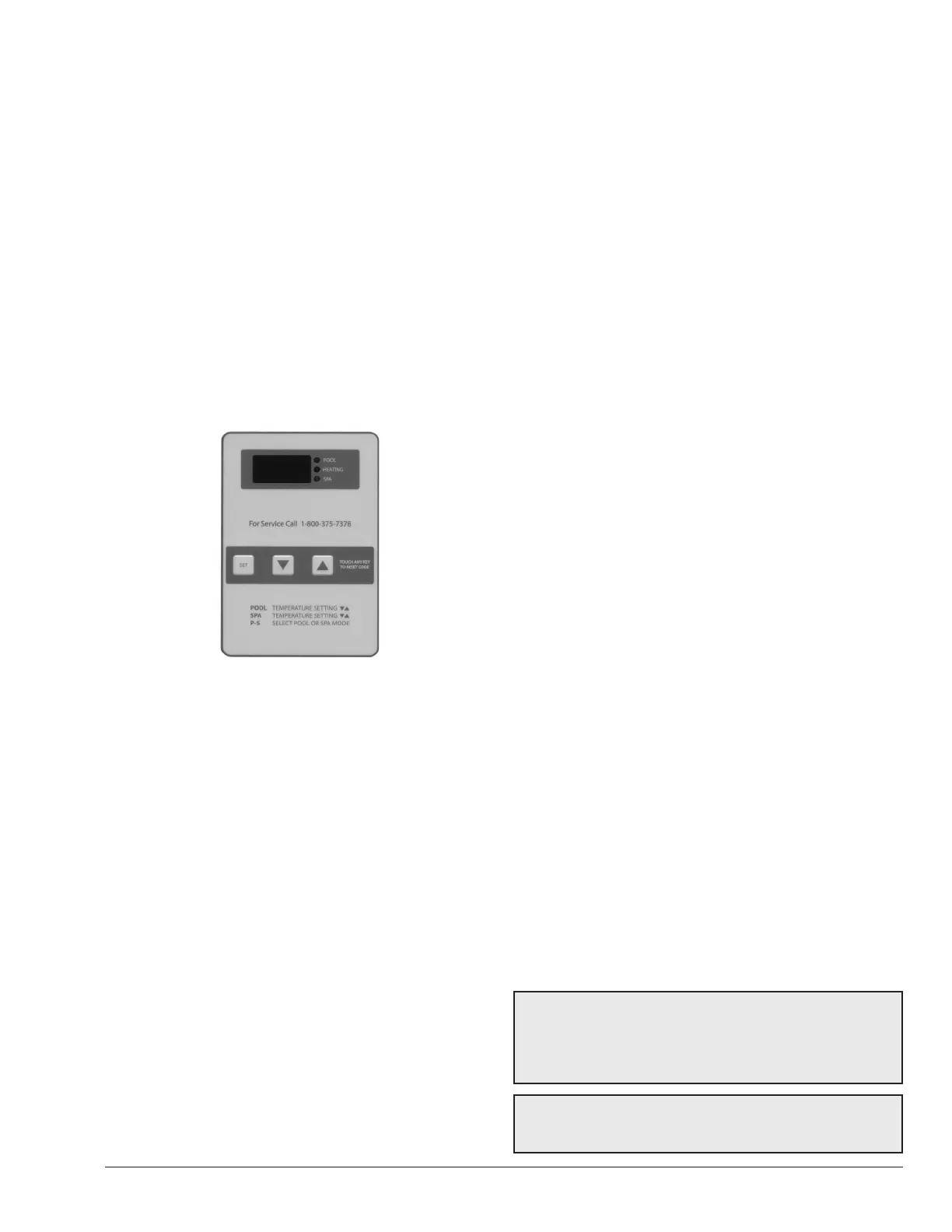
Figure 7. Digital Water Temperature Control
Defrost Sensor      
      



Delay Timer
       

       

11. DIGITAL CONTROLS
OPERATING
INSTRUCTIONS
       
󰀨
Figure 7
 
 
To Select Pool or Spa Mode

       

To Increase the Desired Water
Temperature (Pool or Spa Mode)
          



To Lower the Desired Water
Temperature (Pool or Spa Mode)
          
      
       

        





To Select Temperature in °C or °F
       

       



12. HEAT/COOL OPERATION
(MODELS 6350HC AND
8350HC ONLY)


         



NOTE: Once the control has been programmed to
the desired pool water temperature, the programmed
temperature will be displayed for approximately 5
seconds. The digital display will then show the actual
pool water temperature.
NOTE: Remove the pool/spa blanket and turn on any
fountains, sprays or other water features to speed
cooling.

Table of Contents

Related product manuals