÷
COLOR
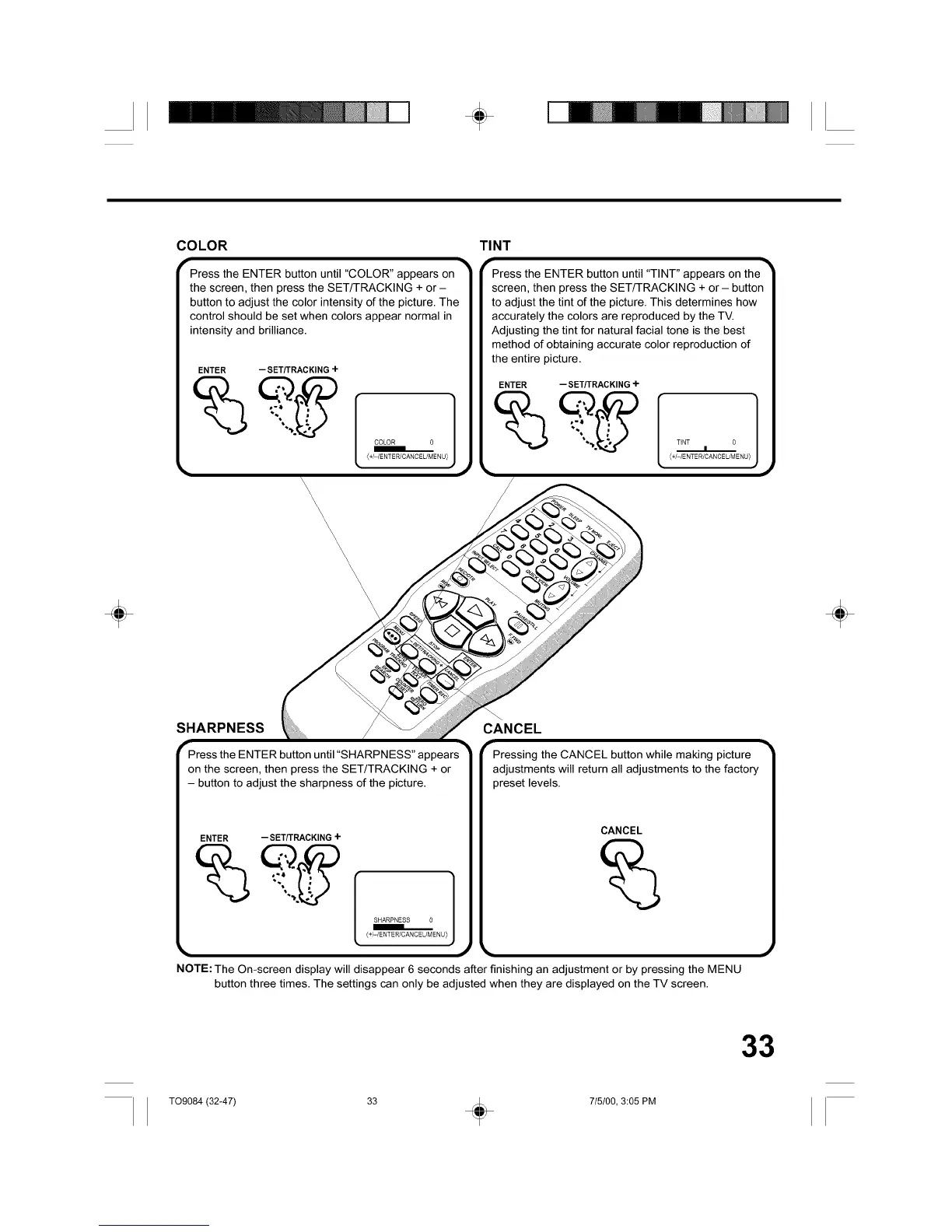
Press the ENTER button until "COLOR" appears on
the screen, then press the SET/TRACKING + or -
button to adjust the color intensity of the picture. The
control should be set when colors appear normal in
intensity and brilliance.
ENTER --SET/TRACKING+
COLOR 0
(+/-IENTER/CANCEL/MENL
TINT
PVPress the ENTER button until "TINT" appears on the TM
screen, then press the SETfTRACKING + or- button
to adjust the tint of the picture. This determines how
accurately the colors are reproduced by the TV.
Adjusting the tint for natural facial tone is the best
method of obtaining accurate color reproduction of
the entire picture.
ENTER -- SET/TRACKING-I-
TiNT 0
I
÷ ÷
SHARPNESS
Press the ENTER button until "SHARPNESS" appears
on the screen, then press the SET/TRACKING + or
- button to adjust the sharpness of the picture.
ENTER --SET/TRACKING+
(+/-/ENTER/CANCEL/MENL
CANCEL
CANCEL
NOTE: The On-screen display will disappear 6 seconds after finishing an adjustment or by pressing the MENU
button three times. The settings can only be adjusted when they are displayed on the TV screen.
33
T09084 (32-47) 33 _ 715100, 3:05 PM



 To Next Page