÷
RECORDING A TV PROGRAM
RECORDING AND VIEWING THE SAME TV PROGRAM
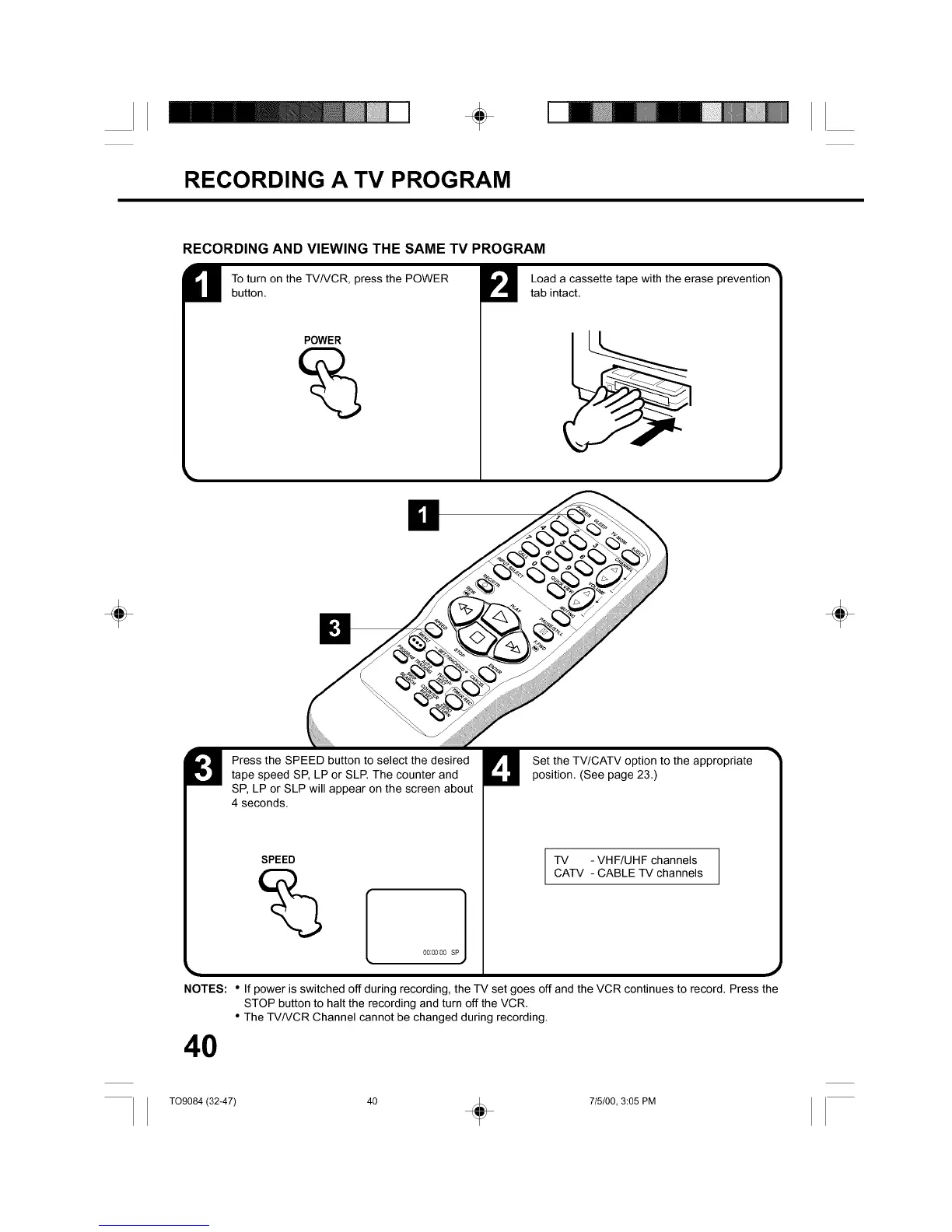
To turn on the TV/VCR, press the POWER
button.
POWER
Load a cassette tape with the erase prevention
tab intact.
÷ ÷
Press the SPEED button to select the desiredtape speed SP, LP or SLP. The counter and
SP, LP or SLP will appear on the screen about
4 seconds.
NOTES:
SPEED
00:00:00 SP 1
Set the TV/CATV option to the appropriateposition. (See page 23.)
TV - VHF/UHF channels
CATV - CABLE TV channels
• If power is switched off during recording, the TV set goes off and the VCR continues to record. Press the
STOP button to halt the recording and turn offthe VCR.
• The TV/VCR Channel cannot be changed during recording.
40
TO9084 (32-47) 40 _ 715/00, 3:05 PM



 To Next Page