÷
LOADING AND UNLOADING A VIDEO CASSETTE
Use only video cassette tapes marked _.
LOADING
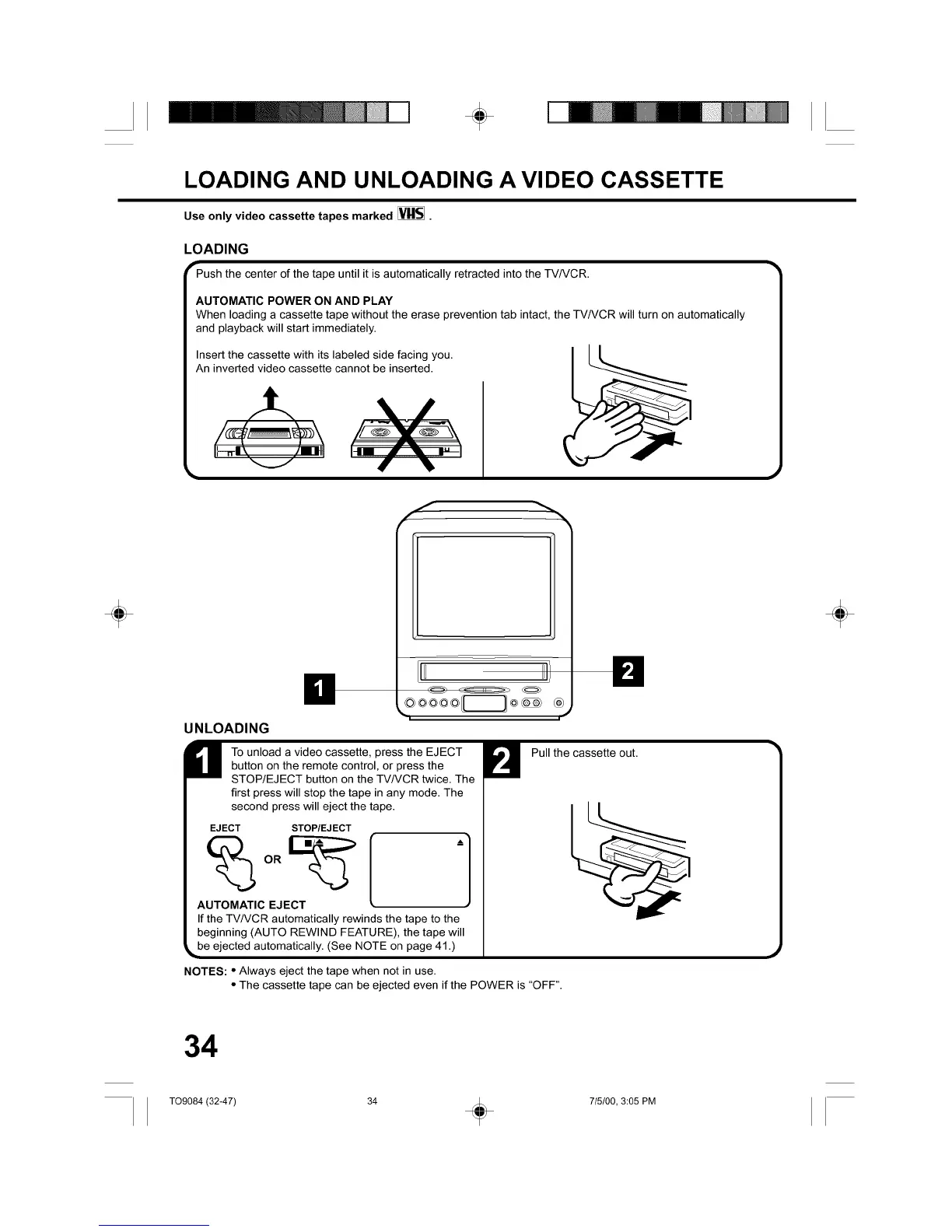
"-Push the center of the tape untilit isautomatically retracted intothe TVNCR.
AUTOMATIC POWER ON AND PLAY
When loading a cassette tape without the erase prevention tab intact, the TV/VCR will turn on automatically
and playback will start immediately.
Insert the cassette with its labeled side facing you.
An inverted video cassette cannot be inserted.
f
S
÷ ÷
UNLOADING
H o unload a video cassette, press the EJECT
button on the remote control, or press the
STOP/EJECT button on the TV/VCR twice. The
first press will stop the tape in any mode. The
second press will eject the tape.
EJECT STOP/EJECT
OR
AUTOMATIC EJECT
If the TV/VCR automatically rewinds the tape to the
beginning (AUTO REWIND FEATURE), the tape will
_be ejected automatically. (See NOTE on page 41 .)
NOTES: • Always eject the tape when not in use.
• The cassette tape can be ejected even if the POWER is "OFF".
Pull the cassette out.
34
T09084 (32-47) 34 _ 715/00, 3:05 PM



 To Next Page