2 - Operation
2.7.1 Tank filling (Manual)
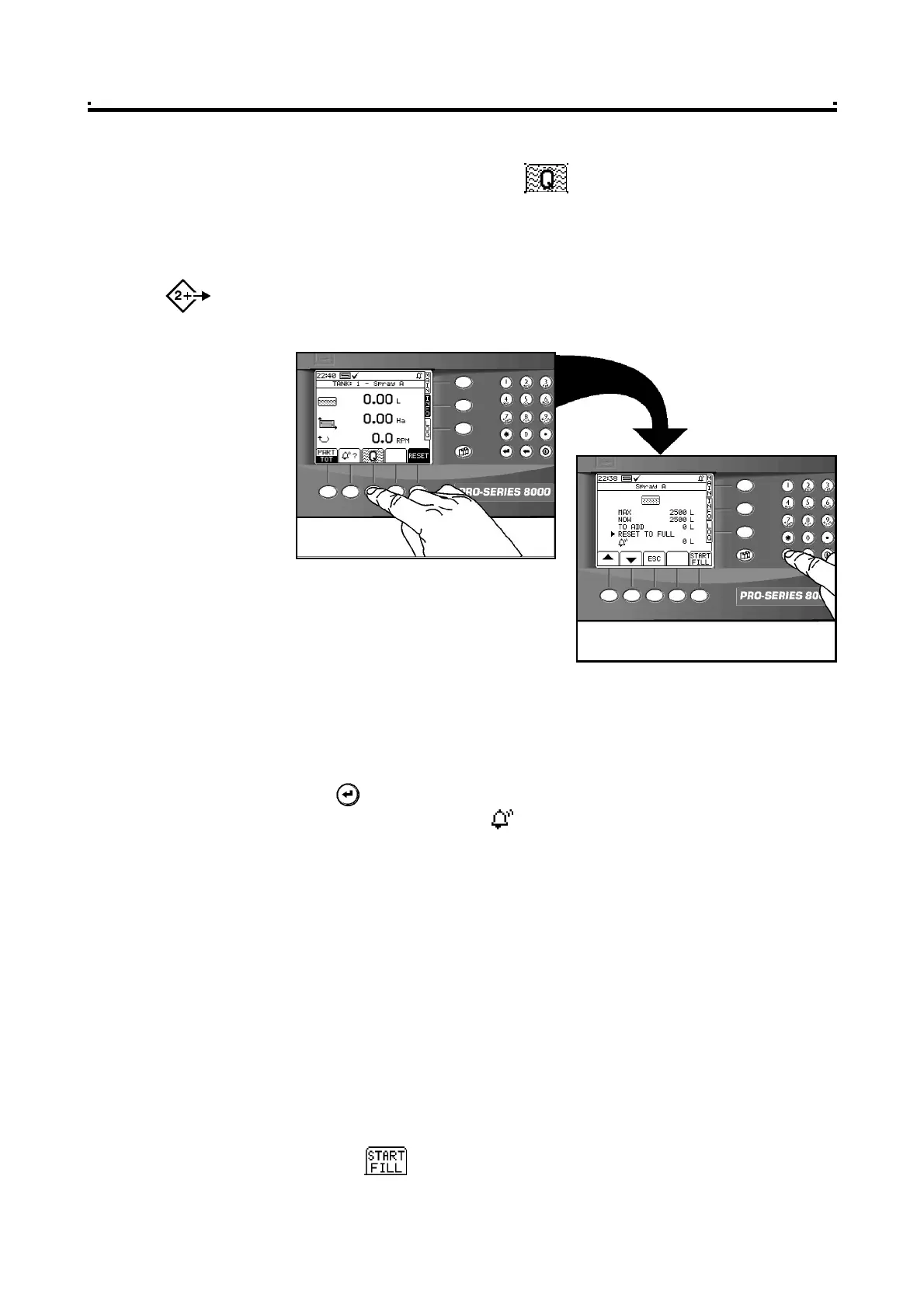
1 Select the "INFO" screen and press to access the TANK FILL screen (fig. 14).
The screen will display,
"MAX" - the full tank volume
"NOW" - the volume remaining in the tank
"TO ADD" - volume to replenish
NOTE: If more than one tank is enabled, there is a separate screen page for each tank (as
for the MAIN screen). Press the INFO menu key repeatedly to cycle between each
page.
2 Fill the tank to the desired level.
3 Confirm that "MAX" corresponds to the quantity in the tank. Adjust as necessary.
NOTE: Move the screen cursor using the arrow keys and enter values via the numeric
keypad.
4 Press to reset to the full tank volume.
5 Confirm the alarm volume ( ) is OK (typically the volume needed to spray a
single bout). Adjust as necessary.
2.7.2 Tank filling (Automatic)
A Tank Inflow Sensor must be installed to measure the inflow. A Shutoff Valve must
be installed to stop the filling automatically.
1 Connect the inflow hose.
2 Select the "TANK FILL" screen as above.
3 Confirm that "MAX" corresponds to the quantity you want in the tank after filling.
Adjust as necessary.
4 Confirm that the "NOW" volume is the volume currently in the tank. Adjust as
necessary.
5 Confirm the alarm volume as above.
6 Press the key.
6
Figure 14
Resetting the Tank Volume



 To Next Page