Reach Alpha Integration Manual | V006
+61 (2) 9519 7651 | info@reachrobotics.com www.reachrobotics.com
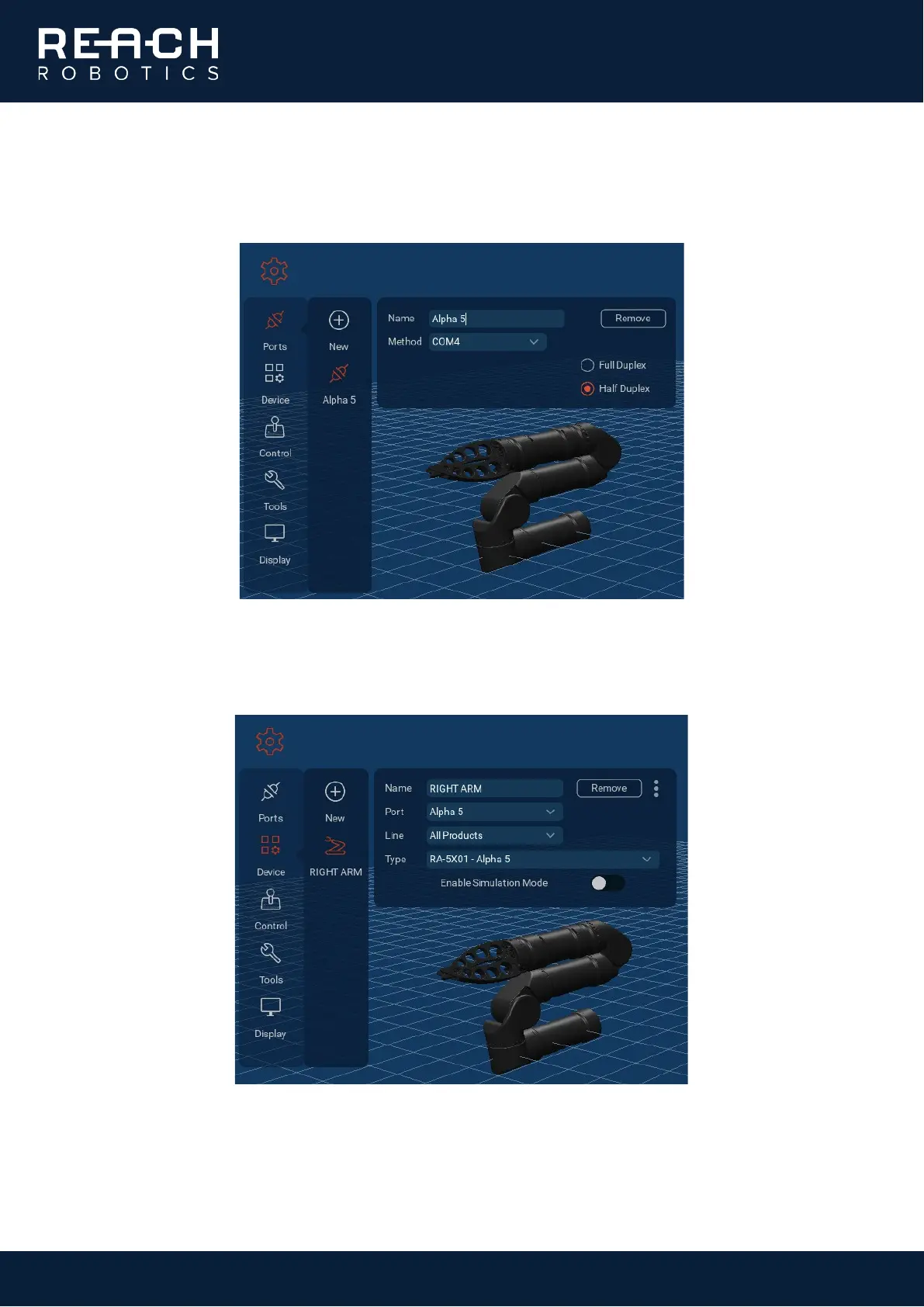
2. In the software, go to Settings (cog icon) > Ports > Add. Click the new port that has appeared, and name it
as required. Select the COM port that the arm is communicating on, and the duplex option you require:
Full Duplex for RS232, Half Duplex for RS485.
3. Go to Settings > Device > RIGHT ARM. This is the default device that appears with each fresh install of
Reach Control, and can be deleted or edited. Select the name of the port you just created, then select the
type of manipulator you have connected.
4. If the Alpha is set up correctly, the 3D model will update to reflect the physical position of the manipulator.



 To Next Page