Reach Alpha Integration Manual | V006
+61 (2) 9519 7651 | info@reachrobotics.com www.reachrobotics.com
8.3. Firmware updates
We recommend regularly checking for firmware updates using Reach Control to gain access to upgrades and bug
fixes.
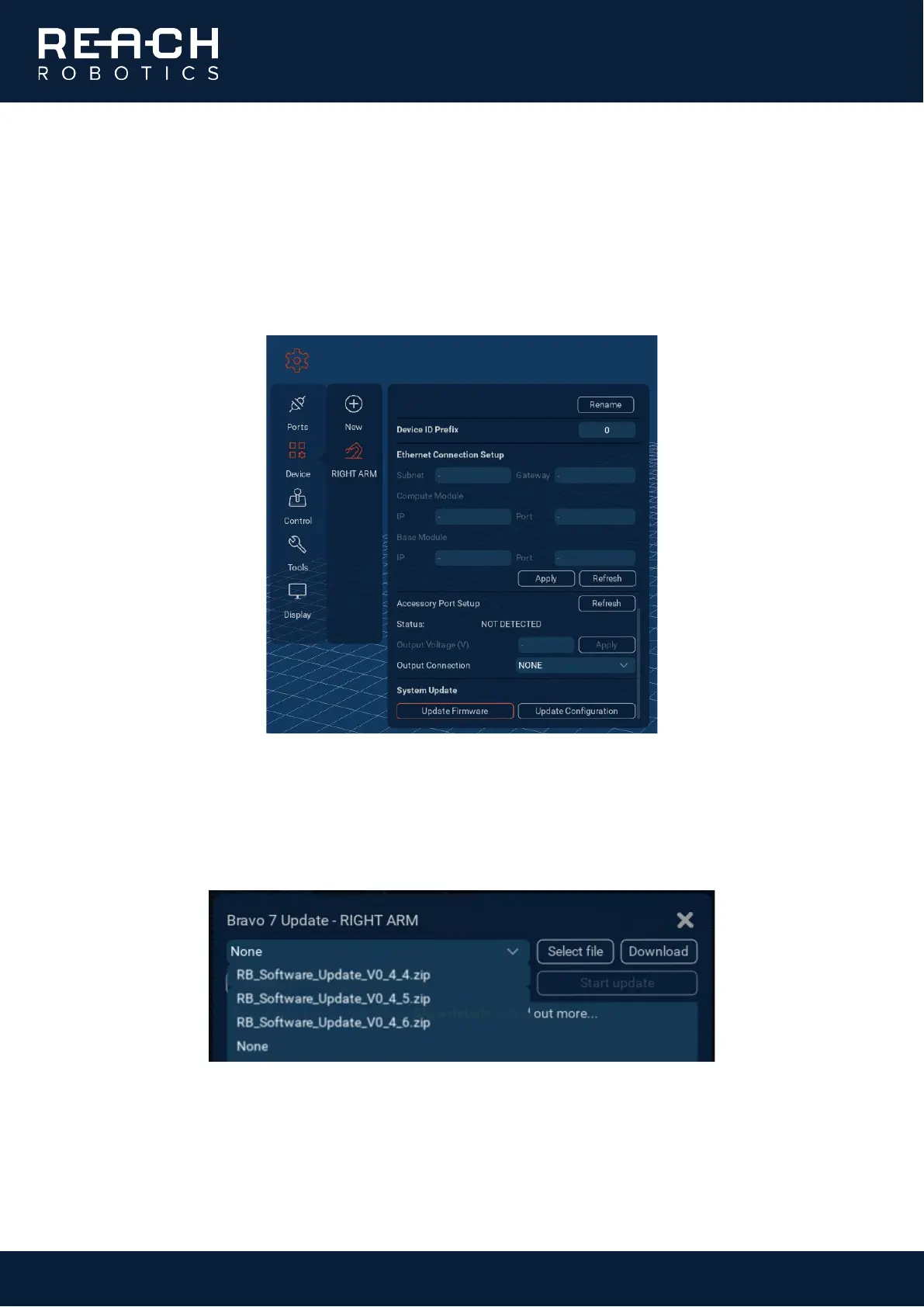
With the manipulator is connected, go to Settings > Device > RIGHT ARM, click the ellipsis […] in the top right corner
to expand the panel, then scroll down to “Update Firmware”.
There are three ways to update the firmware from the panel that opens:
1. Click “Download” to retrieve the latest software from the Reach Robotics server. Your PC must be
connected to the internet.
2. Click “Select file” to choose a .zip file containing the firmware you want to upload.
3. Select an existing .zip file from the drop-down menu.



 To Next Page