Reach Alpha Integration Manual | V006
+61 (2) 9519 7651 | info@reachrobotics.com www.reachrobotics.com
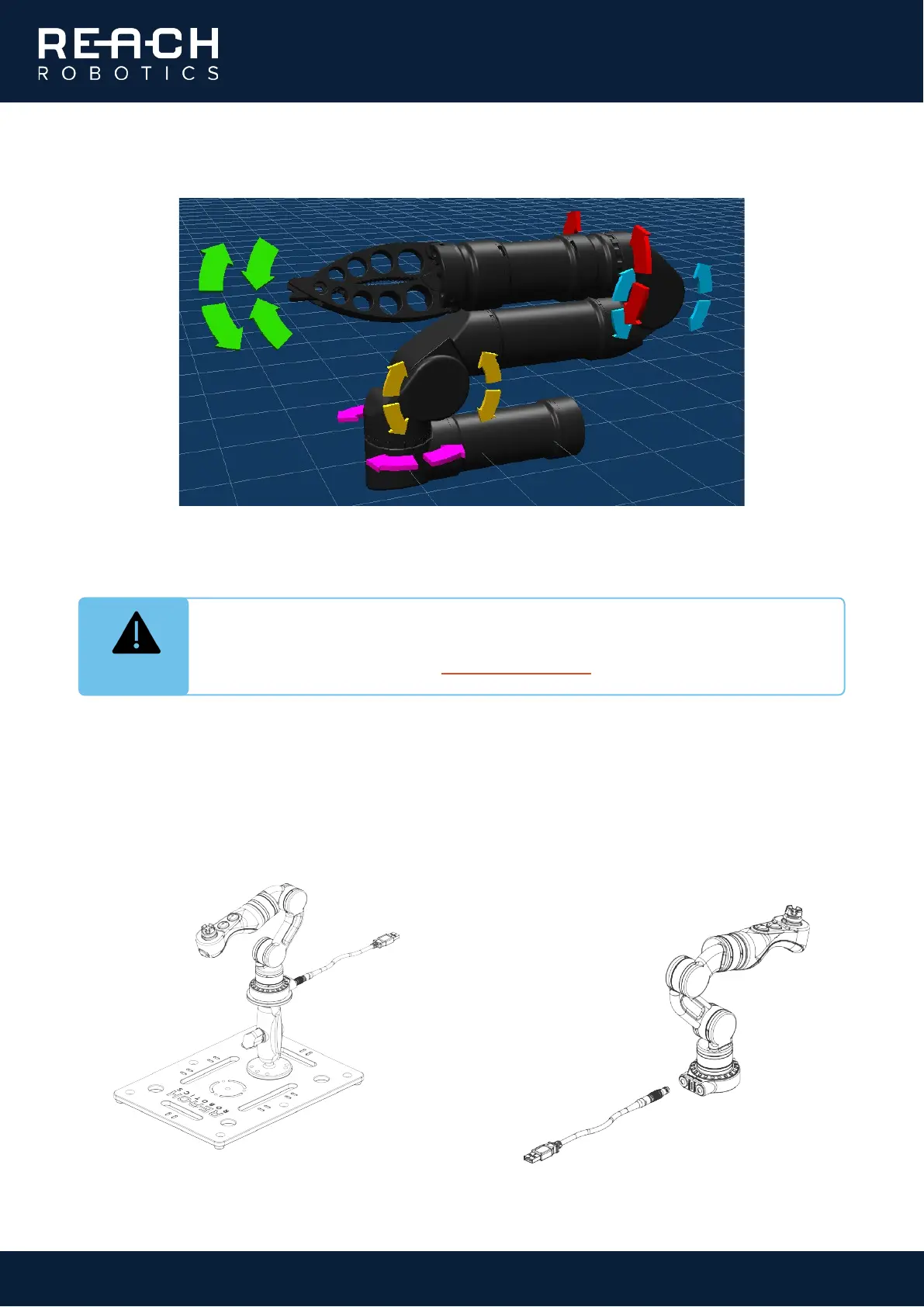
3. Making sure it is safe to do so, use the directional arrows on the 3D model of the arm to rotate each joint.
4. Move each joint for a few seconds in each direction. Ensure the movement is as expected and corresponds
to the control input, and that the 3D model updates accordingly.
1.1.4. Master Arm test (if applicable)
1. Secure the Master Arm mount to the metal
stand provided, then attach the Master Arm
to the mount using the ¼-20 UNC camera
tripod thread in the base.
2. Plug the LEMO connector into the base of
the Master Arm and connect the cable to the
computer via the USB connector. Once
powered, the Master Arm buttons will flash
blue.
INFO
All Alpha products above 3-functions are shipped with a virtual obstacle to prevent collision
with the “floor” beneath the base of the manipulator. For information on how to add, remove
and edit obstacles, download the Reach Control manual
.



 To Next Page