Reach Alpha Integration Manual | V006
+61 (2) 9519 7651 | info@reachrobotics.com www.reachrobotics.com
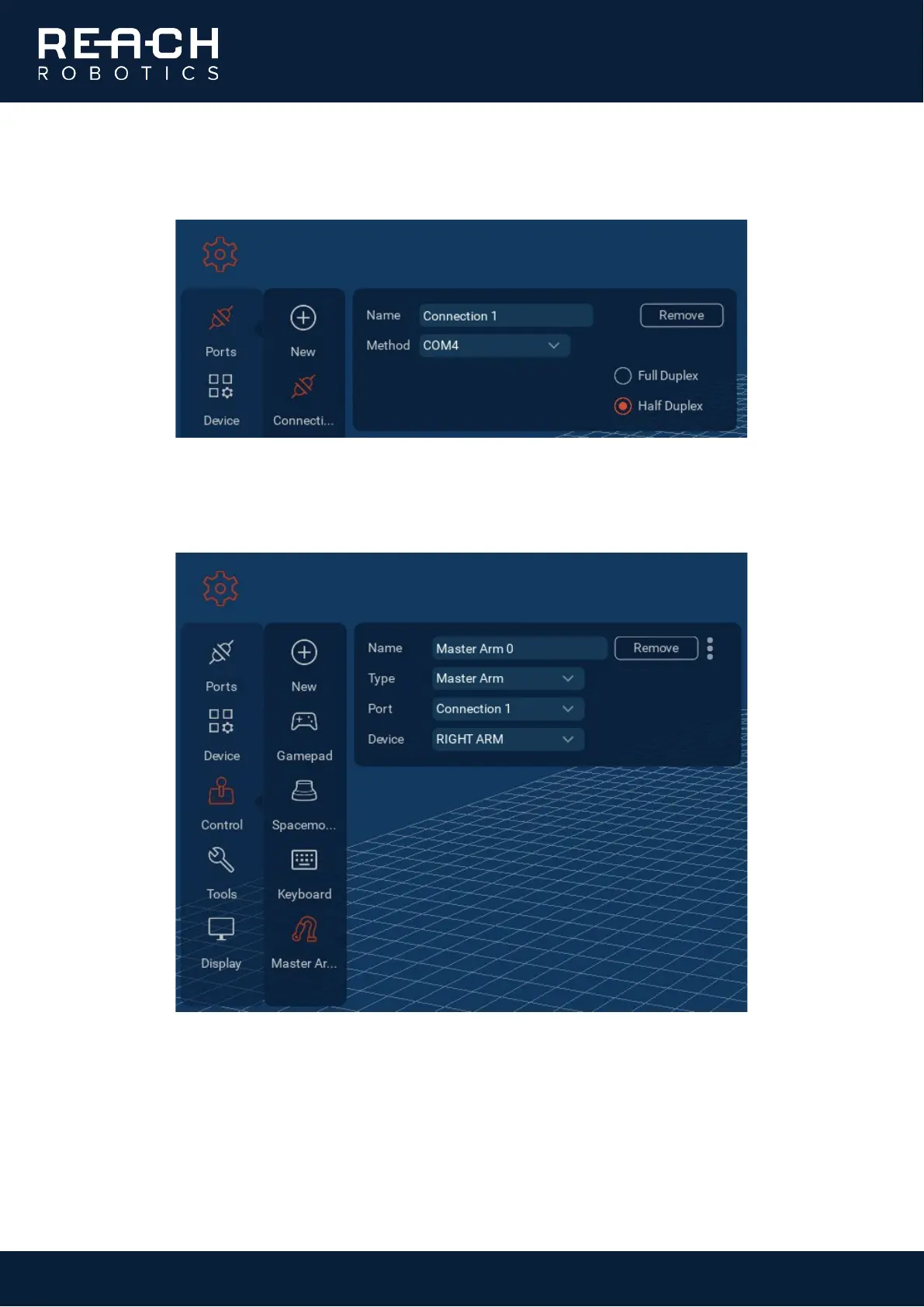
3. In Reach Control, go to Settings > Ports > Add. Click the new port and give it a suitable name. Select the
correct COM port and ensure Half Duplex is selected.
4. Go to Settings > Control and select the existing Master Arm controller (add a new controller if one doesn’t
already exist). Select the correct product type and the port just created, then select the device you wish
to control with the Master Arm.



 To Next Page