a. If there is an alarm, press it once reset the button to clear the alarm.
b. Move the manual/automatic knob switch to the left Manual gear, and then move the traction
forward and reverse jog knob to the left or right, and observe whether the direction of the traction wheel
is consistent with the direction of the traction. It is defined here as: to the left is the traction forward
direction, and to the right is the traction backward direction.
c. Move the bending forward and reverse jog knob to the left or right, and observe whether the
direction of the bending arm is consistent with the direction of pulling. This is defined as: when the
operator faces the front of the machine, pulling to the left means that the bending arm rotates clockwise,
and pulling to the right means that the bending arm rotates counterclockwise.
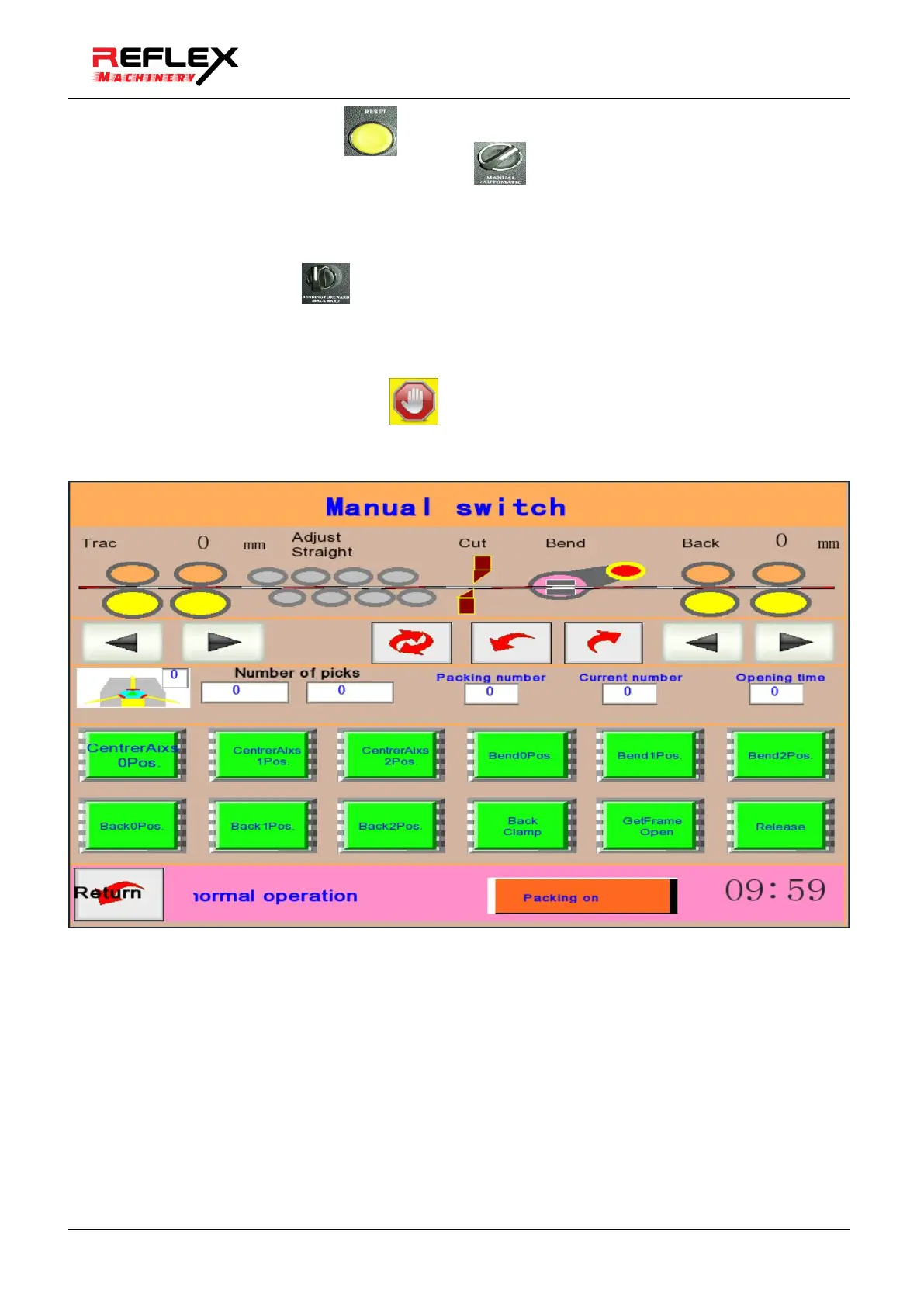
d. The touch screen can also be operated manually, the specific method is as follows:
Click the manual button in the running screen to enter the manual screen, and follow the instructions in the
text.
(5) Automatic simulation operation:
After debugging the traction, bending and jog, confirming the direction is correct, you can enter the automatic
simulation operation.
a. Open the Chinese running
screen:



 To Next Page