CHAPTER 6
6-64
Keel Offset. By pressing the “ON/OFF MODE” keypad again displays
the “KL” keel offset setting. It can be set so the depth fi nder shows
the depth below the transducer or the depth under the keel. Press the
“UP” or “DOWN” arrow keypads to adjust the reading to the desired
depth no further than 19.9 feet.
An example would be if the keel bottom is 3 feet below the transducer
and you desire the depth sounder to read the depth below the keel, the
display should be adjusted to read 3.0 FT.
Note: Once the keel offset is programmed, the shallow and deep alarms
will be energized by the depth under the keel.
Units. Pressing the “ON/OFF MODE” keypad again displays “UN”
on the LCD indicating the units mode.
Press either the up or down arrow keypads to set the units desired to
(FT) feet, (M) meters, or (F) fathoms. Once these units are set, they will
remain the same for all modes. By pressing the “ON/OFF MODE”
keypad again returns the depth fi nder to normal operation.
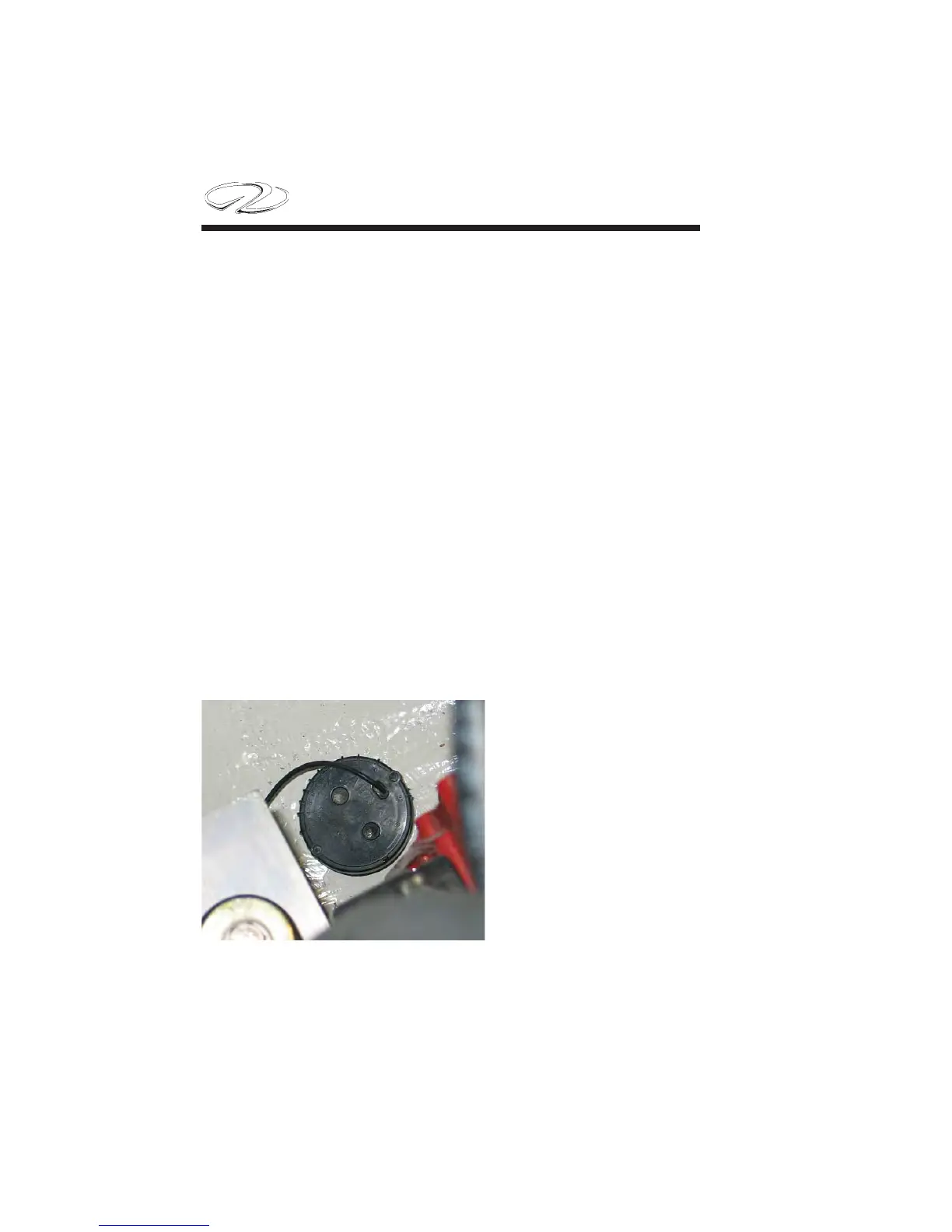
Note: Near the keel (center
of boat bottom)the depth
sounder transducer is lo-
cated. It bounces a constant
signal off the bottom and
sends it to the dash head
unit. Never use bottom
paint on the hull side of
the transducer since it will
effect the unit’s operation.
Typical
Transducer


 To Next Page