21
│
EGULUS - SRS 3 Controller - www.re
ulus.
D - Parameter Settings
Measurement values menu 1
D 1 - Measurements
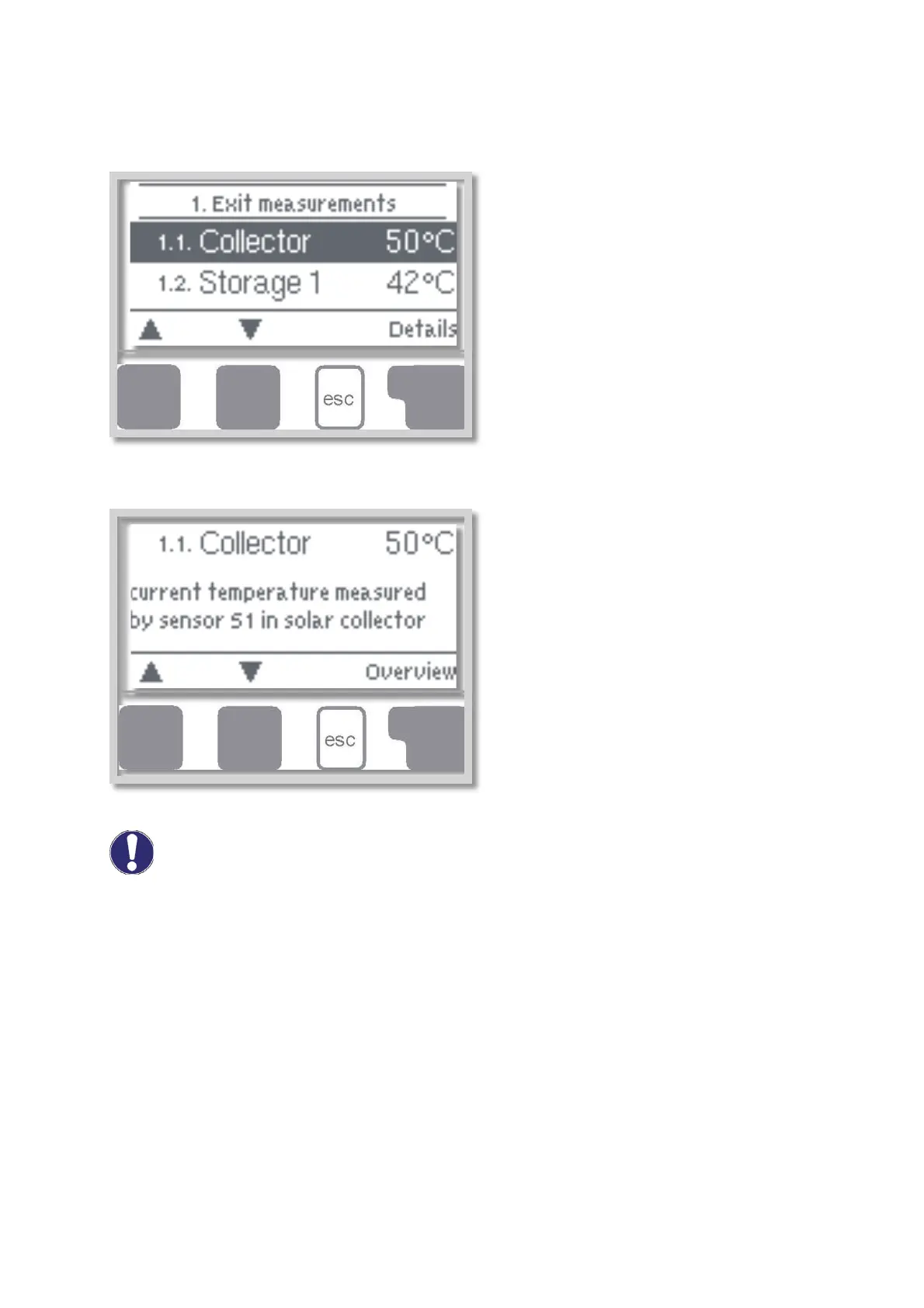
Menu „1. Measurements” serves to display the
currently measured temperatures.
What measurement values are displayed depends
on the selected program and the specific controller
model.
The menu is closed by pressing „esc” or selecting
„Exit measurements”.
Selecting „Details” leads to a brief help text
explaining the measurement values.
Selecting „Overview” or „esc” exits the Info mode.
If „Error” appears on the display instead of the measurement value, then there may be a defective
temperature sensor or its wiring.
If the cables are too long or the sensors are not placed optimally, the result may be small deviations in the
measurement values. In this case the display values can be compensated for using the function of sensor
compensation - see Chapter D 7.3.
Caution


 To Next Page