│
22
EGULUS - SRS 3 Controller - www.re
ulus
Statistics menu 2
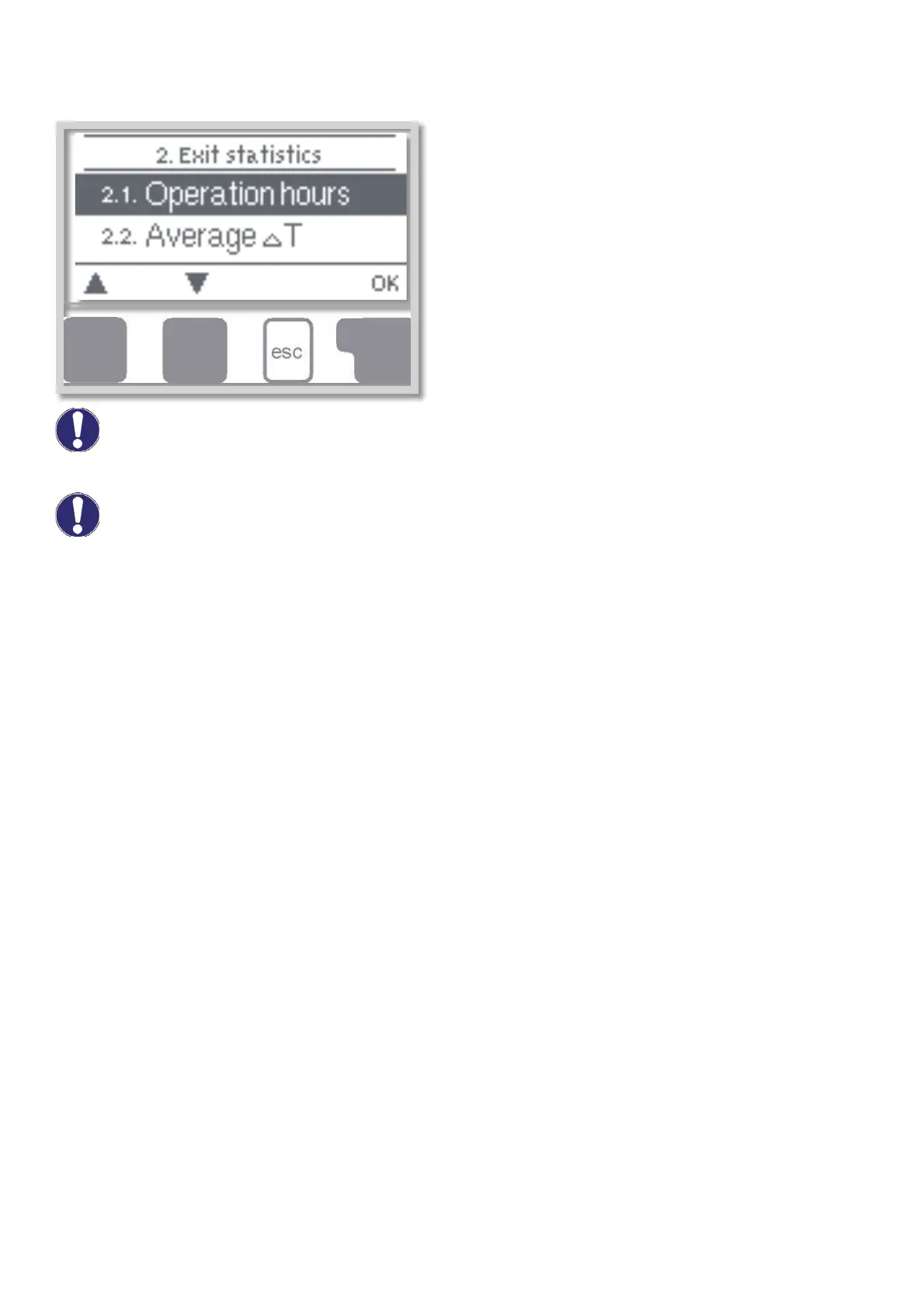
D 2 - Statistics
Menu „2. Statistics” is used for function control and
long-term monitoring of the system.
The menu is closed by pressing „esc” or selecting
„Exit statistics”.
For analysis of the system data it is essential that time is set accurately on the controller.
Please note that the clock does not continue to run if the mains voltage is interrupted, and must
therefore be reset. Incorrect time set in Regulus SRS 3 controller may result in data being deleted,
recorded incorrectly or overwritten.
D 2.1 - Operating hours
menu 2.1
Display of operating hours of the solar pump connected to the controller; various time spans are available (last
day, week, month, year).
D 2.2 - Average (temperature difference) ΔT menu 2.2
Display of the average temperature difference between the reference sensors of the solar system with the
consumer switched on.
D 2.3 - Heat output menu 2.3
Display of the approximate heat output of the solar system. (Settings see D7.7)
D 2.4 - Graphic overview menu 2.4
This function provides a clearly-organized display of operating hours, average ΔT and heat output as a bar
graph. Various time ranges are available. The two left-hand keys can be used to page through the data.
D 2.5 - Message log menu 2.5
Display of the last 10 events occurring in the system with indication of date and time. Errors (e.g. collector
alarm) and operating states (e.g. anti-legionella function on) are displayed.
D 2.6 - Reset / clear menu 2.6
Resetting and deleting the individual analyses of Regulus SRS 3 controller. The function „All statistics”
clears all analyses but not the error messages.
Caution
Caution


 To Next Page