47
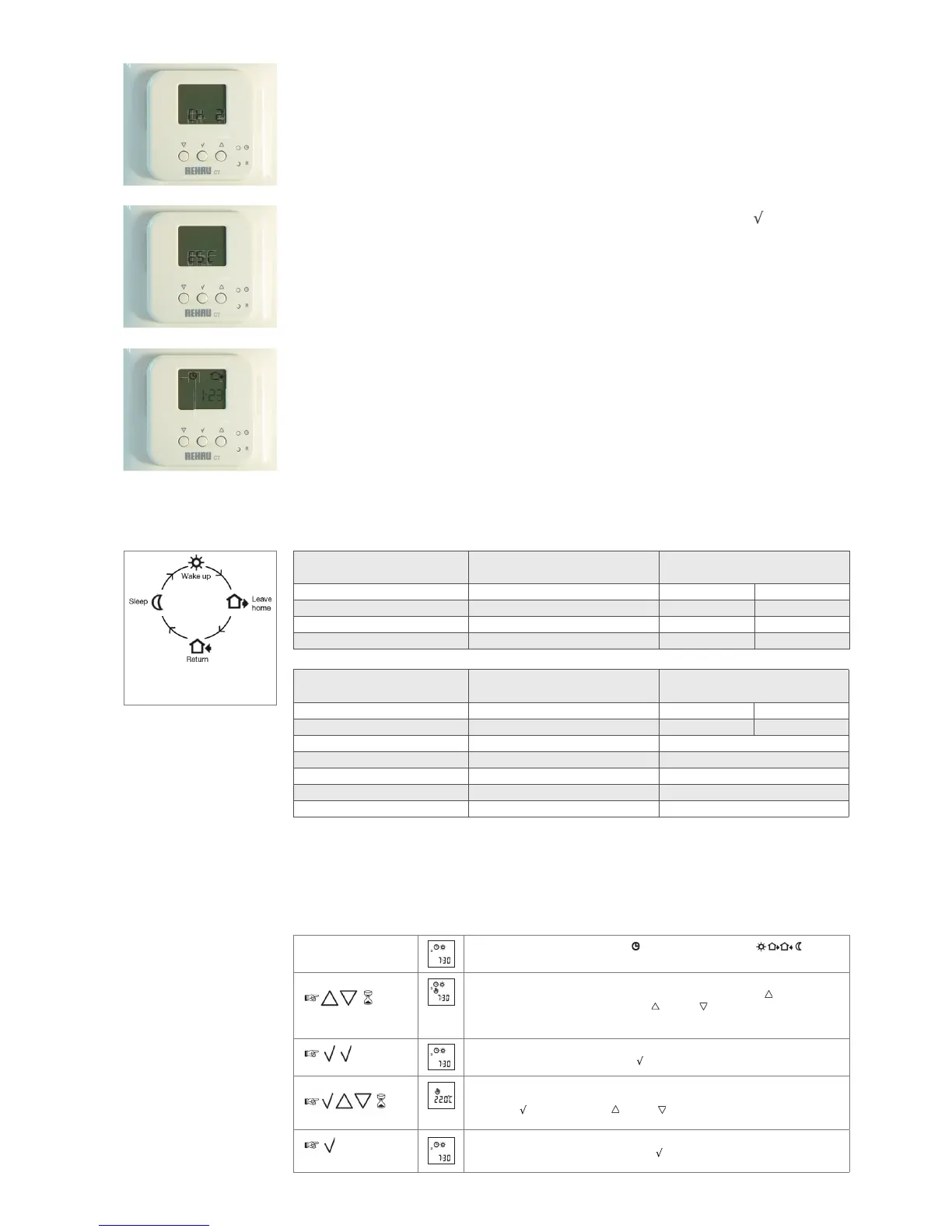
1.6 Repeat for each channel as desired.
To leave this menu, either go through all 14 channels and press ESC (below) or don’t press any
buttons for 10 seconds and it will revert to main screen.
1.7 To quit a sub-menu at any time, navigate the menus until you reach ESC and press
.
N.B. Steps 1 - 3 are a requirement to enable the correct operation of the control system.
Steps 4 - 8 are optional.
1.8 The date and time are now set.
N.B. Time has to be manually changed between BST and GMT.
To change the default time settings.
2. The default time events are shown below, if you do not wish to change them, proceed to step 3.
If you do wish to change them, follow step 2.
N.B. All event times must be in the same 24hr period.
REHAU recommend a 2 hour warm up / cool down time for your underfloor heating, e.g. to be warm at
7am, start the first event, DAY, at 5am.
DAY 1-5 TIME TEMPERATURE
Day 06:00 21°C 50°C (DHW)
Out 08:00 15°C 30°C (DHW)
In 16:00 22°C 50°C (DHW)
Night 22:30 18°C 30°C (DHW)
DAY 6-7 TIME TEMPERATURE
Day 08:00 22°C 50°C (DHW)
Night 23:00 15°C 30°C (DHW)
4 Event Sequence 4.5.2
High limit temperature 29°C (CT2 Programmable Room Sensor only)
Low limit temperature 17°C (CT2 Programmable Room Sensor only)
Scale 24hr/°C
2
I I:23
44. Event-clock mode
4-event clock mode/
automatic mode:
In automatic mode, the clock function symbol ( ) and one of the 4-event symbols ( ) will be
indicated.
Comfort mode:
5 secs.
Temporary override
To temporarily override any temperature in the 4-event schedule program, press the UP ( ) button once,
to show the temperature in the display, and press UP ( ) or DOWN ( ) again to increase or decrease the
temperature. The display will fl ash for 5 seconds, and will then revert to the time. The override will operate until
the next programmed event when the sensor will resume the automatic programme.
Cancel comfort mode
To cancel the temporary override, press the OK ( ) button twice.
Manual mode:
5 secs.
Permanent override
During holidays, the scheduled 4-event program can be overridden.
Press the OK ( ) button, and then the UP ( ) or DOWN ( ) button until the override temperature is set.
The set temperature will remain in the display and the unit will now operate to this temperature permanently.
Cancel comfort mode
To cancel the permanent override state press the OK ( ) button once, and the unit will resume automatic
function.


 To Next Page