48
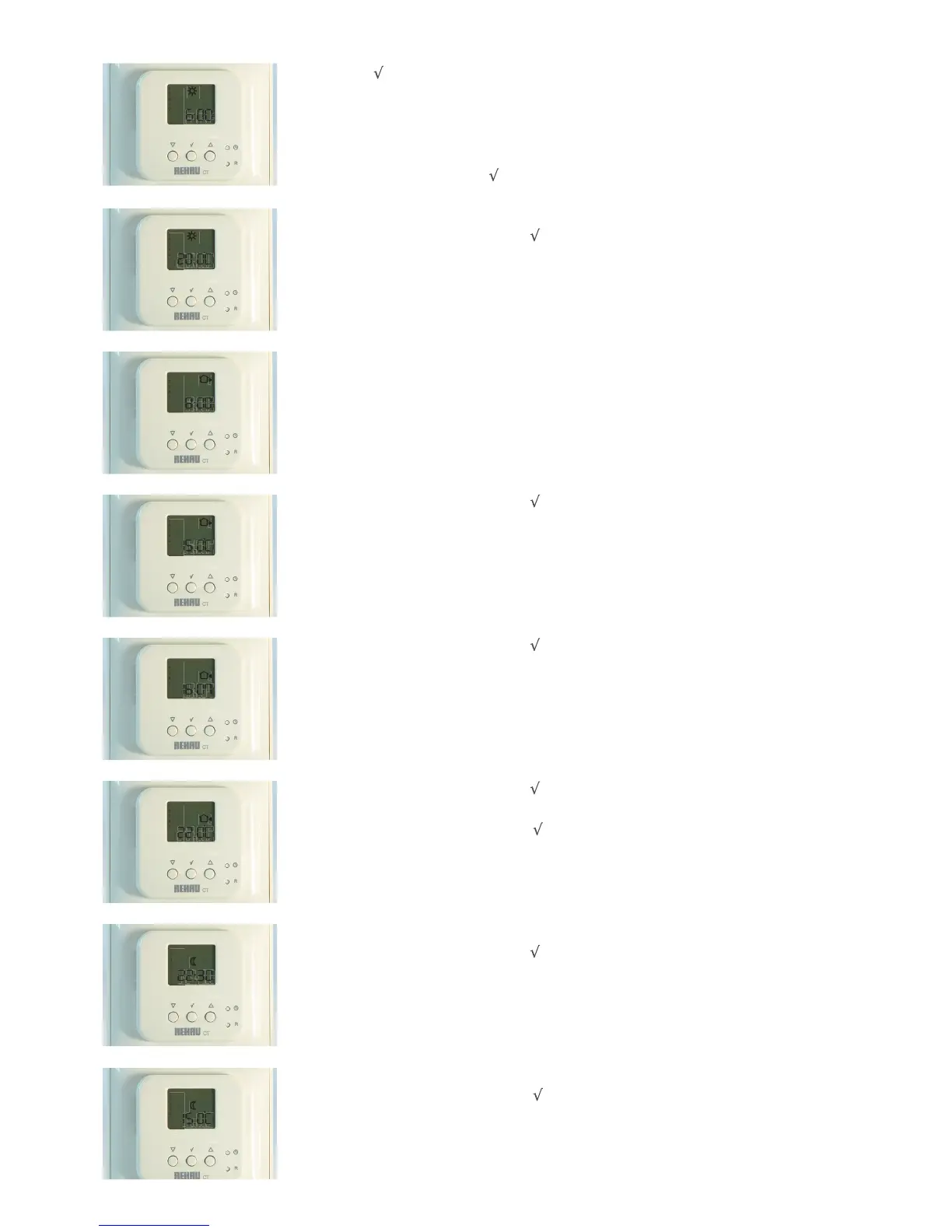
2.1a Hold the button for 3 seconds.
This screen will be displayed. This shows the start time of the first event, DAY, which is the first time
the heating comes on.
If this is to be changed, use the UP and DOWN arrows like when setting the time.
If it is not to be changed, press twice to move on.
2.1b This is the temperature for the DAY event.
Adjust if required as above. If not press
to continue.
N.B. If no buttons are pressed for a while, the CT2 Programmable Sensor/Controller will revert back to the
main
screen and you will have to start again.
2.2a The time the second event starts - OUT.
Adjust if required as above. If not press
twice to continue.
2.2b This is the temperature of second event - OUT.
Adjust if required as above. If not press
to continue.
2.3a The time the third event starts - IN.
Adjust if required as above. If not press twice to continue.
2.4b The temperature for the third event - IN.
Adjust if required as above. If not, press to continue.
1
2
3
4
5
1
2
3
4
5
1
2
3
4
5
1
2
3
4
5
1
2
3
4
5
1
2
3
4
5
2.5a The time for fourth event to start - NIGHT.
Adjust if required as above. If not press twice to continue.
1
2
3
4
5
2.5b The temperature for fourth event - NIGHT.
Adjust if required as above. If not, press to continue.
1
2
3
4
5


 To Next Page