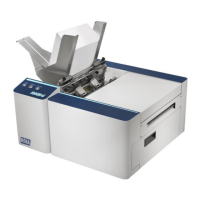
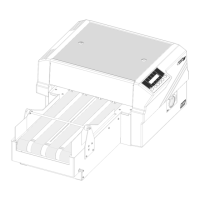
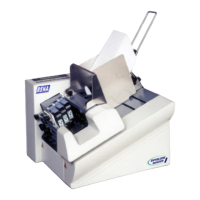
RENA XPS-80/90
User Guide
4-1
4. Description of the XPS-80/90
4.1 Description of the functions
The XPS-80/90 is designed to operate with an IBM-compatible
PC.
We recommend the FlexMail program for address printing and
envelope layout. It is convenient and straightforward to use.
NOTE:
At this time, it is required to use FlexMail to drive the XPS-90.
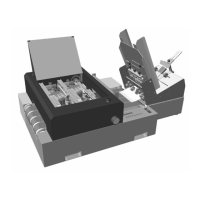
Each of the two print units (U1,U2) of the XPS-80/90 are
equipped with three HP ink cartridges (C1,C2,C3) and print the
addresses while remaining stationary.
The direction of the print-out is always the same as the direction
of transport. Printing can take place either in normal orientation
(right-side-up mode), or can be reversed (rotated by 180°) to print
up-side-down.
The vertical position of the print areas depends on the positions of
the print units. The print units are moved manually in the XPS-80
and automatically in the XPS-90. The horizontal position of the
address is normally set via the application program (such as
FlexMail), but may be set via the XPS-80/90 menu when using
DOS applications or when using a Windows application with a
"text only" driver.
Every print unit prints addresses, text or graphics within a maxi-
mum possible print area of 508 mm (= 20“) width and 38 mm
(=1.5“) height (corresponding to 9 lines for a font size of 12 pt.).
The media is transported by the transport bands under the print
units. The XPS-80/90 always transports the media from right to
left (from the viewpoint of an operator standing in front of the
printer). The media is sucked onto the transport band and thus
securely held in place.
When the printer is inactive, the print units are placed in their
"parked" position. The cartridge nozzles are then sealed by caps
and thus protected from drying out.


 To Next Page