RENA XPS-80/90
User Guide
4-3
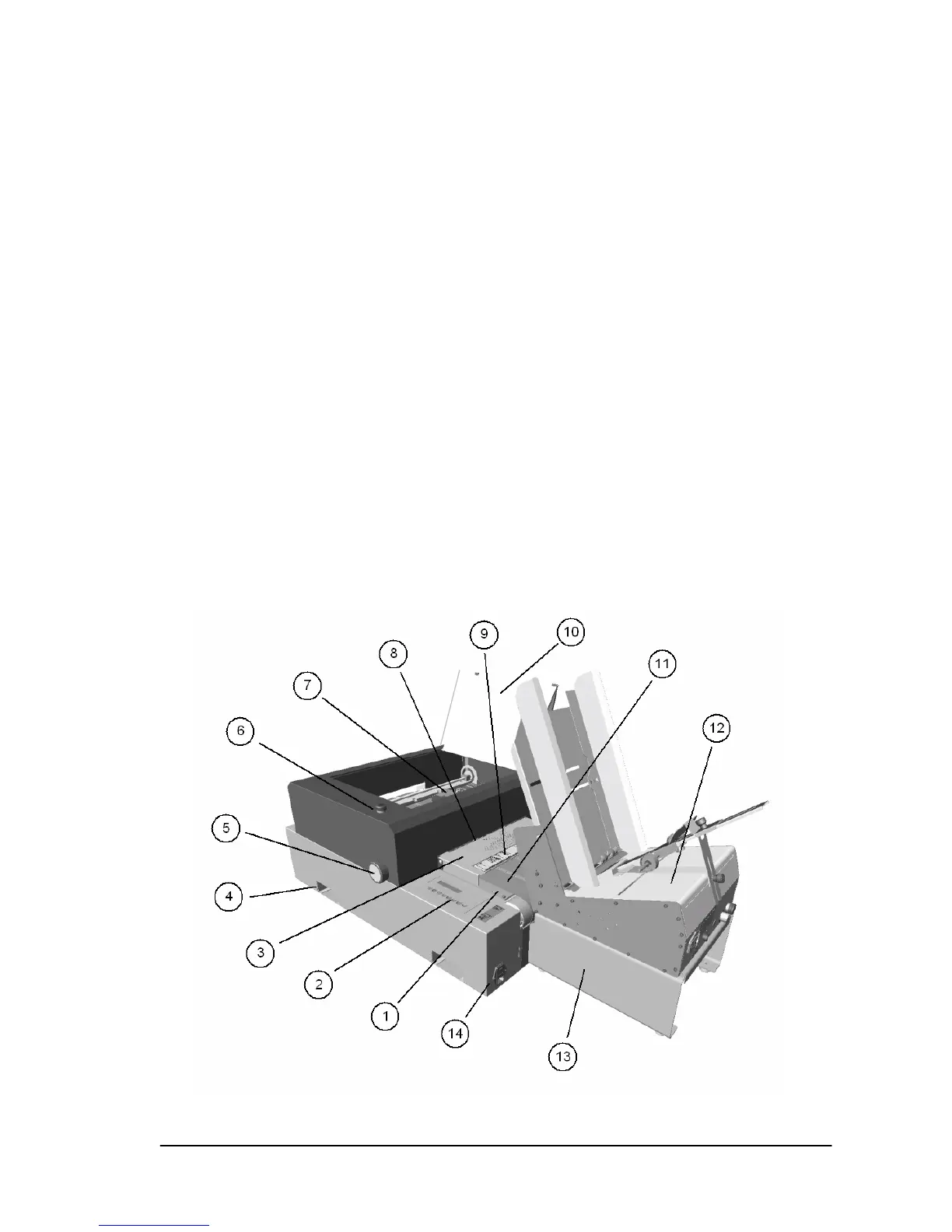
4.4 Overview of the printer
1 Table top plate
2 Keypad with LCD display
3 Safety flap (Finger guard)
4 Carrying recesses for lifting the printer
5 Media thickness dial (Graduated wheel for adjusting the car-
riage height for the print media thickness.)
6 Emergency stop switch
7 Print units
8 Paper sensor location
9 Scale for positioning the media in the printer.
10 Top cover (clear plastic)
11 Transport belts (Transport bands)
12 AF635 feeder (option)
13 Stands for AF635 (option)
14 Power input module



 To Next Page