RENA XPS-80/90
User Guide
5-29
5.10 The FlexMail program
This software is optimally adapted to the needs of the XPS-80/90.
It ensures simple and convenient operation in conjunction with the
XPS-80/90 printer drivers. As FlexMail supplies its own user man-
ual, only the XPS-80/90 specific operations and settings will be
described in the following. It is assumed that the user has a basic
level of familiarity with their PC, and Windows® system.
For more detailed information, consult the manuals of the PC,
Windows® or FlexMail.
Locate the small booklet included inside the FlexMail CD jacket.
Perform the steps described in the Section “To install FlexMail:”.
Note: A trial version of FlexMail was included with your printer.
FlexMail must be loaded using the “InstallLauch.exe” program
found on this CD. Please keep this CD and jacket in a safe place.
You will need them, in the event you ever need to re-install the
software.
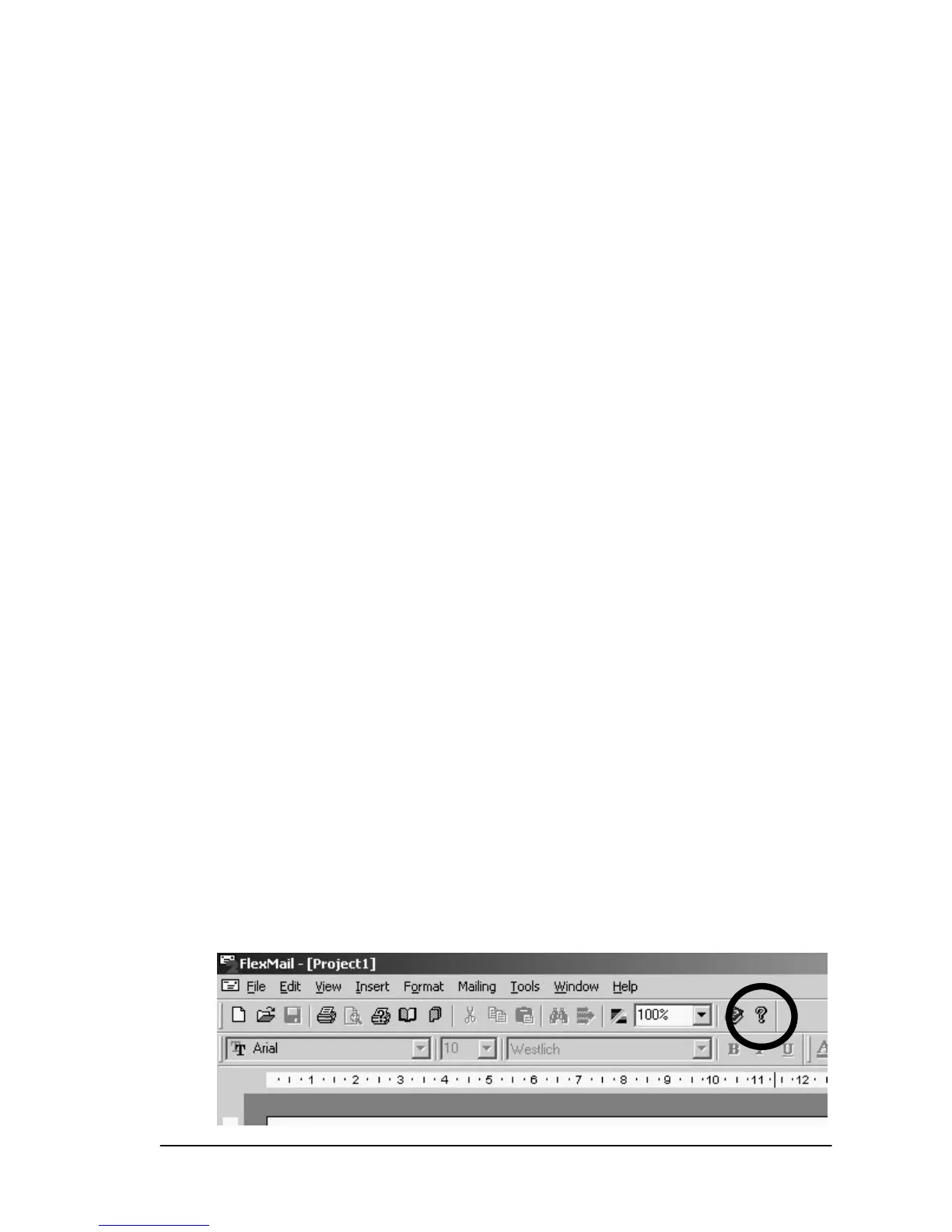
All screen displays refer to FlexMail 2 Version 2.1008 SP5. If
you have a different version of FlexMail 2 installed, the display on
your screen may differ from the windows shown here. You can
find out what version of FlexMail 2 you have installed by clicking
on the question mark with your mouse.
• In the following examples, all values are shown in centimeters,
however the user can choose how they want numeric values to
be displayed (centimeters or inches), by opening the “Tools”
menu and selecting “Options”. Click on the tab labeled “Gen-
eral” and change the “Measurements” choice to meet your
preference. For ease of use, it is recommended to use the cen-
timeters option.


 To Next Page