3.4
“Presets” mode
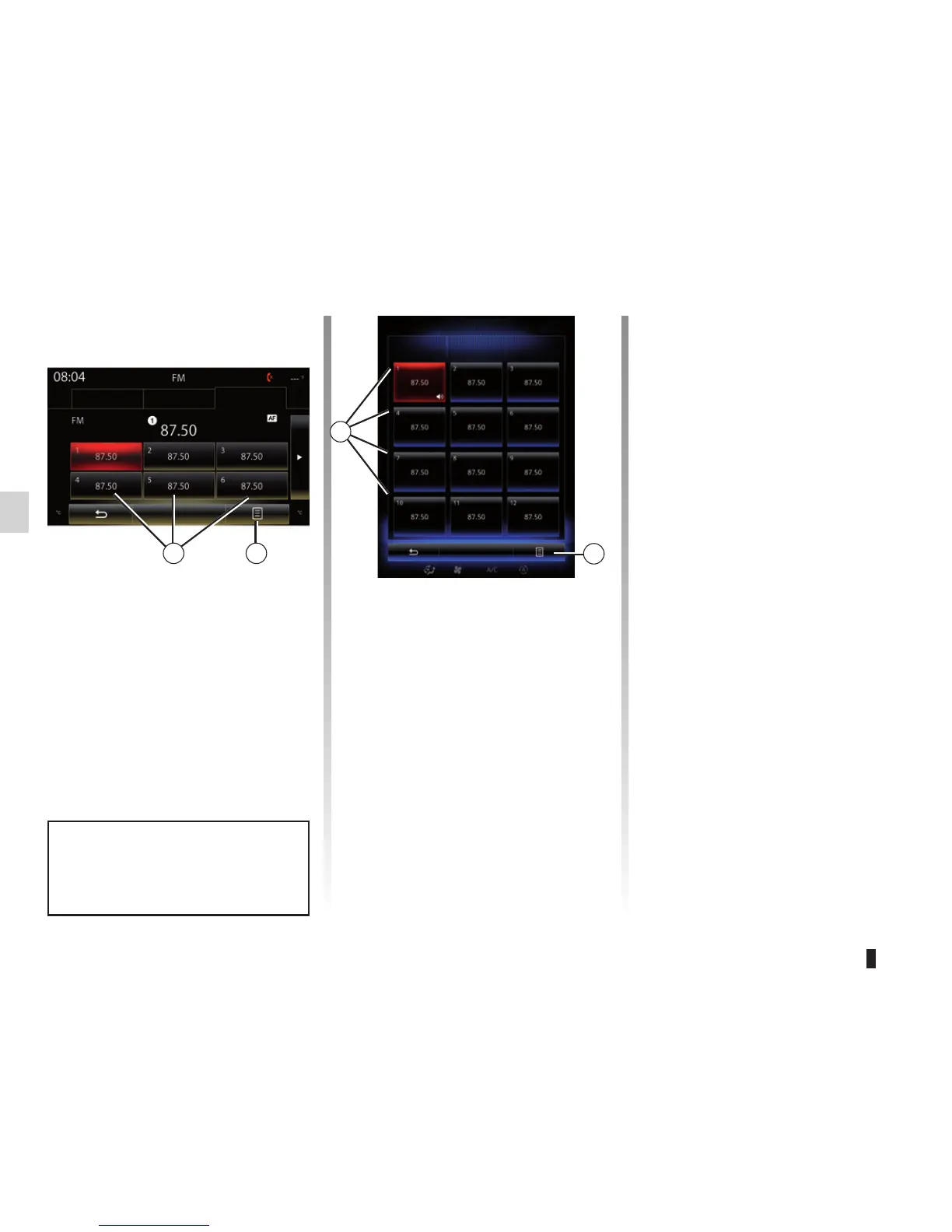
This mode allows you to recall on
demand those stations which you have
already stored (refer to information on
“Saving a station” in this section).
Press one of the buttons 8 (numbered
1 to 12) to select the radio station you
wish to listen to.
LISTENING TO THE RADIO (3/8)
“Save as preset”
This function stores the station cur-
rently being played. To do this:
– from “Frequencies” or “Stations”
mode, press 9, then “Save as preset”
and select a location 8.
Or
– from “Presets” mode, press and hold
one of the buttons 8 until you hear a
beep.
You can store up to 12 stations per
band.
8
Band
FM
Frequencies
Stations Presets
You can select a saved station using
the steering wheel control.
9
Pop-up menu 9
Depending on the band selected (AM or
FM) and the mode you are in, press 9
to:
– “Change source”;
– “Save as preset”;
– “Update list“;
– access “Settings” radio;
– access “Sound settings”.
“Change source”
This function allows you to change the
audio source (“Radio”, USB, AUX, etc.).
Frequencies
Stations Presets
Band
8 9



 To Next Page