5.8
APP MANAGER
Applications information
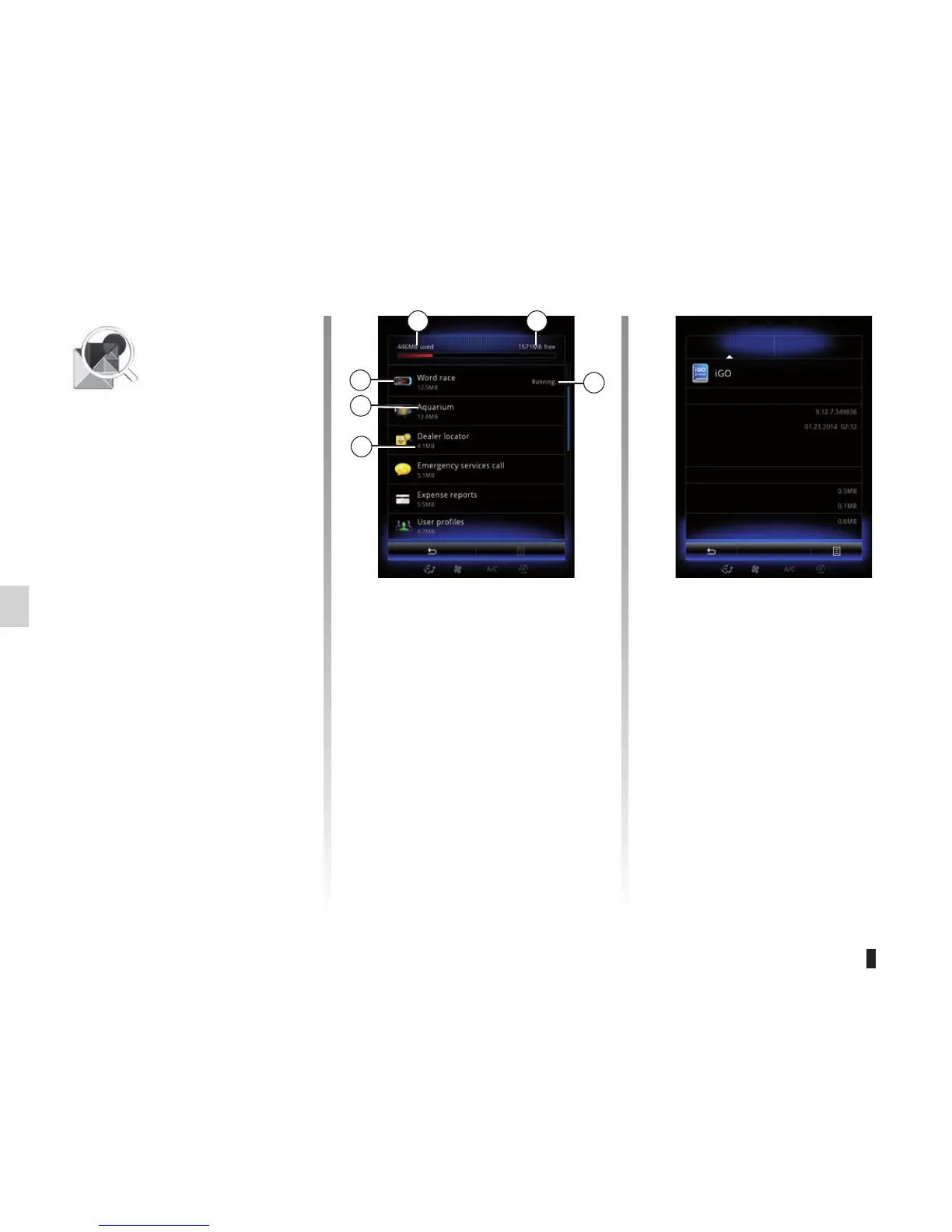
To view information about an app, press
on the required app in the list.
« About »
Press About to access the following in-
formation:
– application version;
– application installation date;
– application author;
– application description;
– application memory used.
6
5
App manager
Information
About Legal notice
Version
Date
Author
Legal notice
Memory used
Application
Total
Data
Stop
Summary
“App manager”
Menu
From the home screen, press Menu,
Apps the App manager to access the
app management screen.
System memory
The amount of memory used 1 and re-
maining 2 is displayed.
Information
1: amount of memory used;
2: amount of memory remaining;
3: indication that the app is
running;
4: app storage size;
5: app name;
6: app icon.
1 2
3
4
« Legal notice »
Press the Legal notice tab to view infor-
mation relating to autorisations, if avail-
able.
Note: If the app is running, press Stop
to close it. Depending on the app, con-
trol Stop can be greyed out even if the
app is running.



 To Next Page