TRIP COMPUTER
2
Getting to know your vehicle - 131
Adjusting the settings
Select a tab then the function to be
modified (the display depends on the
vehicle equipment and country):
a) "Access":
– "Automaticdoorlockingwhiledri-
ving";
– "Locking/unlocking in hands-free
mode";
– "Access and starting by phone";
– ...
b) "Welcome":
– "Exterior lighting animation";
– "Door opening welcome sound";
– "Automaticfold-outofthedoormir-
rors";
– "Automatic courtesy light";
– ...
c) "Lighting":
– "Adaptive lighting";
– "Choice of driving side";
– ...
d) "Wipers":
– "Rear screen wiping in reverse";
– "Automatic front wiping";
– ...
Depending on the function, select:
– "ON" or "OFF"toactivateordeacti-
vate it;
or
– a setting for the time the lights are
switched on (e.g. for the "Follow-me-
home lighting" function).
Pleaserefertothemultimediainstruc-
tions for further information.
For safety reasons, carry
out any adjustments
whilethevehicleissta-
tionary.
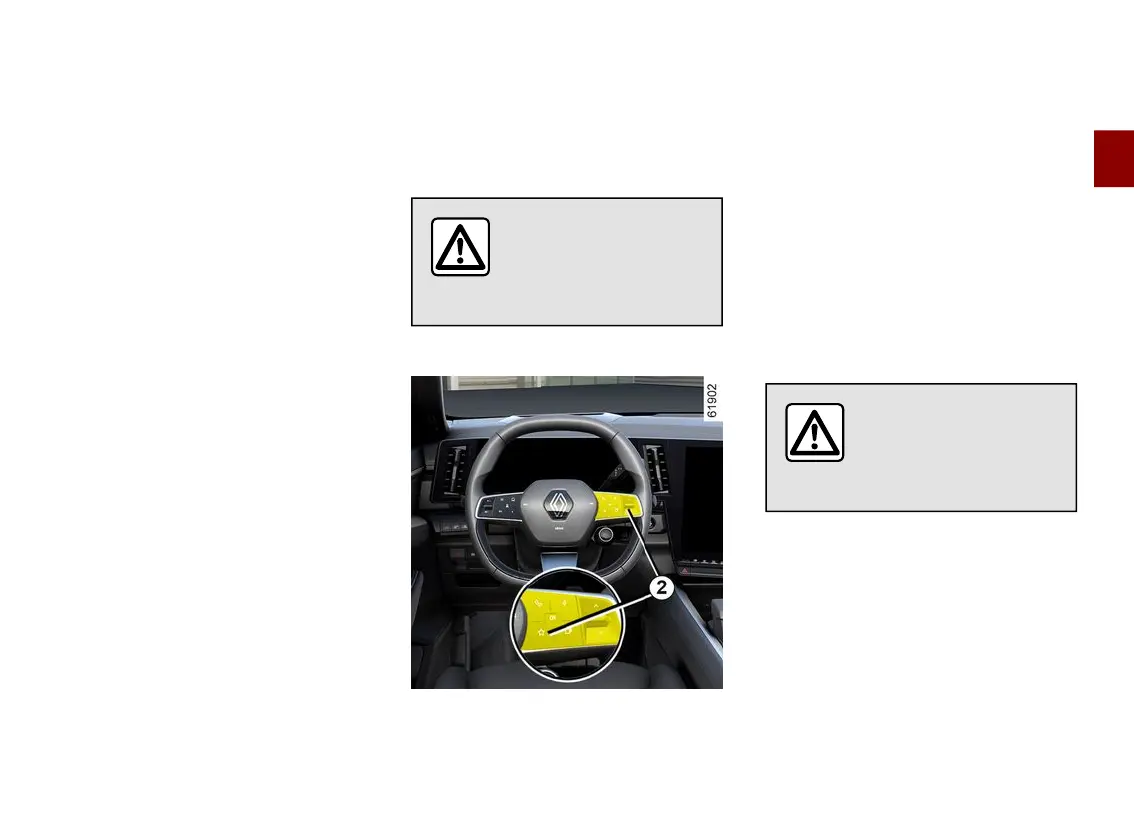
"Favourites" function
Depending on the vehicle, by pressing
the steering wheel control
2
you can
activatethefollowingfunctionsaccord-
ing to the stored user settings that you
have previously defined:
– heated seats;
– heated steering wheel;
– setting selection (access, welcome,
lighting, wiper, etc.);
– "Hands-free parking" function;
– ECOmode;
– 360° camera;
– HDC;
– ...
For more information on programming
thisfunction,pleaserefertothemulti-
media instructions.
For safety reasons, carry
out any adjustments
whilethevehicleissta-
tionary.
Driving position
(depending on the vehicle)



 To Next Page