LIGHTING AND SIGNALS
2
Getting to know your vehicle - 147
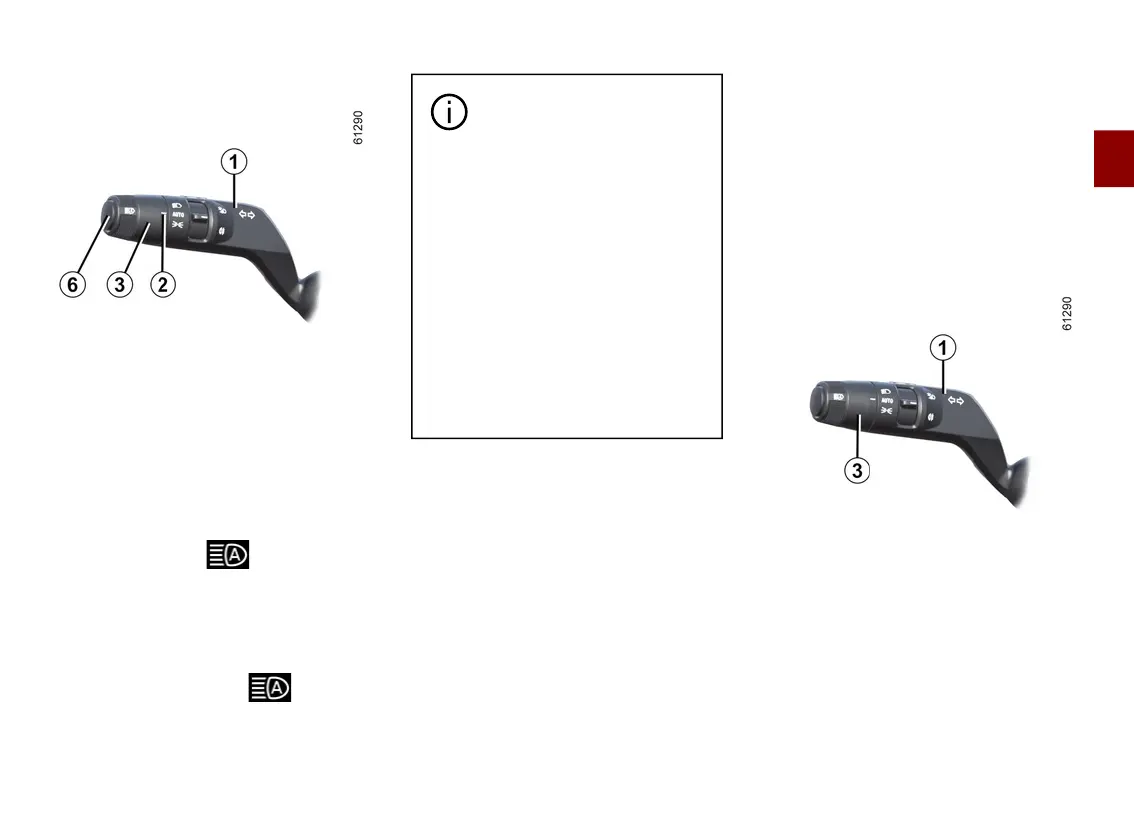
Activation/deactivation
To activate the adaptive main beam
headlights
Rotate the ring
3
until the "AUTO"
symbol is opposite the mark
2
, then
press the switch
6
.
The indicator light ontheinstru-
ment panel lights up if the dipped
beam headlights are on.
To deactivate the adaptive main
beam headlights:
Press the switch
6
: the warning
light disappears from the instrument
panel.
The system may encounter
difficulties under certain
conditions, including:
– extreme weather conditions
(rain, snow, fog, etc.);
– obstructioninfrontofthewind-
screen or camera;
– when a following or oncoming
vehiclehasweakorhiddenlight-
ing;
– incorrect settings for the front
headlights;
– reflecting systems;
– ...
Special feature
The adaptive lighting of the main beam
headlights is suited to the (MySense/
ECO/Comfort/Sport)drivingmodese-
lected.Thespeedthresholdsforacti-
vation and deactivation are different:
– In MySense, ECO or Comfort mode,
the adaptive main beam headlights will
switch on when the vehicle speed is
above approximately 25 mph (40 km/
h) and switch off the when the vehicle
speed is below approximately 12 mph
(20 km/h).
Thestrengthofthemainbeamhead-
lightsadaptstothespeedofthevehi-
cle in these modes and between these
thresholds.
– In Sport mode, the adaptive main
beam headlights will switch on when
thevehiclespeedisoverapproximate-
ly 25 mph (40 km/h) and switch off
whenthespeedisbelowapproximate-
ly 19 mph (30 km/h).
Switching off the lights
The lights will go out automatically
when the driver's door is opened or the
vehicle is locked, or one minute after
the engine is switched off.
In this case, the next time the engine is
started the lights will be switched back
on according to the position of the ring
3
.



 To Next Page