ADAPTIVE CRUISE CONTROL
3
Driving - 257
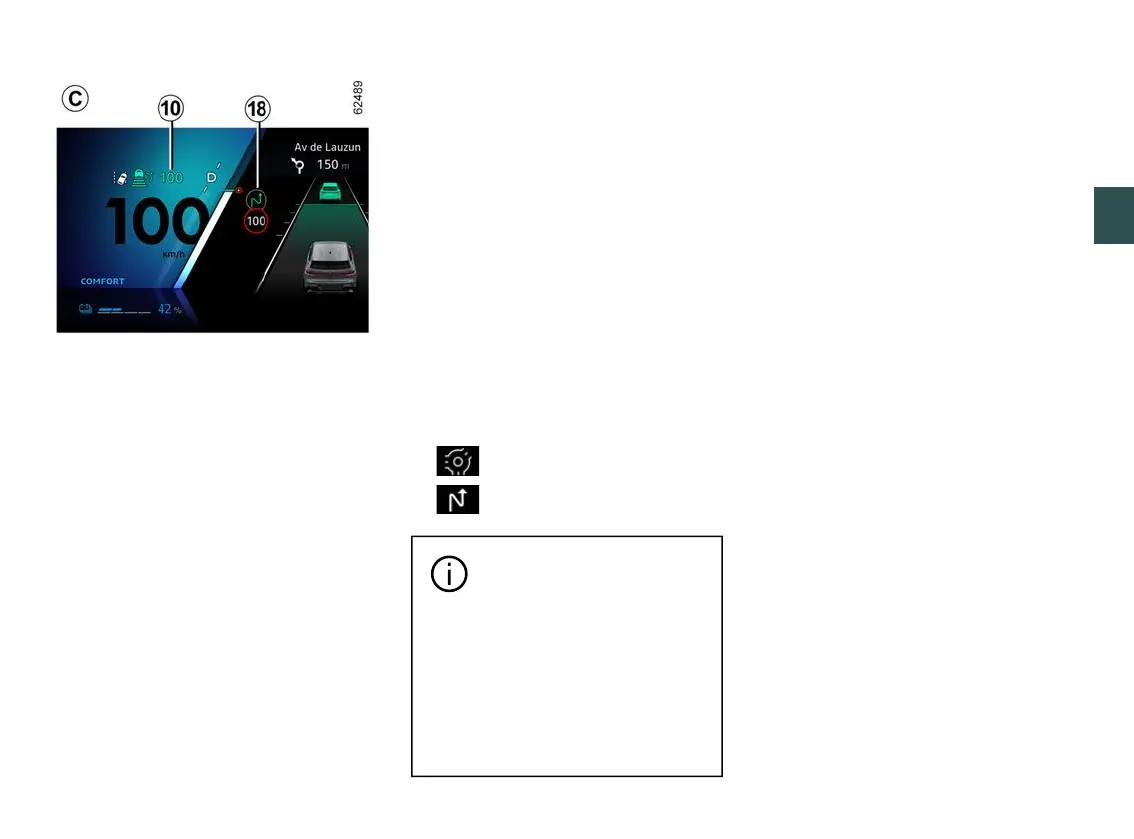
Usingthecamera,the"Roadsignde-
tection" 🡺229function,andthemap-
ping purchased with the subscription,
the system can anticipate and manage
theautomaticadaptationofthecruis-
ing speed
10
,whenthevehicleap-
proaches a roundabout or a bend.
If the vehicle is approaching a bend or
roundabout, a
18
warninglightap-
pearsontheinstrumentpanel.Theve-
hicleadjustsitsspeedtoaspeedap-
propriate to the feature detected.
The driver must always stay vigilant
regarding the speed applied by the
system and remains responsible for
the vehicle speed.
Activation/deactivation
From the multimedia screen, in the
"Vehicle" World, select "Drivingassis-
tance". Then, from the "Comfort"
menu, select "Road layout adaptive
cruise control".
When the function is not activated or
the subscription is no longer active,
operation is the same as setting the
cruising speed with speed limit sign
recognition (display
A
or, depending
on the subscription, setting the cruising
speed with advanced speed limit sign
recognition (display
B
).
Thefollowingsymbolsshowthefea-
turestakenintoaccountbythesys-
tem:
– roundabout;
– bend.
Cruise control with advance
recognitionoftheroadlay-
out is associated with a
subscription.
If there is no subscription, this
function cannot be activated.
To manage the subscription,
please refer to the multimedia
instructions.
Controlling cruising speed
You can resume control of the vehicle
speed at any time by:
– putting the function on standby:
– by pressing the brake pedal;
– or by pressing the switch
4
(0);
– bypressingthedrivingaidsselec-
tion/deselection switch
3
.
When automatically adapting the
speed to the signs and/or road layout,
it is possible to ignore these events.
Press the control
5
upwards (SET/+)
to recall the stored cruising speed.
Safe distance control activation
As soon as cruise control is activated,
the default safe distance
13
isdis-
playedingreenontheinstrumentpan-
el.
If the system detects a vehicle in your
lane, an outline of a vehicle
11
ap-
pears above the distance gauge
12
on
the instrument panel.
Your vehicle adapts its speed to that of
the vehicle in front and applies the
brakes if necessary (the brake lights
comeon)inordertomaintainthedis-
tancedisplayedontheinstrumentpan-
el.
Note: the size of the
11
outline varies
according to the distance separating
youfromthevehicleinfront.Thelarg-



 To Next Page