E-TECH PLUG-IN HYBRID VEHICLE (PHEV)
2
46 - Getting to know your vehicle
– press the charging flap
8
to unlock
it. The warning light
9
illuminates in
white;
Depending on the vehicle,
when the charging flap is
open or not properly
closed, the "Charging flap open"
messageappearsontheinstru-
ment panel.
– plug in the end of the lead to the
power supply;
– grab the handle
10
;
– plug in the vehicle cord. The warning
light
9
flashes in yellow;
Do not use the charging
flap
8
to hang the charging
lead
2
while recharging the
vehicle.
– after you hear a locking click, check
that the charging cord is properly
plugged in. To check the locking, pull
gently on the handle
10
;
– if you have programmed a deferred
charge and you wish to start charging
immediately, press the button
7
to start
charging 🡺48.
The charging cord is automatically
locked with the vehicle. This will make
it impossible to unplug the cord from
your vehicle.
If you have just accepted a
systemupdateviathemul-
timedia system, the traction
battery charging will be delayed
or cancelled.
Waitfortheupdatetobecomplet-
ed before connecting the charging
leadtothevehicle.Formorein-
formation on system updates,
pleaserefertothemultimediain-
structions.
Make sure you fully uncoil
the charging cord to limit its
heating.
Do not use an extension
lead, multiple socket or
adapter.
Fire hazard.
During charging, the warning light
9
flashes in blue.
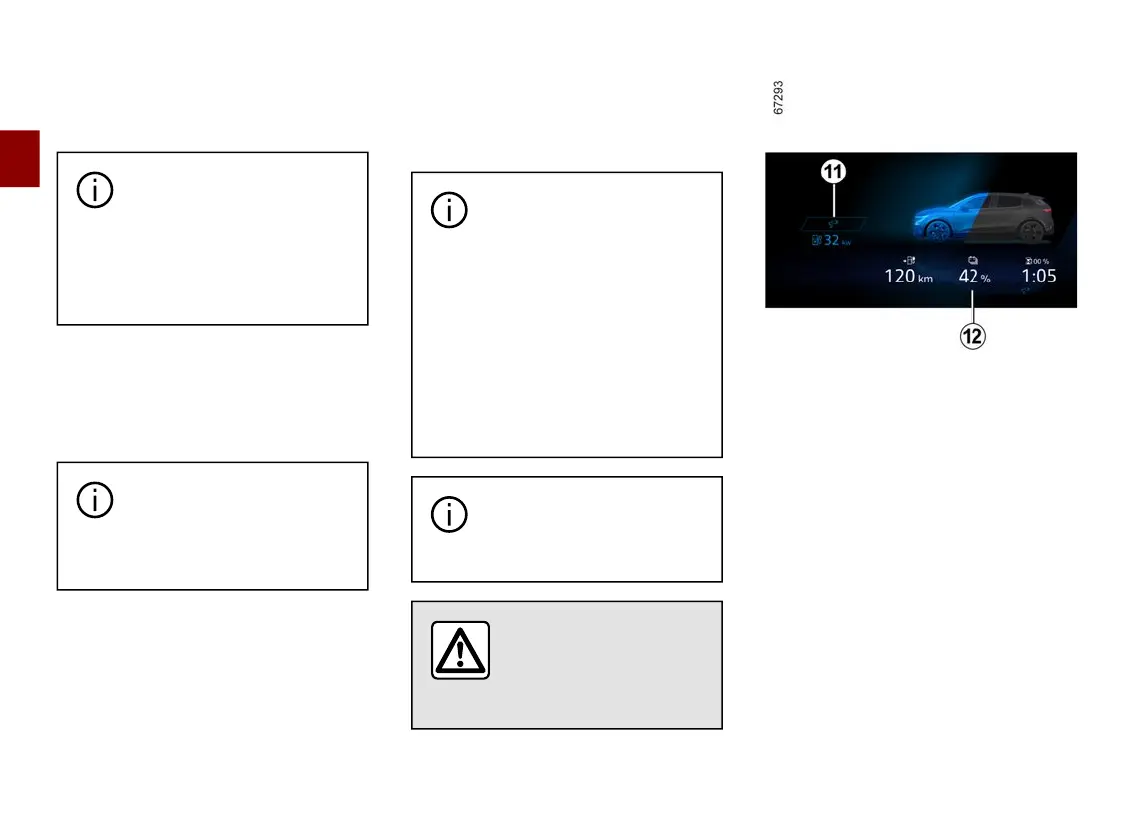
Whenchargingstarts,thefollowingin-
formation
12
appearsontheinstru-
ment panel:
– thepowerlevelonthebatteryindica-
tor light:
– the battery refill rate;
– anestimateoftheremainingcharg-
ing time (this is not displayed after the
battery is charged to approximately
95%);
– the warning light
11
indicates that
the vehicle is connected to a power
supply;
– yourvehiclerangewillvaryaccord-
ing to the charge level.



 To Next Page