- 15 -
6.2.3 Replacing the Electronics Filter
Cooling air for the unit’s electronics passes through the electro-
QLFV¿OWHU7KHW\SHRIPDWHULDOWUDSSHGLQWKH¿OWHUGHSHQGV
on the ambient laboratory conditions.
7KH¿OWHUVKRXOGEHH[DPLQHGDQQXDOO\DQGUHSODFHGDVQH-
FHVVDU\
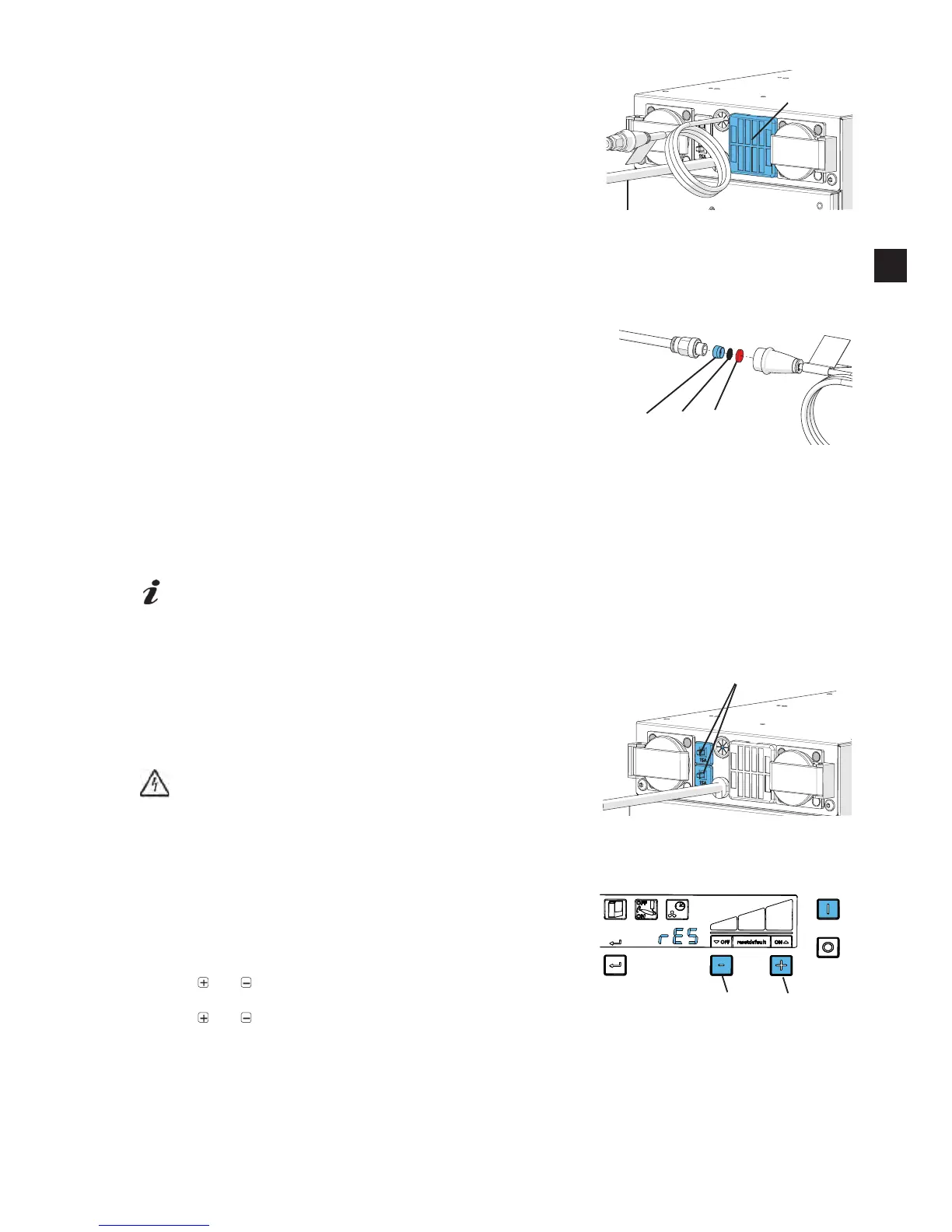
3UHVVRQWKHORFNWDEVSFVRQWKH¿OWHUFDVVHWWHDQG
pull the cassette off.
'LVSRVHRIWKH¿OWHUDQG¿OWHUFDVVHWWHSURSHUO\
,QVHUWDQHZ¿OWHULQWKH¿OWHUFDVVHWWH
5HLQVWDOOWKHQHZ¿OWHUFDVVHWWHZLWKWKHQHZ¿OWHU
0DNHVXUHWKH¿OWHUFDVVHWWHLVSURSHUO\VHDWHGDQGORFNHGLQSODFHRQERWKORFNWDEV
6.2.4 &KDQJH&RPPSUHVVHG¿OWHU
Disconnect the appliance from the compressed air supply.
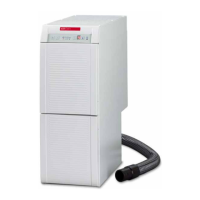
Roll away the O-ring seal.
8QVFUHZ¿OWHUKRXVLQJKROGXSDWWKH¿OWHUKRXVLQJZLWKWKH
screwdriver attached).
Using an Allan key (SW 5 mm) unscrew the sleeve (26).
Install a new piece of non-woven material (28) and sieve (27),
making sure to adhere to the correct.
Screw the sleeve back in and hand-tighten.
6FUHZ¿OWHUKRXVLQJWRJHWKHUUHSODFHWKH2ULQJVHDO
6.3 Self-Diagnosis
If the self-diagnosis is activated (see chapter 5.3.1.), it will take place when the device is switched on.
It checks important functions in the device.
This process takes approximately 30 seconds.
A blocked or defect suction hose can only be detected by the self-diagnosis and not when the
device is in action.
If an error is detected during the self-diagnosis, a fault code (see chapter 7.1) will be displayed.
Please continue as instructed.
6.4 Safety Mechanism
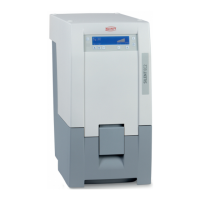
The extractor is safeguarded by two device overload switches
(10).
If an overload switch is released, it can be reset by pressing the
button back in.
If the protection switch is repeatedly released, this shows
the device has a fault.
Send the device to be repaired!
6.5 Factory Set Parameter
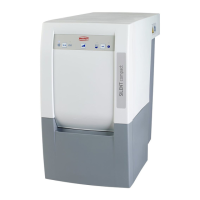
When the function “reset to factory set parameter” is activated,
all individually set information is lost and overwritten by factory
set values.
Extraction off
and Press button (41, 43) and keep pressed
Extraction on
and Press button (41, 43) and keep pressed
Ƈ $QDXGLEOHVLJQDOZLOOFRQ¿UPWKHIDFWRU\VHWSDUDPHWHULV
saved and the display will indicate „rES“
Fig. 21
11
Fi


 To Next Page