EasyManua.ls Logo

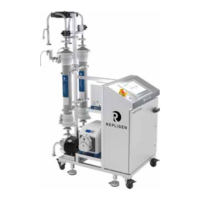
REPLIGEN KrosFlo SYITF-2000 - User Manual

REPLIGEN KrosFlo SYITF-2000
53 pages
Print Icon
To Next Page IconTo Next Page
Loading...
1
IF.UG.IM_R1
KrosFlo® Systems
User Guide
For use with:
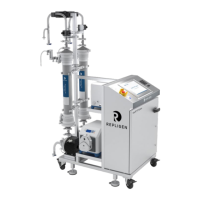
KrosFlo® KTF Tangential Flow Filtration (TFF) System
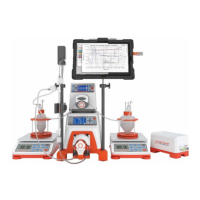
KrosFlo® KPS Perfusion (KPS) System
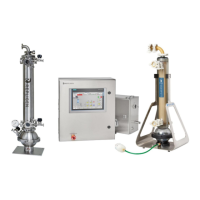
KrosFlo® TFDF® Tangential Flow Depth Filtration (TFDF) System

Table of Contents

Questions and Answers

  • L
    leah74Aug 15, 2025
    What to do if REPLIGEN Laboratory Equipment system does not run?
    • B
      Brian CookeAug 15, 2025
      If the REPLIGEN Laboratory Equipment system does not run, it may be due to several reasons: * An alarm or interlock might be active. You should navigate to the Alarms screen, resolve the issues that caused the alarm(s) or Interlock, then acknowledge the alarms and press the “Reset” button. * The emergency stop button might be active. Resolve the issue, then rotate and pull the E-stop, then press the “Reset” button. * The user might not have the right access level. In this case, ask a user with appropriate access level to complete the task.
  • A
    Anna WhiteAug 19, 2025
    What to do if REPLIGEN KrosFlo SYITF-2000 Laboratory Equipment system does not power up?
    • J
      Jamie LindseyAug 19, 2025
      If your REPLIGEN Laboratory Equipment system doesn't power up, consider these potential causes: * The facility’s primary disconnect might be in the “off” position. A qualified electrician should check the power cables from the facility power source to the power outlet, then to the System’s main disconnect. * The system power plug might not be plugged in. Ensure the power plug is securely plugged into the power outlet. * The system’s main disconnect might be in the “off” position. Turn the main disconnect clockwise to the “on” position.
  • C
    Cynthia HardyAug 22, 2025
    What to do if REPLIGEN Laboratory Equipment pump does not run?
    • R
      richard29Aug 22, 2025
      If the pump on your REPLIGEN Laboratory Equipment does not run, consider the following: * Check for power at the motor. Look for any error lights or messages on the pump controller inside the cabinet. Also, check if any fuse is blown. A qualified electrician should inspect the motor power cables for damage or loose connections. * An interlock might be active. Find the active interlock and resolve the problem causing it to be activated. * Ensure the peristaltic pumps (permeate/buffer/product) are in the correct mode (remote).
  • D
    Donald HolmesAug 25, 2025
    Why pressure values on HMI seem not right in REPLIGEN KrosFlo SYITF-2000?
    • C
      christopherleAug 25, 2025
      If pressure values on the HMI of your REPLIGEN Laboratory Equipment seem incorrect, it might be because the pressure sensor cables are plugged in incorrectly. Ensure that you connect the cables following their respective tag numbers.
  • J
    James RichardsonAug 27, 2025
    How to fix fluid leaks in REPLIGEN KrosFlo SYITF-2000?
    • E
      Edward HernandezAug 28, 2025
      If you notice fluid leaks in your REPLIGEN Laboratory Equipment, it could be due to damaged or ruptured components in the flow-path. To address this, stop the system, wait for the leaks to stop, drain the flow-path, and then replace the damaged components.
  • J
    Justin WolfAug 30, 2025
    What to do if REPLIGEN KrosFlo SYITF-2000 pump does not deliver required flow rate?
    • C
      Cheryl LawrenceAug 30, 2025
      If the pump in your REPLIGEN Laboratory Equipment isn't delivering the required flow rate: * It could be due to broken or worn-out components in the pump head, possibly accompanied by unusual noise. Consider replacing the pump head unit. * The tubing might be bent or occluded. Check the HMI for abnormal pressure values, then inspect the tubing for any potential blockages.
  • T
    Tracy HerreraSep 2, 2025
    Why REPLIGEN KrosFlo SYITF-2000 has increased running noise?
    • S
      Stephanie JohnsonSep 3, 2025
      Increased running noise in your REPLIGEN Laboratory Equipment could be due to pump or tubing cavitation. To resolve this: * Increase the pump speed. * Slightly reorient or shake the tubing to help air bubbles flow through.
  • M
    Mark MendozaSep 6, 2025
    What to do if on-screen keyboard has disappeared on REPLIGEN Laboratory Equipment?
    • P
      Paul WhiteSep 6, 2025
      If the on-screen keyboard has disappeared on your REPLIGEN Laboratory Equipment, it may be because the user pressed “exit” on the keyboard application. To restore it, press the keyboard icon located in the bottom left corner of the navigation pane.
  • J
    johnsonamandaSep 8, 2025
    Why selected filter modules are not propagating properly in REPLIGEN KrosFlo SYITF-2000?
    • G
      gonzalezcindySep 8, 2025
      If the selected filter modules are not propagating properly in your REPLIGEN Laboratory Equipment, ensure that you wait 30 seconds after selecting a filter type before selecting a filter module on the Settings screen. Waiting allows the selected filter module type to propagate before selecting an individual filter module for use in a TFF process, which helps avoid potential issues.
  • A
    Andre KelleySep 12, 2025
    What to do if there is no signal or value from pressure sensor in REPLIGEN Laboratory Equipment?
    • A
      Alexis MorganSep 12, 2025
      If there is no signal or value from the pressure sensor on your REPLIGEN Laboratory Equipment: * Check if the sensor cables are not connected. Connect the cables following their respective tag numbers. * The sensor might be damaged and needs to be replaced.

Summary

Abbreviations

Introduction

Safety Precautions

Signal Words

Defines signal words and colors for hazard severity.

Safety Symbol Icons

Lists and explains safety symbols used in the document.

Safety Guidelines

Intended User Guide Audience

Specifies the target audience and their required experience.

Intended Use of the System

Describes the system's intended purpose and operational scope.

Warnings for Moving, Installing, and Storing the System

Provides critical safety warnings for system handling and storage.

Warning for System Preparations

Outlines essential precautions before system setup and operation.

Warnings for System Operation

Details safety measures and potential hazards during system use.

Warnings for System Maintenance

Lists safety precautions for performing system maintenance procedures.

System Specifications

System Dimensions

RoHS and WEEE Compliance

System Overview

Main System

Provides a visual overview and identification of key system components.

Cassette Holder Cart (optional)

Describes the optional cassette holder cart and its components.

Auxiliary Cart (optional)

Details the optional auxiliary cart and its functionalities.

Unpacking the System

Performing Mechanical Installation

Main System Assembly

Step-by-step guide for assembling the main system components.

Cassette Holder Assembly (optional)

Instructions for assembling the optional cassette holder.

Hydraulic Pump Preparation

Procedures for preparing and connecting the hydraulic pump.

Single-Use Flow-path Assembly

Guides the assembly of disposable flow-paths for the system.

Feed Tank;Reservoir Connections

Details how to connect feed tanks and reservoirs to the system.

Installing Auxiliary Pump Tubing

Instructions for installing tubing for the auxiliary pump.

Performing Electrical Installation

Sensor and Communication Cables

Covers connecting various sensors and communication cables to the system.

Installing Ferrite Bead for Pressure Sensors

Explains the installation of ferrite beads for EMI protection.

Installing Permeate Flow Sensors

Details the installation of permeate flow sensors.

Other Sensor and Communication Cables

Lists other sensor and communication cable connections.

Connecting the System Power Cables

Provides instructions for connecting the system's power cables.

Using the System HMI

Human Machine Interface (HMI) Overview

Introduces the HMI and its primary screen functions.

Getting Started

Guide to initial system startup procedures after installation.

Loading and Running Recipes

Explains how to load and execute process recipes.

Home Screen

Describes the system information displayed on the Home screen.

Process Screen

Details the Process screen for monitoring and controlling the system.

Alarms Screen

Explains how to view and manage system alarms.

Diagnostics Screen

Covers system diagnostics and status monitoring.

Operating the System

Executing Reports

Instructions for generating and viewing system reports.

System Emergency Stop and Responses

Procedures for emergency stops and system restarts.

System Power Loss and Responses

Details system behavior and recovery after power loss.

Shutting Down the System

Steps for safely powering down the system.

Performing System Maintenance

Making the System Safe for Maintenance

Critical steps to ensure safety before performing maintenance.

Cleaning the System

Guidelines for cleaning the system's frame, cabinet, and pumps.

Cleaning the Flow-path

Procedures for cleaning and maintaining the system's flow-path.

Flow-path disassembly and storage

Instructions for disassembling and storing the flow-path.

System Moving and Storage

Guidelines for safely moving and storing the system.

KrosFlo System Spare Parts

Lists available spare parts and their service part numbers.

Troubleshooting the System

REPLIGEN KrosFlo SYITF-2000 Specifications

General IconGeneral
BrandREPLIGEN
ModelKrosFlo SYITF-2000
CategoryLaboratory Equipment
LanguageEnglish

Related product manuals