EasyManua.ls Logo

REPLIGEN KrosFlo KR2i - User Manual

REPLIGEN KrosFlo KR2i
47 pages
Print Icon
To Next Page IconTo Next Page
Loading...
repligen.com
© 2023 Repligen Corporation. All rights reserved. The trademarks mentioned herein
are the property of Repligen Corporation and/or its affiliate(s) or their respective owners.
DOC0304 eRev. [Major Version]1.01.0 [Publication Date]8/9/20238/9/2023
KrosFlo® KR2i
RPM™ System
User Guide

Table of Contents

Questions and Answers

  • M
    mandy57Aug 7, 2025
    What to do if REPLIGEN KrosFlo KR2i process ends early with Conductivity or UV sensors?
    • E
      erikcoffeyAug 7, 2025
      If the REPLIGEN Laboratory Equipment process ends prematurely when using Conductivity or UV sensors (fixed path length sensors for auto modes), ensure the sensor is full of the proper liquid. Specifically, the conductivity sensor should be filled with the same buffer the sample is in at the start. The UV sensor should be zeroed with the same buffer the sample is in.
  • D
    Dr. Mark VargasAug 17, 2025
    Why does REPLIGEN KrosFlo KR2i process end early or late in DV or CF auto modes?
    • M
      Monica WalkerAug 17, 2025
      If the REPLIGEN Laboratory Equipment process ends prematurely or late in DV or CF auto modes, the input for the holdup volumes might be incorrect. To resolve this, enter the correct feed holdup and permeate holdup volumes, and specify whether they are empty or full when starting the process.
  • M
    Michael HallAug 26, 2025
    How to fix wrong Pressure Sensor readings on REPLIGEN KrosFlo KR2i Laboratory Equipment?
    • J
      Jonathan OnealAug 27, 2025
      If the Pressure Sensor readings on your REPLIGEN Laboratory Equipment are incorrect (displaying either -9.9 psi or >35 psi when no pressure is applied), it may be due to a malfunctioning pressure sensor octopus cable or a broken pressure sensor. Consider replacing the Octopus Cable and/or the pressure sensor to fix this issue.

Summary

Introduction

About this document

Safety Precautions

System Specifications

Computer

Details about the computer used with the system.

System Configuration and Major Components

Pump Drive & Integrated Pressure Monitor

Details about the pump drive and integrated pressure monitor.

Octopus Cables

Information on Octopus cables for system connectivity.

Mounting Hardware

Details on mounting hardware for the system.

Materials of Construction

Setup and Operation

Basic Setup

Step-by-step guide for initial system setup.

Manual Mode Setup

Configuration for operating the system in manual mode.

Concentration Mode (C. Mode) Setup

Setup procedures for concentration mode operation.

C;D and C;D;C Mode Setup

Setup for C/D and C/D/C operating modes.

C;D;D;C Mode Setup

Setup procedures for the C/D/D/C operating mode.

CFC Mode Setup

Setup configuration for CFC mode operation.

CF;D;C Mode Setup

Setup configuration for CF/D/C mode operation.

System Setup Using KrosFlo RPM Software Pump Control Window

Using the software control window for system setup.

Alarms and Stops

Configuration and types of safety alarms and stops.

Tubing Calibration

Procedure for calibrating tubing within the pump head.

Pump Head Setup and Operation

KR2 i Installation and Removal

Instructions for installing and removing the KR2i pump head.

KR2 i Tubing

Instructions for loading and unloading tubing in the KR2i pump head.

KR2 i Multi-Channel

Instructions for mounting multiple pump heads in tandem.

KR2 i Maintenance

Cleaning and maintenance guidelines for the KR2i pump head.

FlowVPX Instrument Setup

Installation and Basic Setup

Initial installation and basic setup of the FlowVPX instrument.

Connecting the FlowVPX Head to the FlowVPX Standard Mount

Steps to connect the FlowVPX Head to its standard mount.

Connecting the FlowVPX Instrument to the Cary 60 Spectrophotometer and Computer

Connecting the FlowVPX to the spectrophotometer and computer.

Loading and Unloading the Flow Cell

Procedure for loading and unloading the flow cell.

Unloading the Flow Cell

Procedure for unloading the flow cell from the instrument.

Software;Firmware Operation

Information on operating the system's software and firmware.

Auxiliary Component Setup and Operation

Auxiliary Scales

Setup and operation of auxiliary scale components.

Auxiliary Pumps

Setup and operation of auxiliary peristaltic pumps.

Auxiliary Pump Settings

Configuration settings for auxiliary pumps.

Automatic Backpressure Valve

Setup and operation of the automatic backpressure valve.

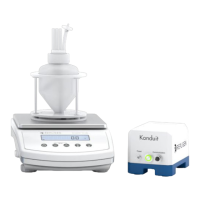
KONDUIT

Setup and configuration of the KONDUIT module.

Basic Concepts of Tangential Flow Filtration

Concentration

Explanation of the concentration process in TFF.

Diafiltration

Explanation of the diafiltration process in TFF.

Troubleshooting

Replacement and Auxiliary Parts

REPLIGEN KrosFlo KR2i Specifications

General IconGeneral
TypeTangential Flow Filtration System
Pump TypePeristaltic
Control SystemTouchscreen Interface
ConnectivityUSB, Ethernet
Power Requirements100-240 V AC, 50/60 Hz
Max Flow Rate2 L/min
Weight15 kg
AutomationYes, programmable protocols
Operating Pressure6 bar (87 psi)

Related product manuals