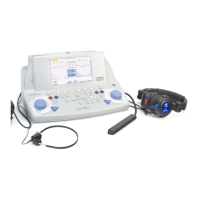
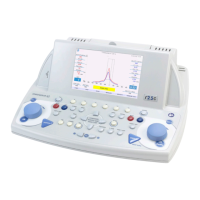
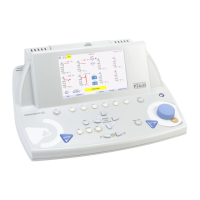
R 17A User’s Manual – Page 84
Signal presentation and storage of threshold levels
Once the speech material and its intensity has been set, press the PLAY icon (see image on the
left) to send the signal to the patient. The masking on the opposite ear is always active (except
when in “Off” condition).
Press the REPEAT, PAUSA and STOP icon during the test to repeat the last
phoneme, pause the test or stop the list reproduction.
Press the CONFIRM icon during the test execution to confirm the right patient’s response
and increase the count of positive responses, don’t press if the response is not correct.
These indicators show the numbers of correct answers given by the patient,
number of total words submitted and the score as a percentage.
At the end of the phonemic list presentation, press the button shown to save the point on
the audiogram. The button pressed changes its colour to green to confirm the registration.
Communicate to the patient
TALK OVER button allows the user to talk to the patient via the transducer. A microphone is
integrated in the device.
Exit and Save
Pressing the EXIT button, a dialog box will pop up and ask if you wish to save and/or print the
test out on the thermal printer.
Press YES or NO. If answer is YES, R17A will show patient database page to select the patient
to be associated to the test performed, confirmation is required pressing this button. Please,
refer to section 6 of this user manual for further information about the patient database
management.
Information shown on the display
Indicates the name of the patient undergoing the examination, as previously
selected. Touch the icon to get direct access to patient database.
Indicates battery residual charge and current time.



 To Next Page