R 17A User’s Manual – Page 87
4.4 Operating position of the device
The way in which tone and speech audiometry tests appear on the screen depends on the orientation of
the device: if the device is horizontal (operating position when docked in its support), the screen will
appear like the ones describe until now in this manual.
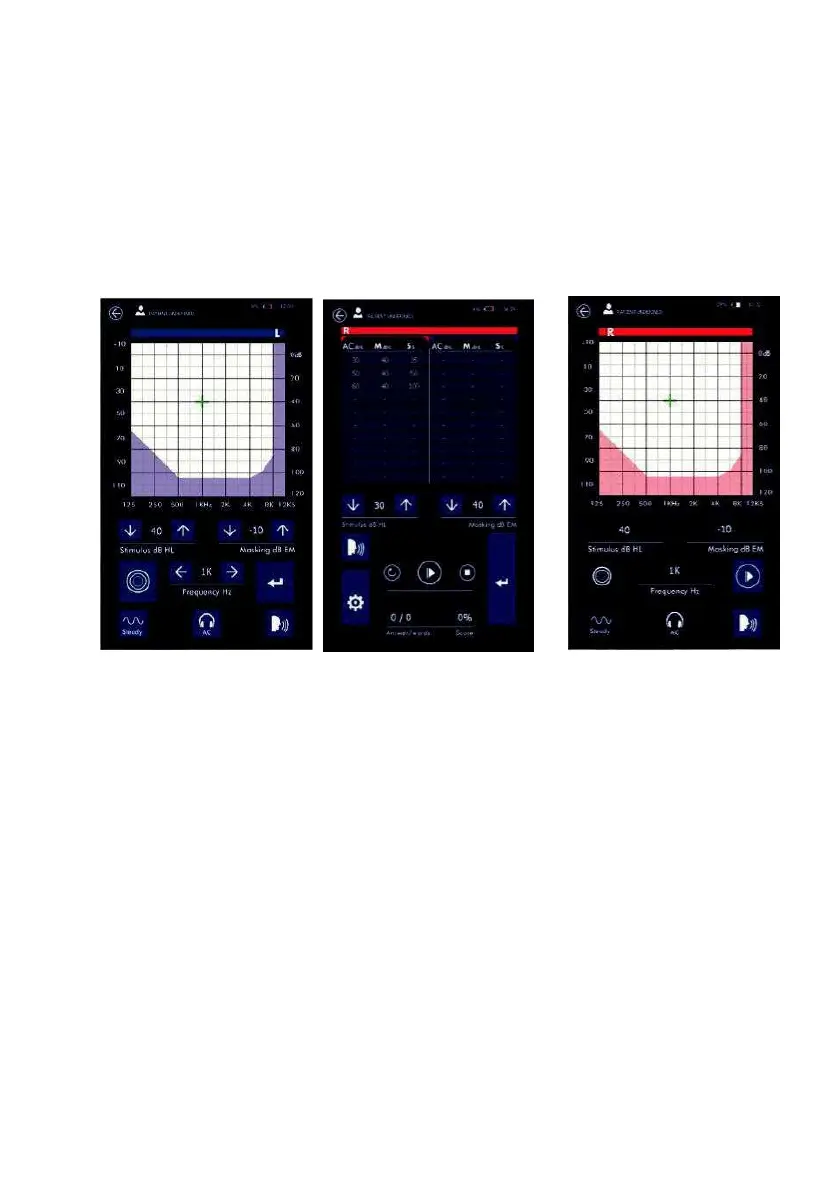
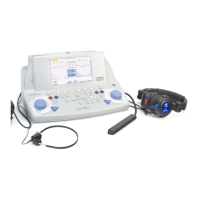
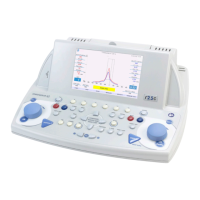
By turning the device by 90° (display is now vertical), after having entered the test conduction page, the
screen display will appear like the following:
Tone Audiometry Speech Audiometry Autothreshold
Functions remain unvaried for tone audiometric and autothreshold tests, in which the commands present
in the vertical visualisation are the same as those seen in the horizontal visualisation. The only variable,
for these two tests, is that in the vertical visualization, the indications relative to the two sides, left and
right, appear on a single graph.
For speech audiometry the way the data is presented changes: in the vertical visualisation, data are in a
table. Column AC (or BC) indicates the levels of speech, column M shows masking levels and column S
shows the patient’s positive answers as a percentage.
Keeping the vertical visualisation in the speech audiometric test, the data in the table refer to the
transducer selected in the test setup page (AC or BC). The selection of the side to work on (right or left) is
done by touching one of the tables with the data and the active side is indicated by the colour of the bar
above the tables.



 To Next Page