R 17A User’s Manual – Page 98
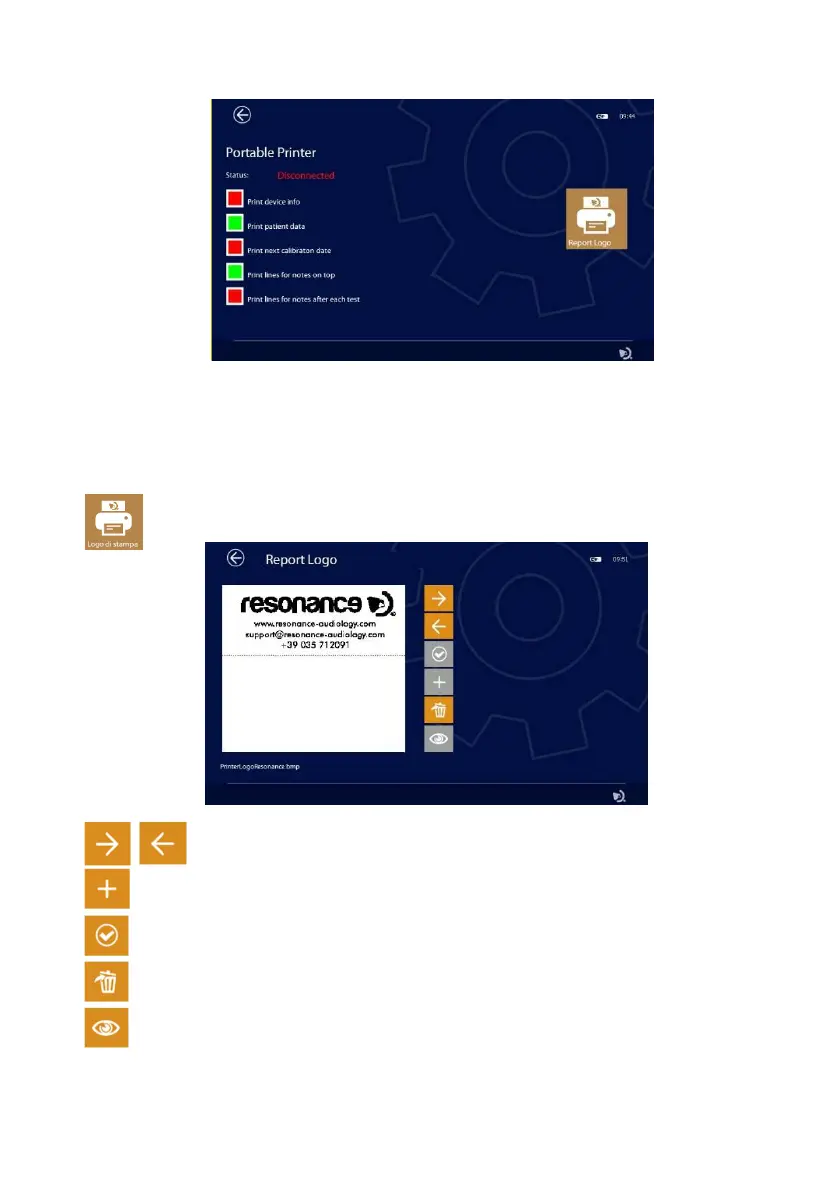
Report header customization
You can customize the report header you print by importing a graphic file that contains your logo or
information about your company. The graphic file must be in BMP format, black and white (1 bit x pixel)
and have a maximum size of 600x400 pixels. Create a folder named PrinterLogo in the root of the pen
drive, copy the file or files to be used inside and insert it in the USB HOST port of the device.
It is necessary to copy the file to the device memory to be able to use it for printing.
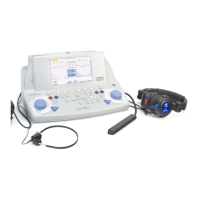
Pressing the LOGO button (see adjacent image) will open the page for selecting the file
Using the ARROW keys, it is possible to choose the graphic file from those present both
in the device and in the pen drive
If the selected file is on the pen drive, the + key will turn orange, pressing it will copy it to the
device memory.
Once the desired file has been selected, press the CONFIRM key (see adjacent image) to set it
as the print header.
The DELETE button will allow you to delete the selected file.
If the printer is connected, using this key it is possible to print the test page with its logo.



 To Next Page