7.8.1 Interval Time
With the interval time (H7) the time of the sieving process between the interval pauses can be
freely selected between 1 and 99 seconds. The pause time of one second is not changeable.
The display of the interval settings is only active with the interval function (H6) turned on.
Press the "+" or "-" button of the interval time (H7) to set the desired sieving time between
the interval pauses.
Press and hold the "+" or "-" button to extend or reduce the interval time in steps of ten
seconds, respectively.
On exceeding 99 seconds, the display changes back to 1 second. When going below 1 second,
the display changes to 99 seconds. The interval time can also be changed during operation by
pressing the "+" or "-" button.
7.9 Programme Mode
The AS 200 control allows for the saving and recalling of up to 99 parameter sets. The
programme settings can only be edited in the setting mode.
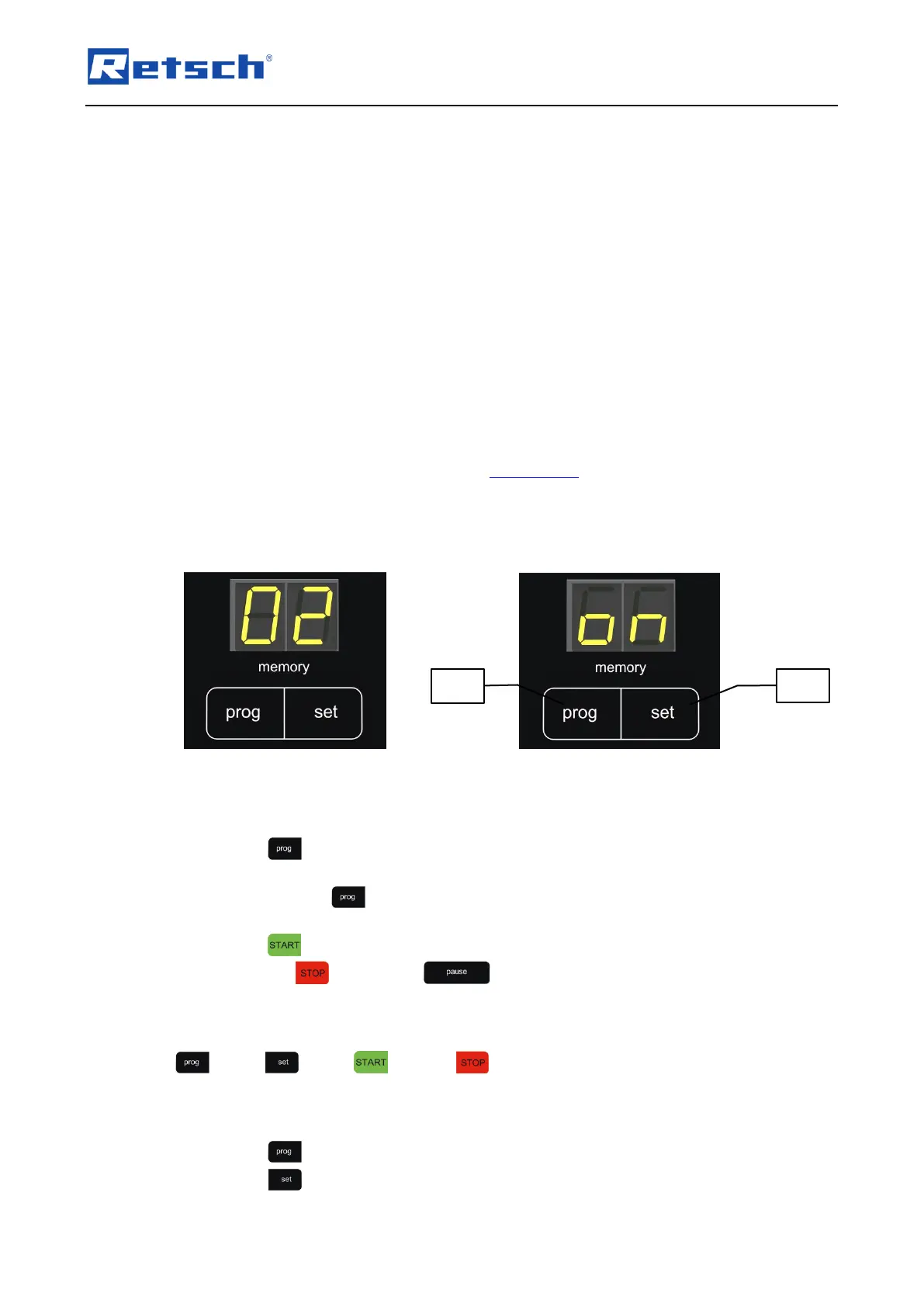
The currently selected programme is displayed in the display "memory" (H8). If the display
indicates "on", no programme is selected and the device is in the manual mode.
7.9.1 Select a Programme
Press the button (H8.1) to navigate through the programme memory slots in ascending
order and to select the desired programme.
Press and hold the button to navigate through the programme memory slots in steps of
10.
Press the button (H2) to start the sieving process in programme mode. All buttons,
except for the (H1) and the (H3) button are now locked.
Following the programme memory slot 99, "on" is again displayed in the display "memory" (H8)
and the device is in manual mode. When a programme is selected, all buttons except for the
(H8.1), (H8.2), (H2) and (H1) button are locked.
7.9.2 Edit a Programme
Press the button (H8.1) until the desired programme memory slot is displayed.
Press the button (H8.2). All displays are now flashing.



 To Next Page