Operating the machine
30
Pos: 7.46 /00005 Ü berschriften/ 1.1 Überschrifte n/1.1 Überschrift en BDA/11 Aust ausch der Ger ätesicherung @ 0\mod_12 27260127023 _9.doc @ 3952 @ @ 1
5.18 Replacing the machine fuses
Pos: 7.47 /00010 Bedienungsa nleitungen Kapitels ammlunge n/GM200 (20 10)/0015 GM200N Bedienung/ 1597 GM200_20 10_TM100_ Mod ul Austausch der Gerätesicher ung @ 3\m od_1279722531 841_9.doc @ 218 02 @ @ 1
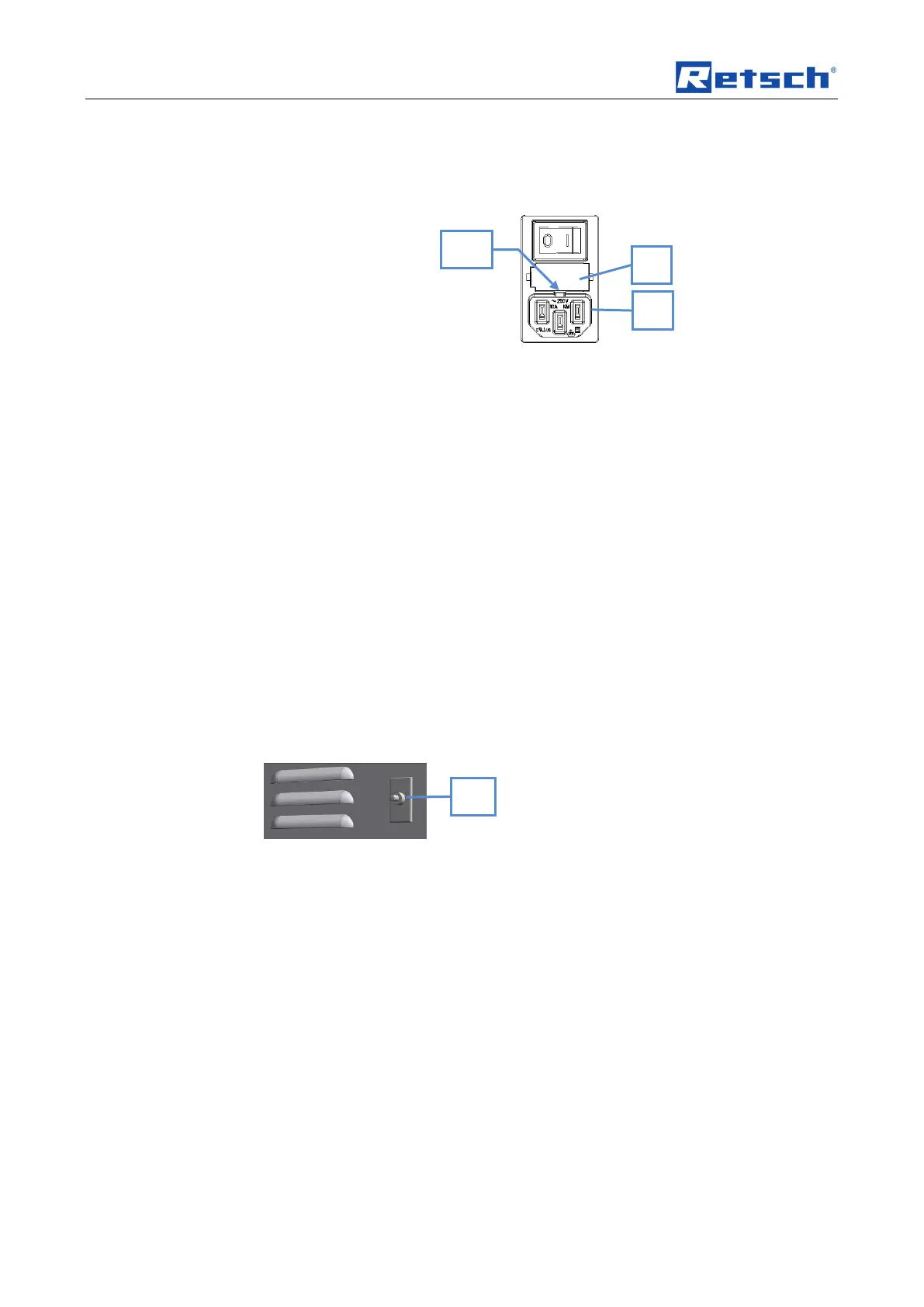
Fig. 1: Replacing the device fuse
The following glass fuses are required:
220V - 240V 2 x TT6,3 A
100V - 120V 2 x TT12,5 A
• Pull the plug out of the device socket (M).
• Push in the side catch (MA). This unlocks the fuse holder (L) which can
then be pulled out.
• Always replace both fuses.
• Slide the fuse holder (L) in until it engages.
Pos: 7.48 /00005 Ü berschriften/ 1.1 Überschrifte n/1.1 Überschrift en BDA/11 Überl astsicherung z urücksetzen @ 3\mod_127 9719797635_ 9.doc @ 2153 3 @ @ 1
5.19 Resetting the overload protection
Pos: 7.49 /00010 Bedienungsa nleitungen Kapitels ammlungen/GM 200 (2010)/00 15 GM200N B edienung/1598 GM 200_2010_TM 100_Modul Ü berlastsich erung zurückse tzen @ 3\m od_127972253257 5_9.doc @ 218 11 @ @ 1
The overload protection switch (K) is situated on the rear panel.
This overload protection switch disconnects the device from the power supply if the
machine is overloaded.
• After allowing the device to cool down it can be used with the power supply
again by pressing the overload protection switch (K).
Fig. 23: Overload protection switch
Pos: 8 /00010 Be dienungsanleitu ngen Kapitelsam mlungen/------- Seitenu mbruch ----------- @ 0\mod_1222344373758_ 0.doc @ 2386 @ @ 1



 To Next Page