MINI 3D Scanner User Manual
15 COPYRIGHT ©2022 REVOPOINT 3D ALL RIGHTS RESERVED
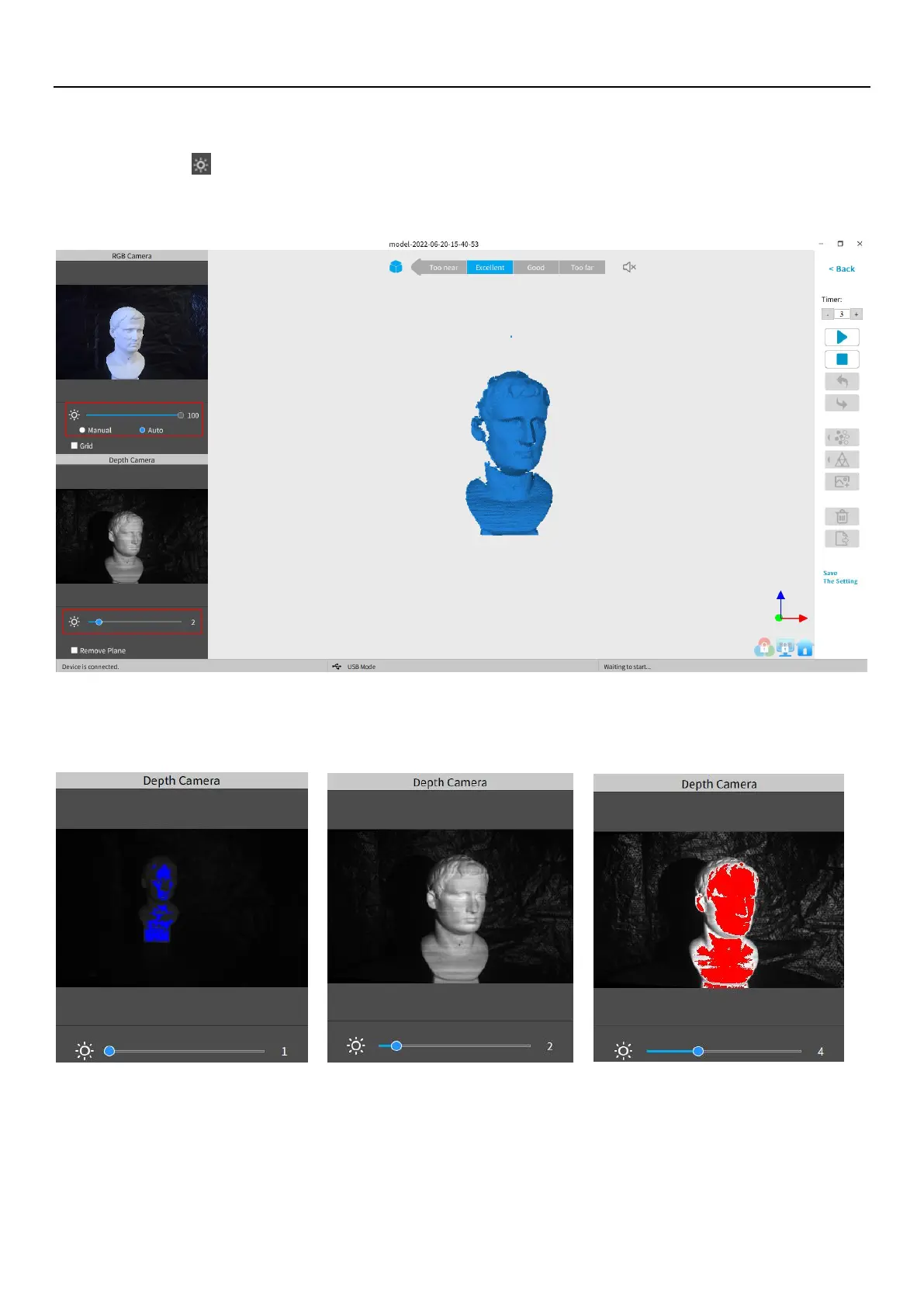
Adjust the brightness in the RGB Camera and Depth Camera
Adjust the Sun Icon on both of the smaller displays (for Android and iPhone smartphones, click on the Gear icon in the
upper right of each small window to make the controls visible). If available, try Auto first, but switch back to Manual before
capturing data to prevent lockups.
Note:


 To Next Page