MINI 3D Scanner User Manual
25 COPYRIGHT ©2022 REVOPOINT 3D ALL RIGHTS RESERVED
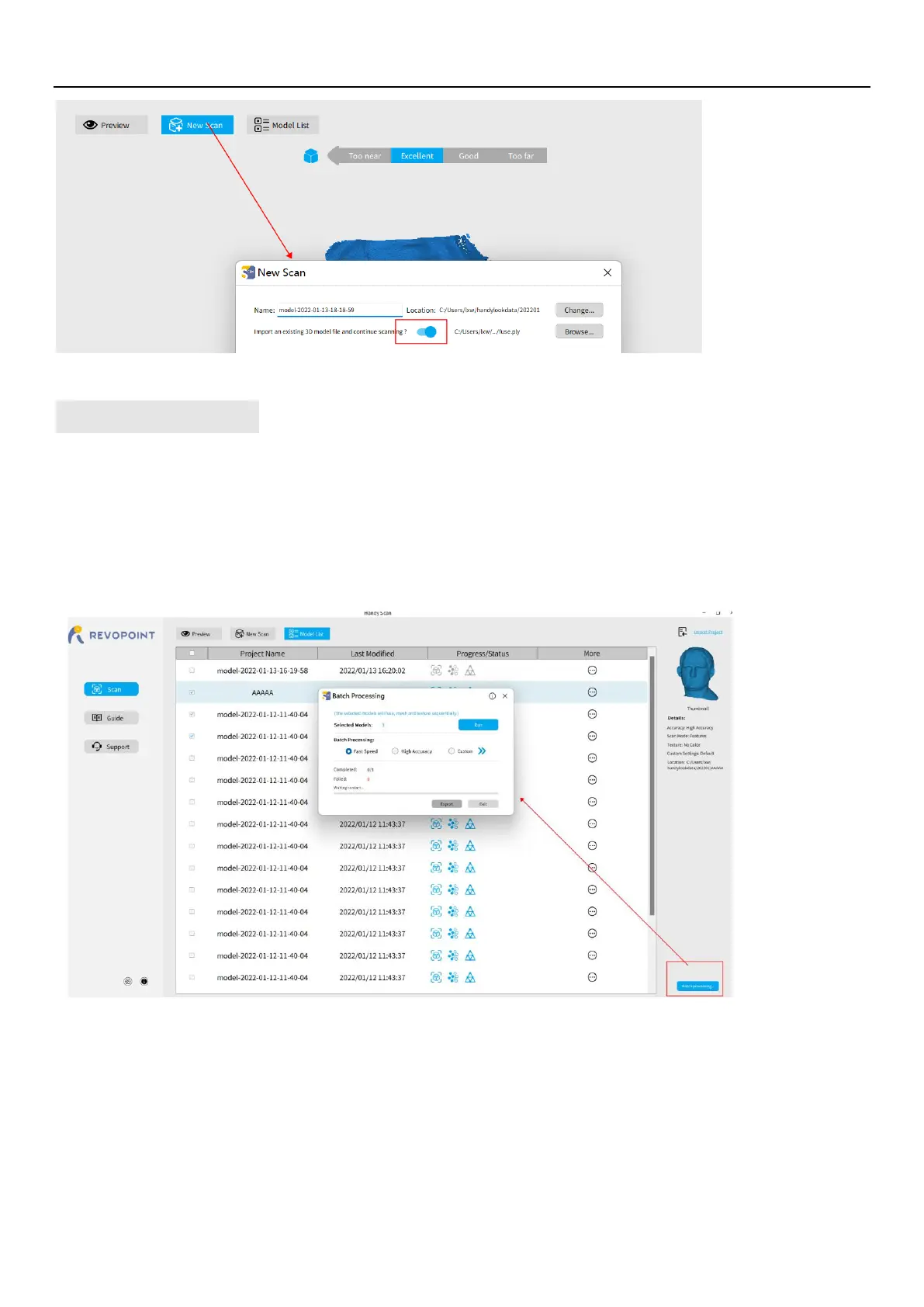
Batch Processing
"Batch processing" improves workflow by automatically applying the same settings for each operation to a selected group
of scanned models.
Fast speed: the model processing will be completed as quickly as possible;
High accuracy: while the model processing, the accuracy has priority over other elements.
Custom: Users can adjust the parameters of point distance, mesh quality and denoise to get the models needed.
Keyboard Shortcuts
Press the "Space Bar" on your computer keyboard to toggle between Start and Pause.


 To Next Page