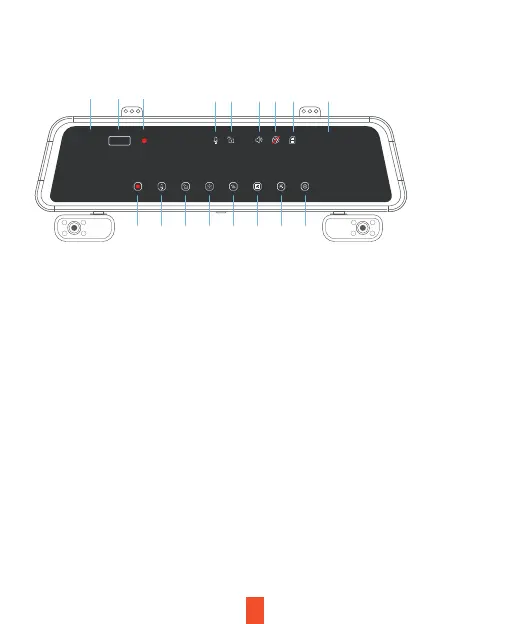
Screen Icons
6
Note
• If the screen is o, tap the screen to turn it back on.
• If the icons on the screen are hidden, tap the screen to display the icons.
• Scroll left or right on the screen to switch the view among Front, Rear,
Cabin, and All.
• Scroll up or down to adjust the visual range of each camera.
00:10
14/04/24 09:39:00
1 2
3
4 5 6 7
8
12 13 14 15 16
1. Start/Stop Recording
2. Mic on/o
3. Lock/Unlock Current Video
4. Take Photo
5. Screen View Switch
6. Playback
7. Screen Brightness
8. Settings
9. Video Clip Length
10. Resolution
11. Recording Indicator
12. Mic Status
13. Lock Status
14. Speaker Status
15. GPS Status
16. MicroSD Status
17. Date Time
1080*4
179 10 11



 To Next Page