19/29
Bosch Rexroth Canada ıJune.2016 ı Revision 2.0
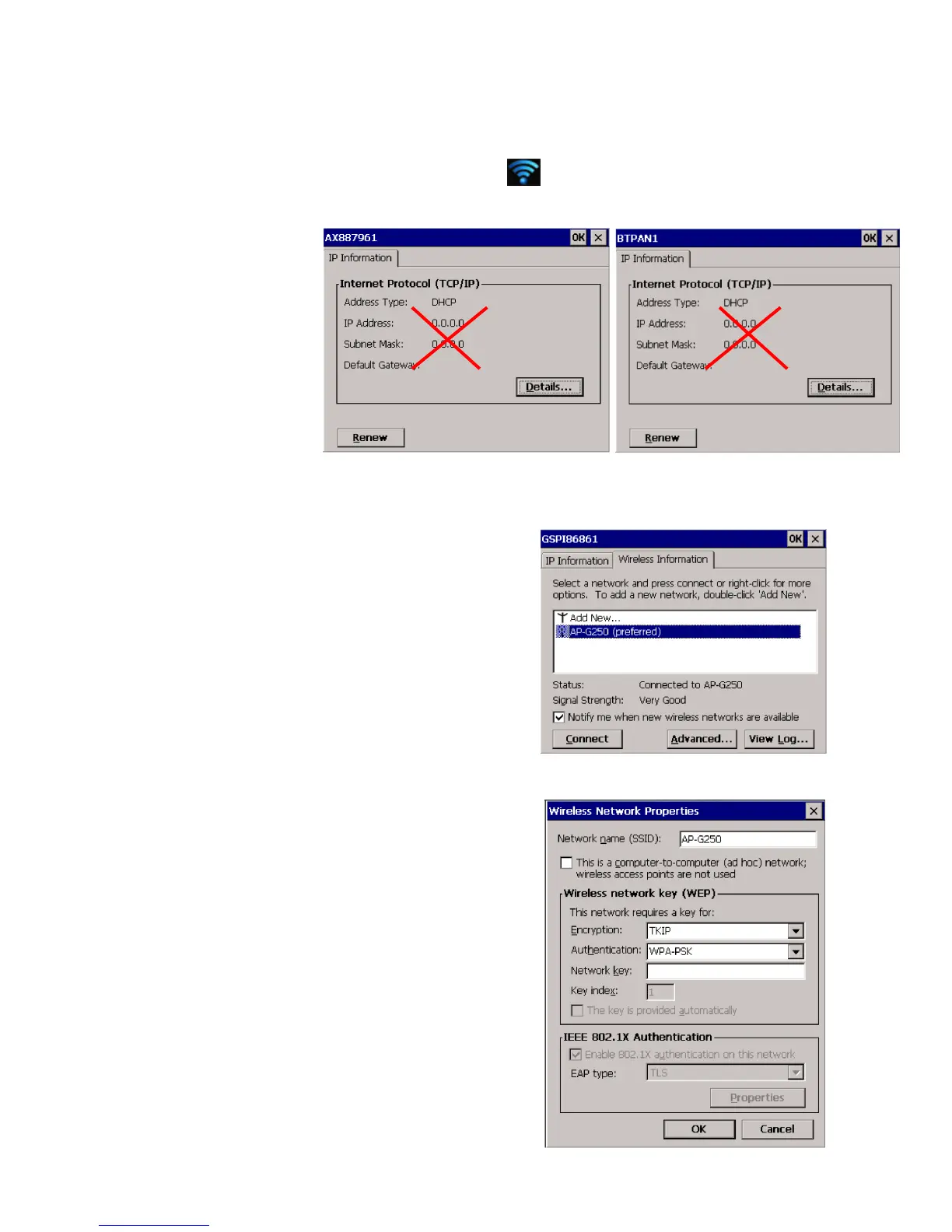
When the network icon is pressed there are three windows opening up,
AX887961(Ethernet, NOT USED), BTPAN1(Bluetooth, NOT USED),GSPI86861(WiFi).
**Note: Above two windows DO NOT need to be configured, just close them.
The WiFi setup is almost
identical to standard Windows.
- Search for networks
- Click on ‘Connect’
- Enter ‘security key’
- Uncheck ‘Notify me…’
to stop this window
pop up every time the
system starts up.
- Click on ‘Advanced’ to
remove or modify the
network profile



 To Next Page