8/29
Bosch Rexroth Canada ıJune.2016 ı Revision 2.0
6 Valve Nulling –
Conv/Spn/Chute/Prewet/Norm
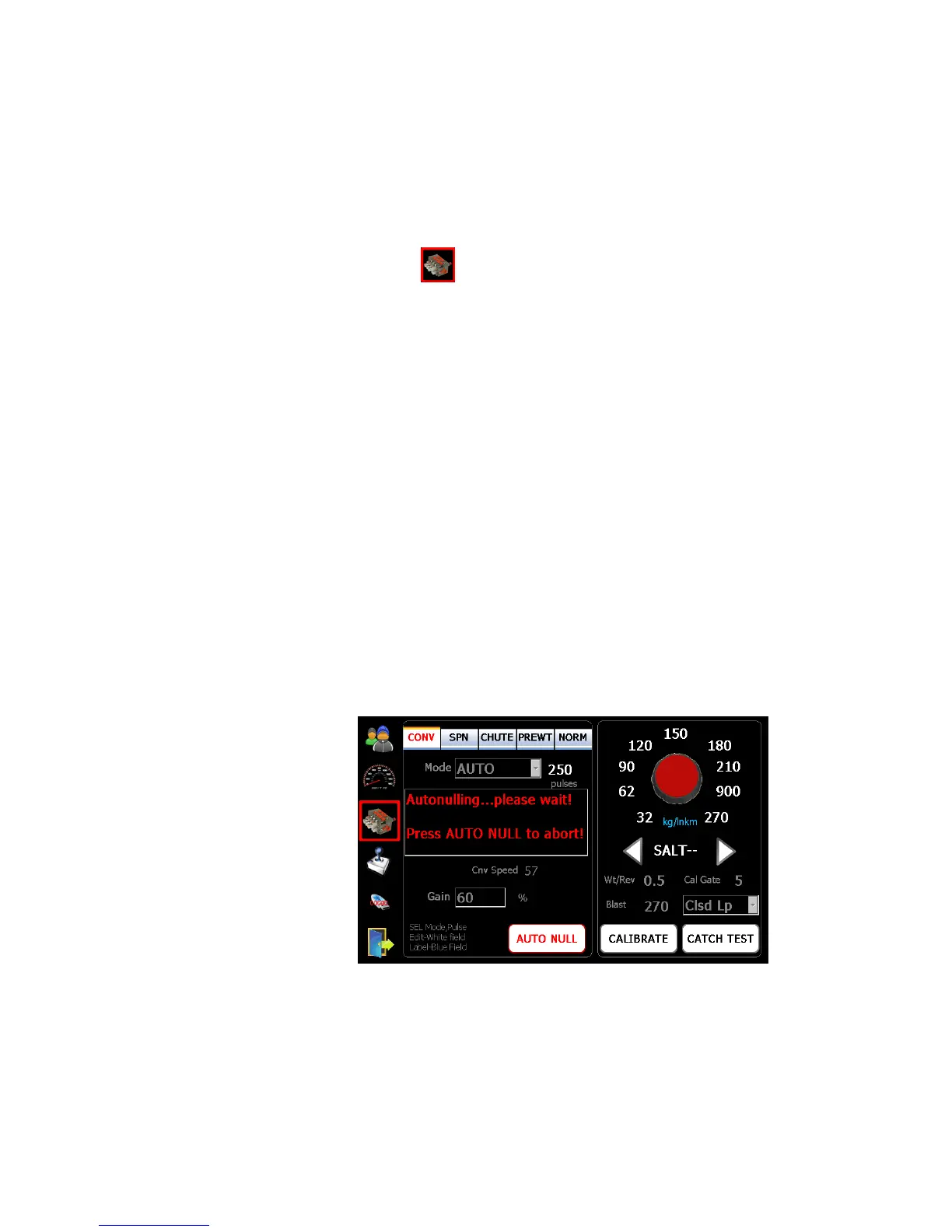
1. Select symbol to enter into the calibration screen.
2. Select the appropriate mode:
Spinner – Manual (default)
Conveyor/Auger – Manual, Open, Closed (default)
Chute – Manual (fixed)
Prewet – Fixed, V-Flow (default), Manual, Manual-SPD, Return Oil
Norm (Anti-icing) – Off (default), 1 Boom, 3 Boom, Manual
3. Set correct conveyor sensor pulses/rev if Closed loop is selected.
4. Ensure the hopper is empty, and the truck is safe to operate.
5. Start the engine to achieve adequate oil flow.
If the Closed loop mode is selected for Conveyor, V-Flow or Return Oil mode for
Prewet, and 1Boom or 3 Boom is selected for Norm (Anti-icing) it is strongly
recommended to run Auto Null. For manual mode please skip 6.1 and follow 6.2
Manual Nulling instructions.
6.1 Auto Nulling
1. Press “Auto Null” to start. This procedure automatically run the system, and set
both “Min” and “Max” for the motor selected, Auger, Prewet, Anti-icing, etc...).
2. Note: This feature can only be used with motors with speed or flow feedback
(i.e. Conveyor/ Auger, Prewet, Anti-icing, etc.).
6.2 Manual Nulling
1. Press “Min” value field to enter into edit mode.
2. Use up and down arrows to adjust speed so that the motor just begins to turn
3. Press the “Min” value field again to end the edit mode and accept the value



 To Next Page