Chapter 3: Using Your Product
VENUS X1PRO-E User Manual
Standard >>
Custom >>
-> 4K Mode Regular
Output Brightness >>
Standard >>
Custom >>
-> 4K Mode 4K1K Mode
Output Brightness >>
->Split Mode H 1/2
PIP Config >>
H Total 3840
V Total 1080
Width 1 1920
Details >>
EDID >>
Reset Parameters >>
3. Press the shortcut button on front panel, select <4K Mode>:
4. Press the knob, select “4K1K Mode” or “4K2K Mode”, shows the follows:
5. Back to <Split Mode>, press the knob, shows the follows, select <H 1/2>.
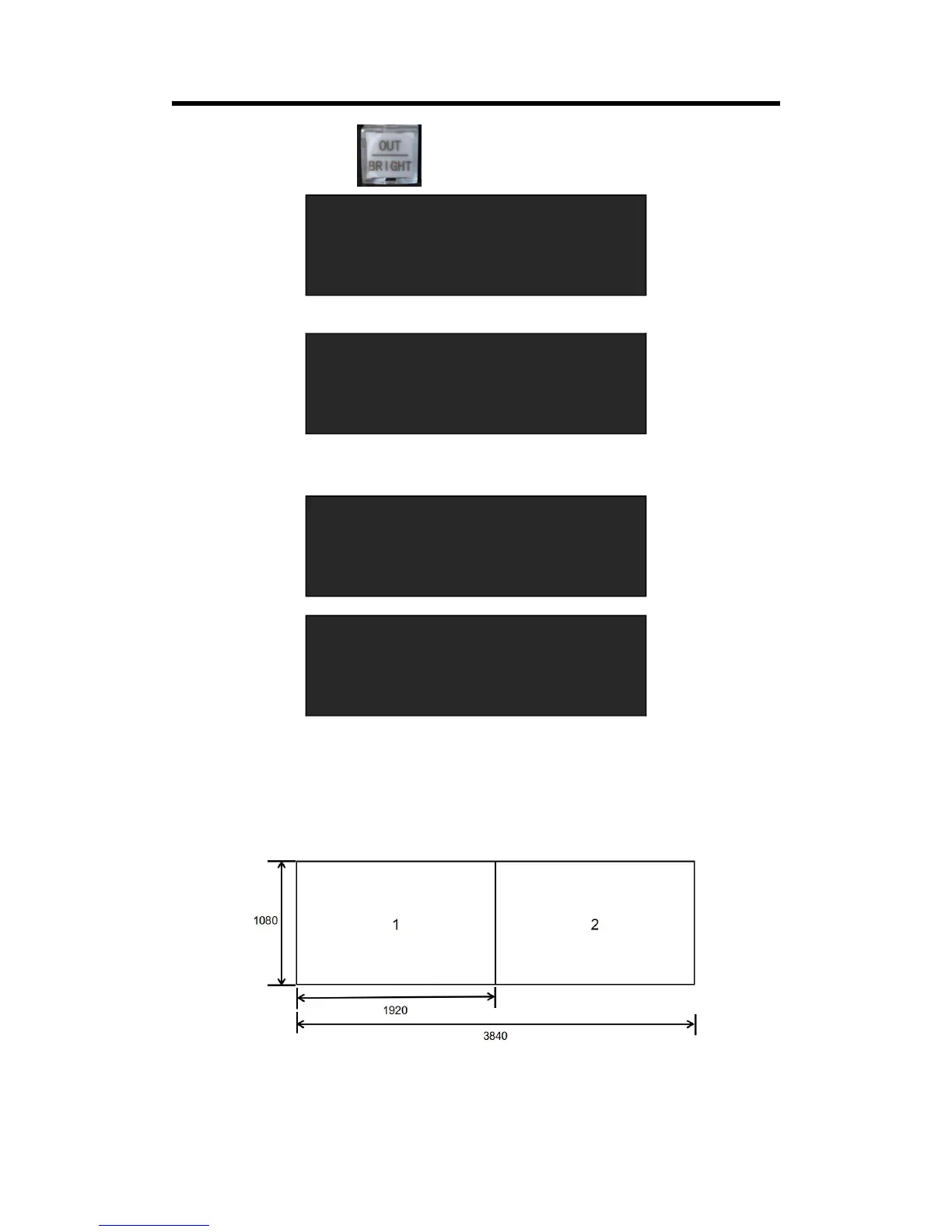
Set H total, V total, width1 of screen according to actual need.
For example, set H total as 3840, V total as 1080, Height 1 is 1080, same with V total.
Set Width 1 as 1920 and Width 2 will be 1920, ( H total <3840> - Width 1 <1920> = Width 2
<1920> ).
As shown in the figure below:



 To Next Page