Chapter 3: Using Your Product
VENUS X1PRO-E User Manual
->Split Mode 3D Split H 1/2
Source Type 3D
H Total 3840
V Total 1080
->Width 1 960
Details >>
EDID >>
Reset Parameters
items as follows:
Set Source Type is 3D, H total, V total, width1 according to actual need.
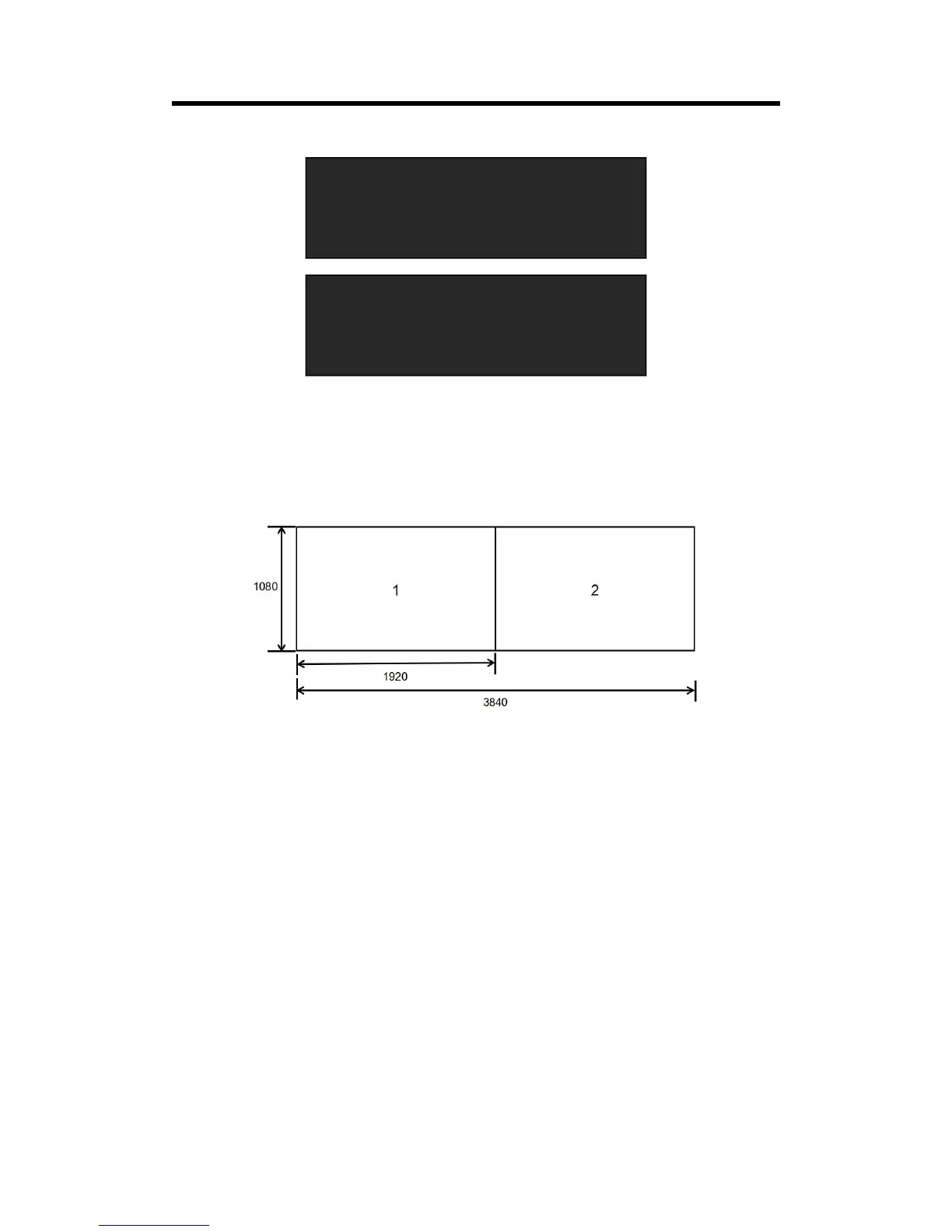
For example, set H total as 3840, V total as 1080, Width 11 is 1920, same with V total.
Set Width 1 as 1920 and Width 2 will be 1920, (H total <3840> - Width 1 <1920> = Width 2
<1920>).
As shown in the figure below:
3.5.2 Multi- Split
Allows splitting an input signal across both output channels, and also provides setting where the
source is to be split across more than one device. Follows will connect 2 devices as example.
3.5.1.1Connecting
(1) The 1
st
VENUS X1PRO-E input signal DVI1, and DVI Loop out connect to the 2
nd
VENUS
X1PRO-E DVI1 in, the input signal can be DVI1 or input optional signal SDI or HDMI or DP, but DP
have to match DP Loop out.
(2) Each VENUS X1PRO-E connecting 4 *DVI output.
(1) Push the <Menu> button, turn the rotary to select <Split>, push the knob to confirm, and
Select <Multi - Split>, enter to the menu items as follows:



 To Next Page