Beijing RuiZhitianhong technology Co.Ltd.
ADD.:A308 jiahua building, 9 Shangdi 3rd Street, Haidian District, Beijing. P.C.:100085.
Dell:+86-10-62970368/82923063 Fax:+86-10-82920078 URL:www.richnc.com.cn 22
RichAuto-A58 contains five user interfaces:Manual control user interface、Manual
function user interface、Remote control user interface、Input outputcontrol user
interface、View toolpath user interface.
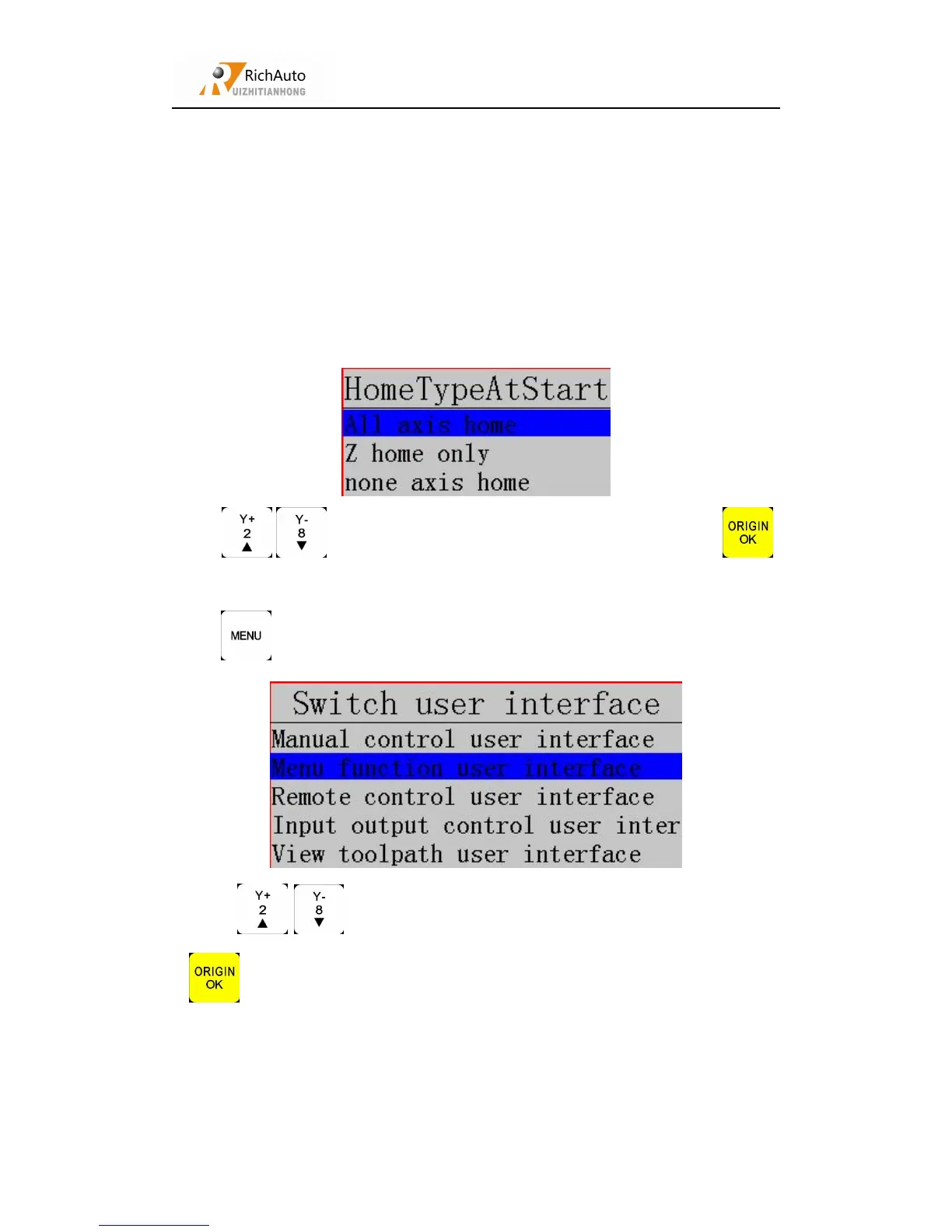
After the system is powered on,the system prompts the user to back home after the
boot process,system enter the interface “Home Type At Start”:
Press
“
/
”
to move cursor to choose your type
,
and then press
“ ”
to confirm.
Press “ ”,screen shows:
Press
“
/
”
to move cursor to choose your interface
,
and then press
“ ”
to confirm.
Manual control user interface:



 To Next Page